

Few people have probably heard of words such as “RGB” and “CMYK.” In conclusion, the terms “RGB” and “CMYK” both refer to systems for expressing color. In this article, we will mainly explain the overview and characteristics of “RGB”. We will also explain the differences with “CMYK”.
Elements that make up color
In conclusion, there are mainly five elements that make up color. The elements are as below.
- Hue
- brightness
- Saturation
- light source color
- object color
Let’s look at each in turn.
ระบบสี CMYK vs RGB_62fa0458c8624_62fa14d6aa33c_700x450_6315729e7f723_700x450.jpg)
Hue
Hue is the difference between different colors such as red, blue, green, and yellow. In addition, the arrangement of these hues on a circle is called a hue wheel, and colors that are adjacent or close to each other on the hue wheel are called similar hues. Also, colors that are 180 degrees opposite are called complementary colors.
brightness
It refers to the brightness of the color. The higher the brightness, the brighter the color will be, and the final color will be pure white. Conversely, if the brightness is low, the color will be dark, and if the brightness is set to the lowest value, it will be pitch black.
Saturation
Saturation refers to the vividness of a color. The higher the saturation, the more vivid the color. Vibrant colors are colors that make a strong impression, such as primary colors such as red, green, and blue, and neon colors. On the other hand, when the saturation is low, the colors become dull and end up looking more like gray.
In addition, highly saturated colors give a flashy and glamorous impression, so there are situations where it is difficult to use them for general purposes. On the other hand, colors with low saturation give a dull or dull impression, but are highly versatile. Note that there is no difference in saturation between gray, black, and white.
“Hue,” “lightness,” and “saturation” are the three basic elements of color. By considering these three things, you can view colors objectively. In graphic design, it is also possible to fine-tune the hue by considering brightness and saturation when deciding on color combinations, and by adjusting the brightness and weight of colors.
light source color
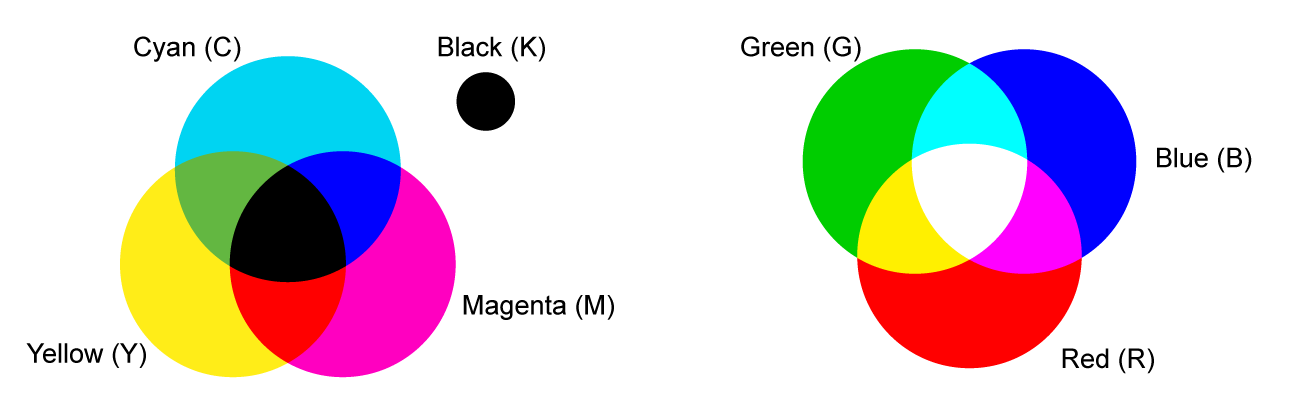
Light source color refers to the color of light emitted by light sources such as the sun, light bulbs, and neon signs. The light source color is black when there is no light at all, and approaches white when light of various wavelengths is added. The mixture of colors that produces “white” is called additive color mixing.
For example, if you shine red, green, and blue spotlights in a pitch-black gymnasium, the area where the three colors overlap will appear white.
object color
Object color is the color of an object that can be recognized when light is shined on it. There are two types of object colors: surface color, which is visible when light is reflected on the object’s surface, and transparent color, which is visible when light is transmitted through objects such as glass.
Surface color is the color that can be recognized because only light of a specific wavelength is reflected when light hits an object. For example, an apple looks red because it absorbs colors other than red, and only reflects red.
On the other hand, transparent color is the color that can be recognized when light passes through a translucent object such as liquid, glass, or plastic without being absorbed. For example, the green color of melon soda appears green because melon soda absorbs colors other than green, and only reflects green.
What is RGB?
RGB represents the standard method of expressing colors when handling figures, images, videos, etc. on computers, and is a combination of the three colors Red, Green, and Blue. With RGB, the more colors you mix, the brighter the color becomes. It is also called “additive mixing” or “additive color mixing.”
Television, computer, and smartphone displays reproduce colors using the three primary colors of red, green, and blue, and the color mode used when designing web pages is RGB.

What is CMYK?
CMYK is for expressing colors in printed matter, whereas RGB is mainly used in computers and televisions. CMYK is an acronym for “C=Cyan,” “M=Magenta,” “Y=Yellow,” and “K=Key Plate.”
CMYK is called “subtractive mixing” or “subtractive color mixing” because the more you mix colors, the darker the color becomes. Although it is possible to create a color close to black by mixing 100% cyan, magenta, and yellow, it does not produce black.
Therefore, there is “K=Key Plate (black)” as a color that interpolates the three primary colors. Please note that because of the presence of the key plate, black can be expressed well in printed matter. Printed materials such as flyers, catalogs, and posters are generally reproduced in CMYK. Also, the color mode used when creating DTP designs is CMYK.
Difference between RGB and CMYK
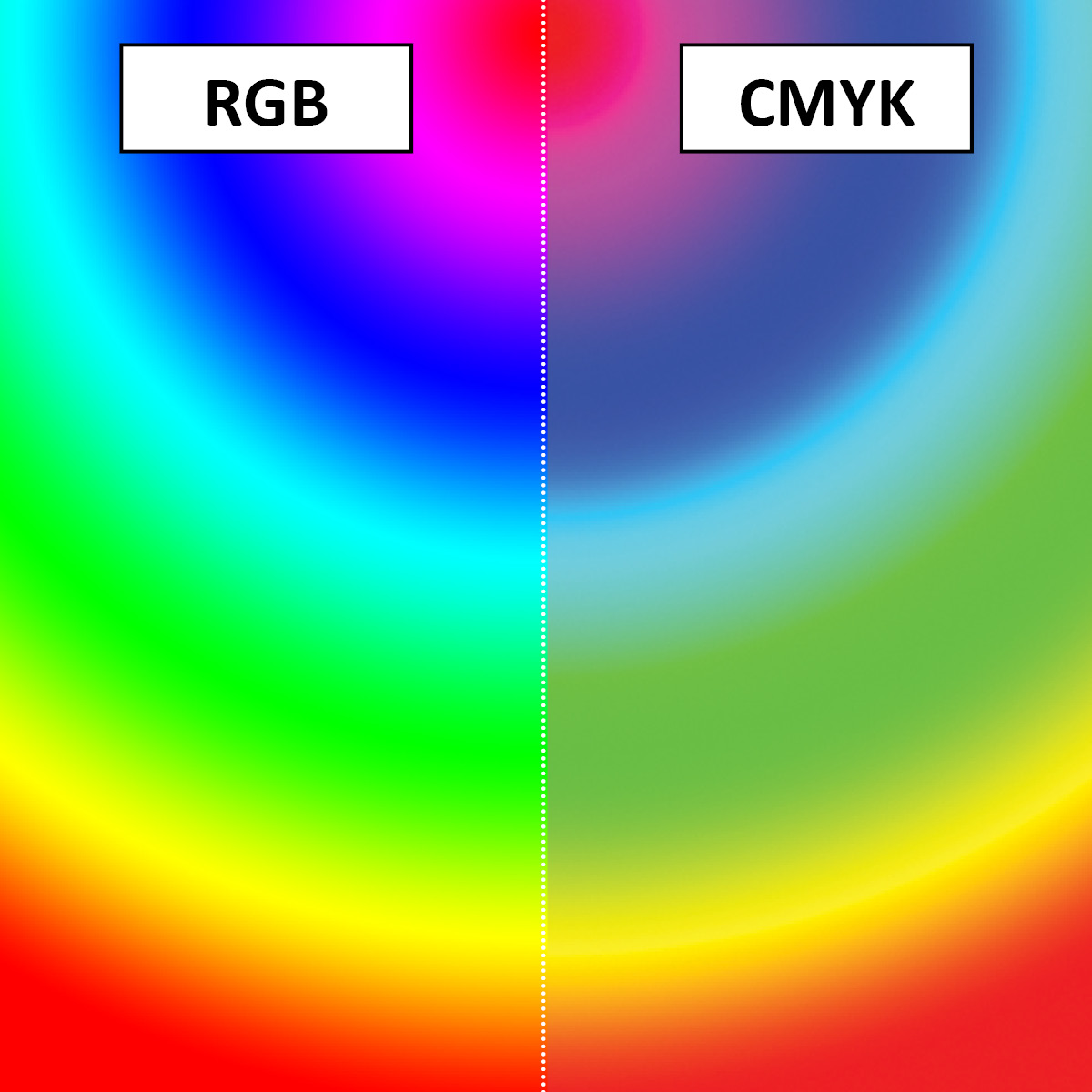
RGB is a color system used on screens such as computer displays.
CMYK, on the other hand, is a coloring system used for printed materials such as paper.
Therefore, mutual compatibility is low, and if you print what is displayed on the display, it will look different because the expression on the display and the expression on paper are different.

What is RGB color?
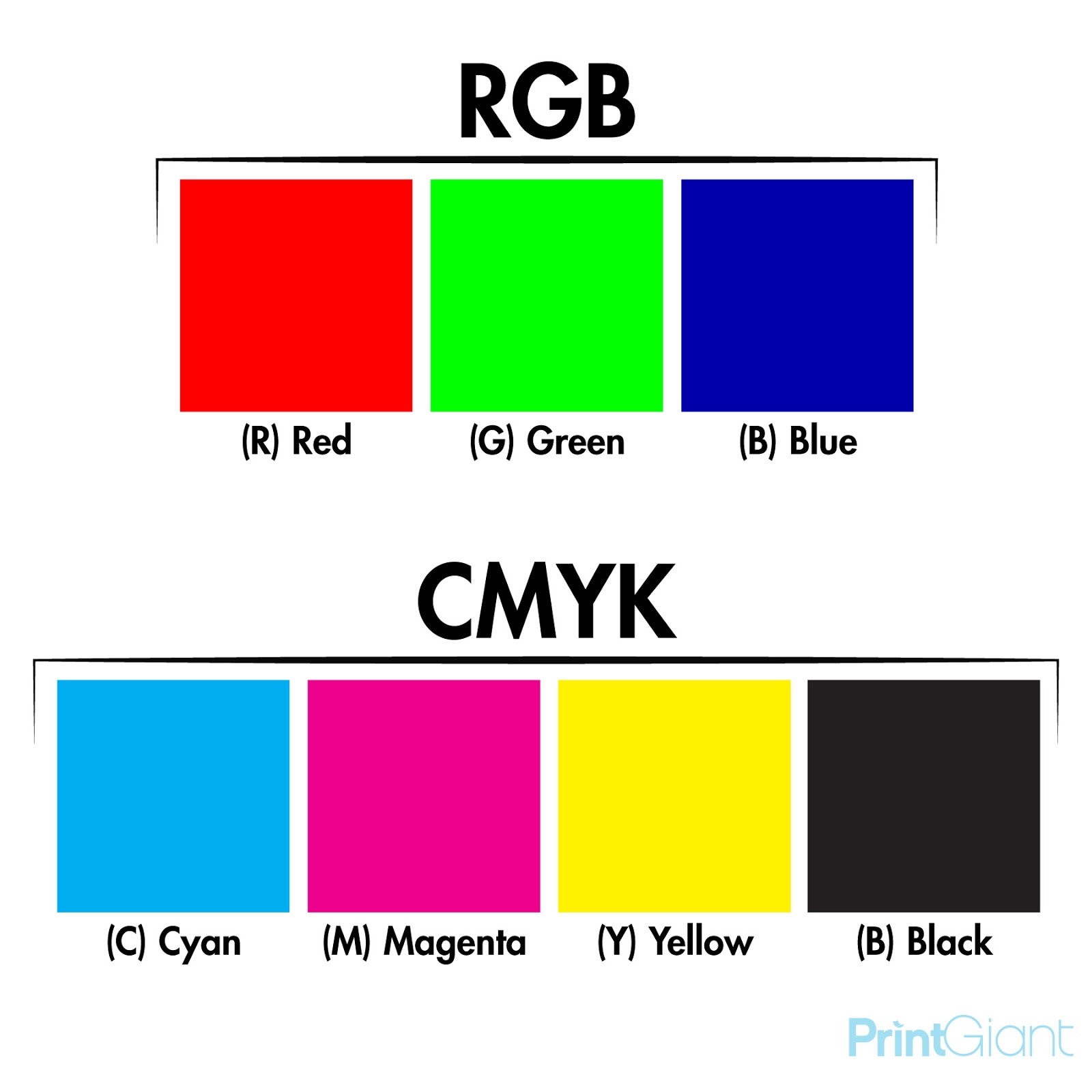
RGB colors are the three primary colors of light. Refers to the three primary colors: R (red), G (green), and B (blue).
Computer monitors and smartphone displays express colors using RGB colors.
The color becomes brighter and closer to white as each element is layered, which is called “additive color mixing.”

What is CMYK color?
CMY colors are the three primary colors of colorants. Refers to the three primary colors: C (cyan), M (magenta), and Y (yellow).
The more you mix the elements, the higher the concentration, and the closer to black it becomes, which is called “subtractive color mixing.”
In reality, it will be a muddy gray, not black.
In printing, black is added to cyan, magenta, and yellow to make black closer to real black.
About color space
RGB and CMYK have different color expressions (color spaces). RGB has a wider range of color expression than CMYK, and can be expressed more vividly.
There are also different color gamuts in RGB. Examples include Adobe RGB and sRGB.
sRGB can be displayed on many displays, so it is ideal for displaying images on the web.
Adobe RGB, on the other hand, can display a wider color spectrum, but not on all monitors. Therefore, if you know that your material will be printed, you can also design in Adobe RGB and print using Adobe RGB instead of CMYK if your printer is compatible with this color space. It is possible to
Which format, RGB or CMYK, is supported depends on the type of printer.
Therefore, when you print data created in RGB, the parts that cannot be reproduced are replaced with similar colors, resulting in an overall dull color. The data created on a computer is RGB data. However, it is also possible to easily convert to CMYK data.

How to convert RGB and CMYK
Here we will explain how to convert between RGB and CMYK. This time, we will explain the conversion method in Photoshop and Illustrator, which are popular design software.
For Photoshop
First, select “File” on the image editing screen.
When you hover over the document’s “Color Mode”, “CMYK Color” and “RGB Color” will be displayed. If “RGB Color” is checked, you can see that it is RGB data.
To convert this data to CMYK data, check “CMYK Color”.
When you run it, there will be a slight change in color. After that, if “CMYK” is displayed on the editing screen, the conversion was successful.
For Illustrator
The procedure for Illustrator is almost the same as for Photoshop. Select “Image” on the image editing screen.
Hover over “Document Color Mode” to see various formats. If “RGB Color” is checked, it indicates that this image is RGB data.
To convert this data to CMYK data, check “CMYK color”.
Before execution, a pop-up will appear informing you that data conversion will take place. If there are no problems, click OK.
The color will change from before conversion. After that, if “CMYK” is displayed on the editing screen, the conversion was successful.

What happens when you print in RGB?
Although it is possible to print in RGB color mode, the colors will not be accurate and color differences will occur. Also, when converting the colors of an RGB image to CMYK and printing, the colors may not be as expected. Please note that blue and green colors may deteriorate.

Which is better for design: RGB or CMYK?
It depends on what you’re designing and how you’ll use it (print or digital, etc.). When designing for digital media, it is always better to use RGB color mode.
Also, if you need to print, in most cases it is better to work in RGB and convert to CMYK just before sending it to the printing company. This is because RGB allows you to design in full color, giving you greater freedom of color.
However, there are times when it is better to design using CMYK color mode. If the majority of your design is “gray”, you may want to consider designing in CMYK.
Gray is one of the most difficult colors to properly control in the printing process. When printing gray using RGB color mode, the image often ends up appearing pink. However, since CMYK uses black to control the process, it is possible to print gray clearly.

summary
In this article, we explained “RGB” and “CMYK”. “RGB” and “CMYK” are both systems for expressing colors. These are indispensable for anyone who wants to create a proper design, and they are also essential for web design. If you understand the two characteristics of RGB and CMYK, you will be able to print satisfactory images and designs. It is important to consider colors and design from the user’s perspective.