

Google Apps Script (GAS) is pronounced Google Apps Script and is often referred to by the abbreviation GAS. Among the people reading this article, there are probably many people who use Google’s related services such as spreadsheets and documents on a daily basis, as well as those in charge of the web.
However, you may have experienced problems with tasks such as task management and data transcription, or missed Google Forms or Google Calendar reservations. In such cases, Google Apps Script (GAS) is useful for automating tasks.
In this article, we will comprehensively introduce the overview of Google Apps Script (GAS), its three features, and how to use it. We will also explain points to be aware of when using Google Apps Script (GAS), so please refer to it.
What is Google Apps Script (GAS)?
First, let’s start with an overview of Google Apps Script (GAS). Google Apps Script (GAS) is a programming language developed and provided by Google. It is a language developed based on “JavaScript” that runs on a web browser, and it is relatively easy to learn for those who are learning JavaScript on a daily basis.
Additionally, JavaScript is an indispensable language when developing and operating websites. Therefore, if you are an engineer involved in such websites, you can consider the cost of learning Google Apps Script (GAS) to be low.

What is GAS?
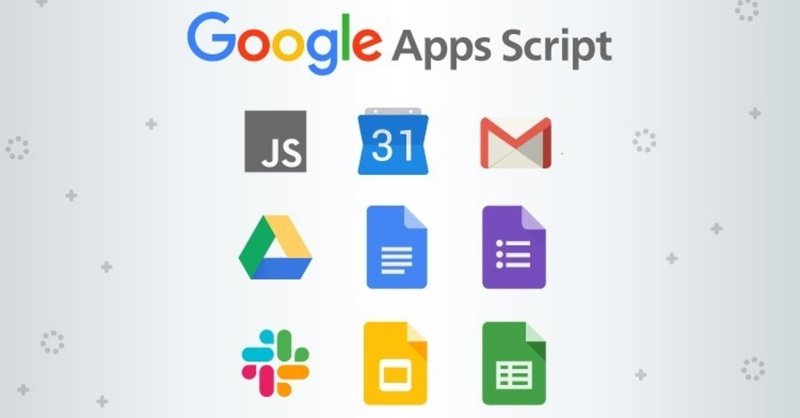
GAS is an abbreviation for “Google Apps Script”, which is a platform for developing applications developed and provided by Google. A low-code development tool for linking and automating various services provided by Google, such as Google Spreadsheets, Calendar, and Gmail.
What are low-code development tools?
Low-code development tools are tools that allow you to develop apps with minimal code. The concept is to make development intuitive by minimizing the amount of code writing and increasing the amount of mouse work.

Differences with Python
GAS is often recognized as a language similar to Python, and basically anything that can be done with GAS can also be done with Python. The main difference is that Python can be linked with MS Office, while GAS is source code provided by Google, so it cannot be linked with MS Office.
Additionally, Python has the characteristic of being highly versatile when it comes to data analysis and machine learning, but the difference is that GAS is specialized for collaboration with Google products.
Differences with JavaScript
GAS is based on JavaScript, and just like Python, anything that can be done with GAS can also be done with JavaScript.
However, the major difference is that JavaScript is primarily intended to run on a web browser, while GAS is a language primarily intended for collaboration and automation between online services provided by Google. .
Examples of using Google Apps Script (GAS)
Examples of GAS usage include:
Gmail + Google Drive
Using GAS, you can automatically save received Gmail attachments to Google Drive. For example, you might want to use this function when you want to share images or PDF files attached to an instruction email from a client with a subcontractor’s work team.
Since Google Drive, which is a cloud storage, can share saved data, there is no need to send the same email to all work members one by one.
Google Spreadsheet + Gmail
By linking Google Spreadsheet and Gmail with GAS, you can automatically send the content entered in Google Spreadsheet by email. By doing this, for example, the work content can be understood among multiple work members without having to access Google Sheets every time.
You can also check the progress of your work via email by setting it to automatically send emails every few hours.
Google Form + Google Calendar + Gmail
By linking Google Forms, Google Calendar, and Gmail with GAS, you can automatically reply to customer inquiries, for example. You can set it up so that registrants will receive an automatic reply when the Google Form is filled out and submitted.
Furthermore, if you link Google Calendar, the date and time of sending and customer information will be registered in Google Calendar, so you can not only check the contents at a glance, but also prevent omissions.
Google Analytics + Google Spreadsheet
By linking Google Analytics and Google Spreadsheet with GAS, you can use it for marketing.
By reflecting the data obtained with Google Analytics in Google Spreadsheet, you can visualize the number of CVs, UUs, and PVs. By creating KPIs based on this and having them automatically updated, you can derive dynamic evaluation indicators based on performance each time.
Examples of external tools that can be linked with Google Apps Script (GAS)
GAS can be linked with the following external tools.
ChatGPT
By using the ChatGPT API in GAS, you can add ChatGPT functionality to Google Spreadsheets and Google Docs. For example, if you want to link Google Spreadsheet and ChatGPT, first obtain an API key from OpenAI.
After that, access App Script from the Google Spread extension and enter the API obtained from the management screen. Then, a ChatGPT item will be added to the menu, and by selecting this menu, ChatGPT will be able to generate sentences on Google Spreadsheet.
business chat tools
Business chat tools such as Slack, Chatwork, and Teams can also be linked with GAS. For example, by linking GAS and Chatwork, the following things can be done automatically.
project management tools
Project management tools such as Trello, Backlog, and Redmine can also be linked with GAS.
For example, by linking Trello with GAS, GAS will be able to do the following with Trello:
SNS tools
SNS tools such as LINE and X (Twitter) can also be linked with GAS. For example, by linking LINE and GAS and creating a LINE Bot, you can create a program that allows you to have conversations on LINE. By doing this, you will be able to automatically reply and respond more efficiently to questions from users.
Three features of Google Apps Script (GAS)
So far, we have provided an overview of Google Apps Script (GAS). From here, I will explain the three features of Google Apps Script (GAS).
Let’s look at each in turn.
available for free
Google Apps Script (GAS) is an open source programming language available to anyone with a free Google account. It is characterized by the fact that there is no need for running costs for implementing the code, so there is no possibility of cost pressure on development.
No environment construction required
Environment construction refers to preparing software when implementing a program (code). As mentioned above, Google Apps Script (GAS) is an open source programming language. The development environment is also provided as a web application, and a major feature is that no environment construction is required.
Can be linked with Google services
Google Apps Script (GAS) is a programming language provided by Google, so it can be linked with Google services. Examples of related services include Google Sheets, Google Docs, Gmail, and Google Forms.
In addition, it is possible to integrate not only with Google-related services but also with external services such as Chatwork, Trello, and Slack. By linking Google Apps Script (GAS) and Google services, you can collect text information from a website and automatically export the information to a spreadsheet when changes are made.
In addition, you can automatically send notifications to Gmail, and automatically convert spreadsheets to PDF based on changes you make. If you frequently use Google-related services on a daily basis, you will be able to achieve overwhelming operational efficiency by mastering Google Apps Script (GAS).
Two types of Google Apps Script (GAS) development methods
So far, we have explained the features of Google Apps Script (GAS). There are two methods for developing Google Apps Script (GAS):
Each has different advantages and disadvantages, so we will explain them in detail here.
Stand-alone type
A standalone script is a script that runs on its own. Sometimes called standalone scripts, they are used when there is no need to integrate with Google-related services such as Google Sheets or Google Forms.
Advantages and disadvantages
The advantage of a stand-alone model is that it requires less man-hours and implementation effort, as it does not require coordination with Google’s related services. It can be said that there are no particular disadvantages of the stand-alone type because it is used without the need for collaboration in advance.
container bound type
Container-bound scripts are scripts that work in conjunction with Google Spreadsheets, Google Docs, external services, etc. Sometimes called a container binding script. The container-bound type is used when automatically sending notifications to Gmail or automatically exporting information from Google Sheets to PDF.
Advantages and disadvantages
The advantage of the container-bound type is that it can be linked with Google-related services and external services. If you want to improve the efficiency of the entire business flow, there is no problem in considering the container-bound type as the only option.
On the other hand, the disadvantage of the container-bound type is that the more related services there are, the more time and effort it takes to implement them. Therefore, while it is recommended to use container binding for the purpose of improving business efficiency, if your company does not have enough resources, carefully consider and implement it.
How to use Google Apps Script (GAS)
So far, we have explained the features and development methods of Google Apps Script (GAS). From here, we will explain how to use Google Apps Script (GAS) using the container-bound type as an example.
Let’s look at each in turn.
Open Google Doc
First, open Google Docs. Google Docs is available to anyone with a Google account.
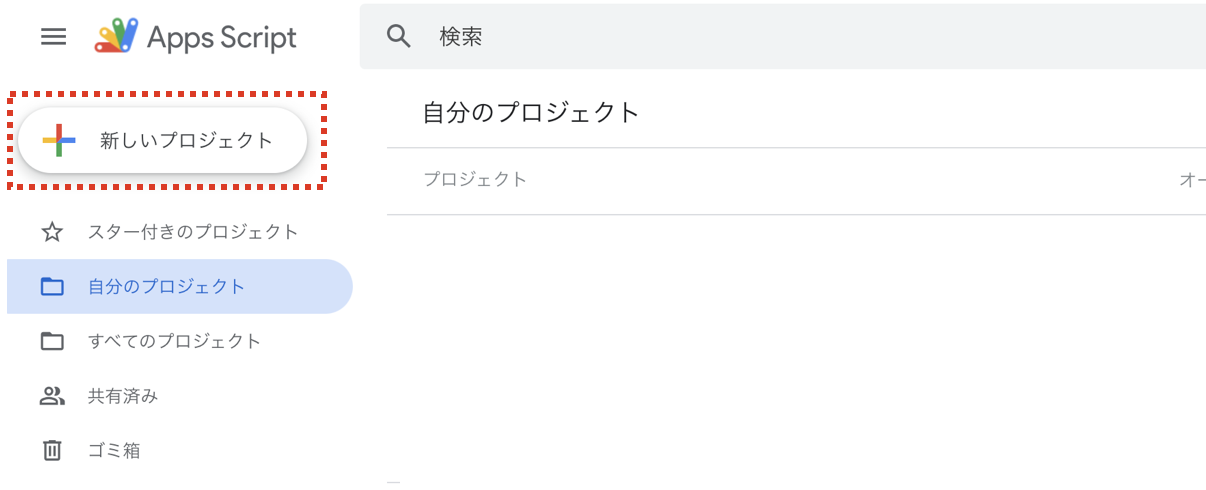
Open script editor
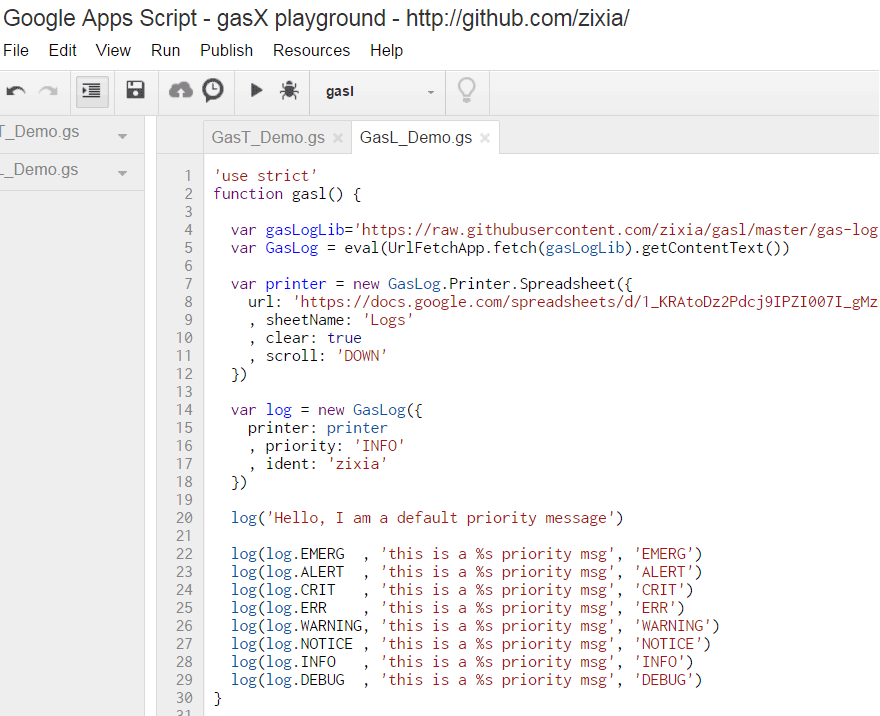
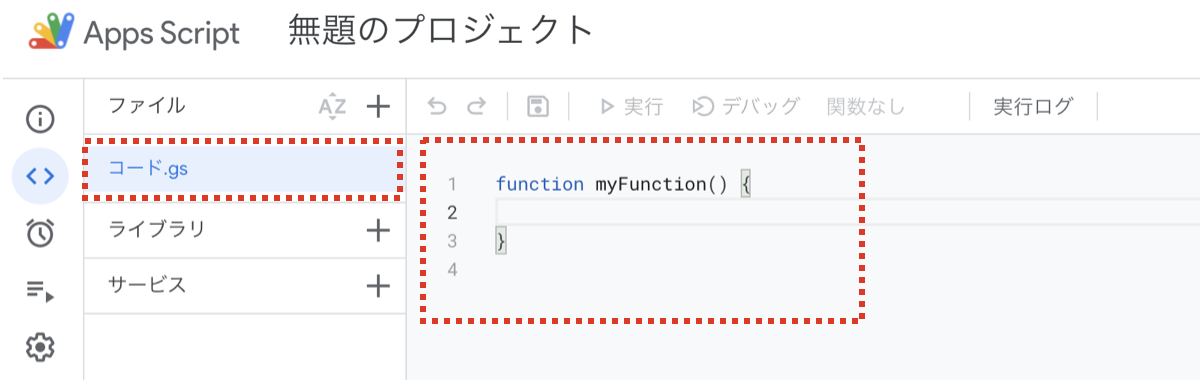
Once you open Google Docs, select “Script Editor” from the Tools tab. When you open the script editor, you will be able to type the code using code gs.
Enter code (implementation)
Finally, enter (implement) the code according to the related services and content you want to implement. Here, we will write the code using an example of a program that sends content to Gmail.
function sendMail() {
const recipient = ‘〇〇@xyg.’ //① Destination
const subject = ‘test’; //②Subject
const body = ‘test email’; //③Body
GmailApp.sendEmail(recipient, subject, body);
}
After implementation, test it in-house and continue operating if there are no problems.
Example of how to learn Google Apps Script (GAS)
There are several ways to learn Google Apps Script (GAS):
Community site for engineers
You can find a variety of information about GAS on community sites for engineers such as Qiita and Zenn. You can view interesting posts such as “How to write GAS code and techniques” and “Collection of GAS development ideas.”
online learning platform
If you want to learn in earnest, we recommend using online learning platforms such as Udemy and LinkedIn Learning. Although there is a fee, it is an ideal way to learn from scratch as companies and individuals who are familiar with the subject provide easy-to-understand videos and other explanations.
online programming school
If you don’t have any skills or knowledge, online programming schools such as Dot Install, Samurai Terracoya, and Progate are suitable. Although it is a monthly fee, he takes the time to give detailed lectures from the basics to advanced lessons. Some places offer one-on-one lessons with instructors, allowing you to steadily improve your skills.
IT specialized media
@IT, which is a specialized IT media, is a comprehensive IT media, but it also publishes many articles related to GAS. If you type GAS in the search window, you will find articles related to GAS.
Notes on Google Apps Script (GAS)
So far, we have explained how to use Google Apps Script (GAS). Finally, we will explain the points to be aware of when using Google Apps Script (GAS).
Please note that some features are limited with free Google accounts for individuals. For example, if 6 minutes have passed since the last action (implementation) of a Google Apps Script (GAS), the script will be terminated.
Paid Google Workspaces for businesses tend to have less restrictions than personal accounts. Therefore, if your company implements Google Apps Script (GAS), be sure to subscribe to Google Workspace.

summary
In this article, we have explained Google Apps Script (GAS). Google Apps Script (GAS) is a programming language provided by Google, which has the advantage of being relatively easy to learn and improving work efficiency.
However, some development methods have the disadvantage of requiring more man-hours. Therefore, it would be a good idea to start by considering whether to implement standalone or container-bound, considering the advantages and disadvantages.