

Have you ever seen an “Internal Server Error” error while browsing a website? This is also known as a “500 error” and refers to an error code that indicates that an error has occurred on the web server and the page cannot be displayed correctly.
If this error suddenly occurs, many people may become worried and wonder, “Why did it happen?” and “How can I fix it?” Also, those who run websites or media may be worried that it may have a negative impact on
SEO
.
This article provides an overview of the 500 error (Internal Server Error), what causes it, and how to resolve it when it occurs.
What is a 500 error?
A 500 error is an error code that indicates that an error has occurred on the web
server
you are viewing and the website cannot be displayed correctly. This 500 error is displayed when an error has occurred but the specific cause is not clear.
In many cases, the cause is on the server side, so it is difficult for the user or viewer to resolve the issue. Therefore, it is necessary for the website operator or administrator to confirm the problem and make improvements.
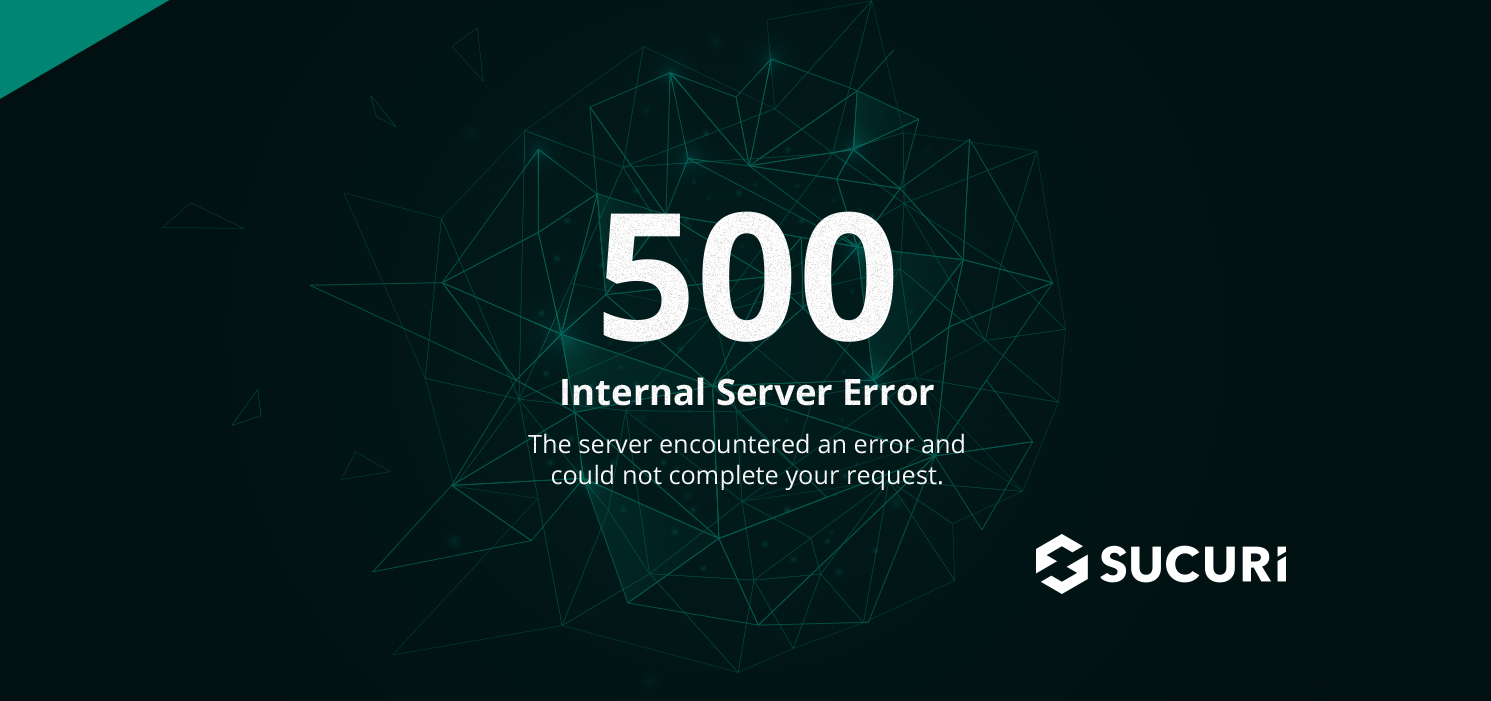
The 500 error characters are displayed differently depending on the browser or server, but there is no difference in the content. The characters that may be displayed include the following.
Impact when a 500 error occurs
A 500 error indicates that an error has occurred on the web server and the page cannot be displayed correctly. If this error occurs, the following effects may occur.

Unable to view websites or use apps
A 500 error means that an error has occurred on the web server, and the website or application cannot be processed. As a result, users who want to browse websites or use applications are unable to take action. If a 500 error occurs and you leave it as is, even if there are users who want to use it, they may say, “I can’t see the website, so I’ll stop viewing it,” or “The app is not easy to use, so I’ll stop purchasing it.” This may lead to decreased user satisfaction and lost opportunities.

There is a risk of lowering your SEO rating.
If you leave a 500 error occurring, your SEO rating may drop.
SEO is an abbreviation for search engine optimization, and it stands for “Search Engine Optimization.” By creating a website with a structure that is easily evaluated by search engines such as Google, and a website that includes keywords, you can display your website at the top of search results and increase the number of users who view it through searches. It refers to measures to achieve success.
Search engines tend to “display content that is useful to searchers at the top.” Therefore, if you do not make any improvements even after a 500 error occurs, your website will be judged as a “poor quality website” and your search rankings may drop significantly. It would be a shame if all the measures you have put in place go to waste because of a single error.
Additionally, if users are unable to view the page, they may quickly leave the page or stop viewing it afterward. Viewing time is also a key factor in evaluating SEO measures, so if the time spent viewing a page is extremely short, the evaluation from search engines will be negatively affected. When an error occurs, it is important to take immediate action.
6 main causes of 500 errors
500 errors have a big impact on companies and service providers who operate websites. It is important to understand the cause and be able to respond quickly when an error occurs.
Here we will explain the six main causes of 500 errors.

Occurrence of excessive access
If the number of visits to your website increases temporarily, the server may become overloaded and a 500 error may occur. In this case, it is likely that the problem will resolve automatically once the concentration of accesses has subsided, so the only thing you can do is wait and observe.
By the way, there is a similar error called 503 error (Service Temporarily Unavailable), which also occurs when access is concentrated and processing becomes difficult.
.htaccess description error
It may also occur if there is a writing error in the .htaccess file. .htaccess is a file that controls the basic operations of a web server on a directory-by-directory basis. By creating these, you can configure settings according to your purpose, such as basic authentication and redirect settings.
However, if the file description is incorrect, the program may not be called correctly and an error may occur. For example, some common mistakes include:
PHP and CGI description mistakes
PHP is a programming language often used for application and website development. You can add movement by incorporating it into HTML. CGI is a mechanism by which a web server executes programs in response to requests from browsers, etc., and can handle not only static information such as
HTML
, but also dynamic information based on program processing results. .
The web server reads these and displays the contents of the web page, displaying the structure, images, and movement. Therefore, if there is an abnormality during processing or reading, a problem may occur.
Also, if your PHP version is old or if you have changed the version just before, it may lead to errors. When editing, be sure to check for any mistakes.
Misconfigured permissions
Permission is an English word that means “permission” or “permission,” and it refers to the authority settings for executing a file. If the web server is not configured correctly for the specified permissions, problems may occur. It can also be dangerous, as it allows third parties to write or execute things that should not be freely written to, such as configuration files. Please be careful as your internet environment may be at risk regardless of the error.
Googlebot excessive crawling
Google collects search information on sites to determine the display ranking of search results. A crawler called “Googlebot” is used to collect this search information. A crawler periodically retrieves documents, images, etc. and automatically creates a database. This means that when a web page is registered in the database, it is “indexed”. By indexing, the “title” and “description” will be displayed in search results, which will help users recognize and view your website.
Normally, crawling is performed at a frequency that is low enough to reduce the load, but in rare cases, crawling is performed at a frequency that is too high, resulting in a situation similar to when access is temporarily concentrated. . If this happens, the load may be too high and a 500 error may occur. Especially for sites with a large number of pages, crawling all at once can increase the load.
If a 500 error occurs due to excessive crawling, there is no specific solution that an administrator can take. Wait for the crawler to settle down and clear up.
WordPress updates and plugin updates
If you are using
WordPress
to create a website, 500 errors can occur due to various factors in WordPress. For example, the following points may be considered:
Particular attention should be paid to plugins. There are a lot of WordPress plugins, and using them makes them very convenient, but if you install too many plugins, you may not know what is causing the problem. It may happen. Therefore, try to use the minimum amount necessary.

How to resolve when a 500 error occurs
500 errors can be caused by a variety of reasons, but when they occur, you need to resolve them using a method appropriate to the cause. If this occurs, please use the following methods to resolve it.
Reload and clear cache
If a 500 error is displayed on the website user’s side, the best way to deal with it is to reload the website and clear the cache. This may occur due to a temporary issue, so reloading or clearing the cache may help.
If reloading the website or clearing the cache does not resolve the issue, there is a high possibility that there is a problem on the server side, so the website operator will need to take action.
Review of web server settings
If the problem is caused by the web server, please review the settings and check
the logs
. If the cause is a temporary increase in the number of accesses, it will resolve itself when the number of accesses decreases, but if the problem occurs repeatedly, it is necessary to check the cause of the load and make improvements.
At the same time as reviewing your web server settings and checking logs, consider strengthening your web server. By changing the plan, you will be able to strengthen it and respond to an increase in the number of accesses.
Also check the server capacity and memory.
500 errors may occur due to insufficient server capacity or insufficient memory, so be sure to check this in advance.
If you don’t have enough free space, first organize your data. You may be able to free up space by deleting unnecessary files. If you have too many files to delete and you don’t have enough space on your server, consider changing to one with more capacity.
If you don’t have enough memory, check your memory settings. The error can be resolved by increasing the upper limit of the setting value. However, be careful as setting the upper limit too high may cause an error. Also, the methods for changing memory settings vary depending on the server, so be sure to check them from time to time.
Check the contents of .htaccess and PHP
If you edit the contents of .htaccess or PHP, be sure to check for any writing mistakes.
Regarding .htaccess, if you can’t figure out where the error is, you can also make a backup and then initialize it. Initialization may improve the error, so it may be a good idea to try it as a last resort. Also, if you are creating a website using WordPress, be aware that it may be automatically rewritten by plugins or tools.
In addition to writing errors in PHP, errors may also occur due to outdated versions or immediately after a version change. Please update to one that can be used correctly, and check whether there are any compatibility issues with the PHP version and plugins or themes.
Set appropriate permissions
If the permission settings for the uploaded CGI file or .htaccess are incorrect, set them to the appropriate ones. If you do not make the appropriate settings, there is a high possibility that it will not work properly.
In addition, if the settings are not set correctly, it may be dangerous because third parties can write or execute things that should not be freely written, such as configuration files. Please improve your settings as soon as possible.
Check WordPress specifications and plugins
If you are creating and operating a website using WordPress, be sure to check the WordPress specifications and plugins. If your WordPress version is outdated, or your theme or plugin version is outdated, the versions may not match with PHP.
Make sure to update WordPress, theme updates, and update and add plugins from time to time. There are many plugins for WordPress, so if you have a large number of plugins installed, you may not know what is causing the error. If you can’t find the plugin that is causing the problem, one way is to use a plugin that can check PHP version compatibility.
Set Google crawl frequency low
If a 500 error occurs due to a high crawl frequency, there is no solution that an administrator can take. Therefore, you need to wait for the crawler to calm down and let it resolve itself.
However, administrators can also set the frequency to be lower. You can set the crawl frequency by selecting “Limit Google’s maximum crawl frequency” from the Google Search Console management screen. However, this reduces the opportunity for crawlers to read your information, which may affect SEO in the long run. If your information is read less frequently, it may be harder to get to the top of search results. It is best to limit the crawl frequency as a temporary solution to the 500 error, and then remove the limit after the problem is resolved.
wait for a certain amount of time
In some cases, we may not be able to make improvements on our side, such as maintenance of the web server itself or damage caused by communication failures. In this case, the only thing you can do is wait for the server to respond or recover. Please wait until the situation calms down naturally. Recovery information is often posted on the web server’s
homepage
or SNS, so it is easier to keep track of the progress if you check it from time to time.
How to prevent 500 errors
When a 500 error occurs, it is necessary to resolve it using a method depending on the cause, but if possible, it is best to prevent it from occurring in advance. It is difficult to completely prevent this from occurring, but you can prevent it by knowing the points in advance.
Here we will explain some prevention methods.
Introduced a mechanism to detect when a problem occurs with the web server
By introducing a system to detect when a problem occurs, you can respond to it at an early stage. When a company uses a web server, if a problem occurs and the web becomes unusable, business operations may not be able to proceed or it may result in large losses. There are so many things that require the Internet for work, and even a short interruption can cause major problems. If problems are detected early, they can be addressed at an early stage and taken care of immediately. Therefore, by introducing a system that can detect problems when they occur, such as a log monitoring function, you can reduce the risk of causing large losses.
Checking web server resources
As mentioned above, 500 errors can also occur due to insufficient server capacity or insufficient memory. Instead of waiting until an error occurs to realize you’re out of resources, check your resources proactively. It is important to check the usage status and remaining resources, and consider increasing them if the load is heavy.
Software and app updates
500 errors may also occur because the software or application you are using is outdated. Please check in advance whether the one you are currently using is up to date, and update it if it is outdated.
There are various types of “500 series” errors.
This time, we mainly explained about 500 errors (Internal Server Errors), but there are various types of errors in the 500 range. Basically, it indicates an error related to the web server, but the details of the error can be found based on the number. Here, we will explain the types of 500 series errors.
502 Bad Gateway
“502 Bad Gateway” indicates that the web server communication status is not working. An error has occurred on the web server side, and the content cannot be displayed temporarily. The only way to deal with “502 Bad Gateway” errors is on the website administrator’s side. Users who visit your website are likely to leave the website because they cannot see it. In order to prevent users from leaving the site, it is important for site operators to quickly resolve errors.
The most common cause is that the load on the web server is increasing due to access concentration and increased transfer volume, so be sure to clear your browser’s cache and strengthen the server.
503 Service Temporarily Unavailable
“503 Service Temporarily Unavailable” indicates a state in which processing cannot be completed due to a temporary interruption in server functionality. When this error occurs, it means that the limit for the number of simultaneous accesses to the server has been exceeded, so visitor viewing is being restricted. In other words, website visitors may be temporarily unable to view the website, resulting in a significant opportunity loss.
The most common causes are excessive access or an increase in the amount of transfers, so consider splitting the content that receives a large amount of transfers or reinforcing the server. In particular, corporate websites tend to have a high number of accesses, so they are more likely to receive the “503 Service Temporarily Unavailable” error. If you are currently using a shared server due to its low usage fees, we recommend switching to a dedicated server so that it can handle a large number of accesses.
504 Gateway Timeout
“504 Gateway Timeout” indicates that the request from the client could not be processed by the server in time. Due to load on relays such as gateways and proxies, the requested server does not respond for a certain period of time, resulting in a timeout. It is a bit similar to “502 Bad Gateway”, but when a “504 Gateway Timeout” error occurs, the website will not be able to load correctly, increasing the possibility that visitors will leave. It is important to resolve errors quickly to prevent opportunity loss.
The cause is often a problem with relays such as gateways or proxies, so check your DNS, check your proxy server settings, and restart your network to resolve the issue.
summary
In this article, we have explained the overview of the 500 error (Internal Server Error), its causes, and how to resolve it when it occurs. 500 errors are caused by various events. The solution will vary depending on the cause, so when it occurs, try to solve it using the method that suits the cause. If errors are not resolved in the long term, they may lead to major problems such as lost opportunities for your company and negative impact on SEO measures. When an error occurs, it is important to quickly confirm the error and take countermeasures. If you absolutely do not have enough resources, you may need to review the web server you normally contract with or change your contract to a better one. Let’s choose the most suitable web server to develop our business.