

Have you ever shared your company’s website on SNS such as Facebook or Twitter, but have you ever had trouble because the text and images are not displayed as you intended? By using OGP, you can display text and images as you like when sharing your site on SNS.
In this article, we will explain the basic knowledge of OGP and how to set it up for SNS marketers.
First of all, what is OGP?
First, I will explain the basic knowledge of what OGP is and what it can do.
- Meaning of OGP

OGP stands for “Open Graph Protocol” and is an HTML element that allows you to optionally display information such as title, text, images, URL, etc. on SNS platforms such as Facebook and Twitter.
Websites are created using a language called HTML and are made up of command statements called tags. Instructions such as inserting images into the site and changing the font size and color of text are all instructed using HTML tags.
By inserting an HTML tag called OGP into your site, you can specify things like “Display this image when the site is shared on SNS” or “Publish this text.”
- Why you need OGP

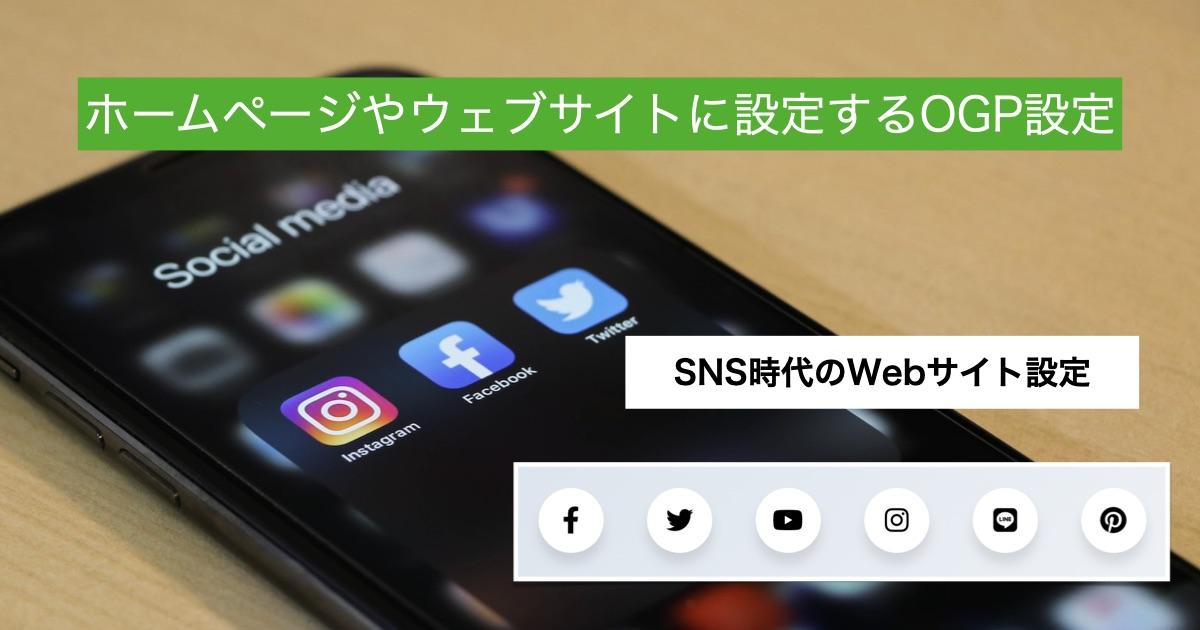
On SNS, you can automatically share your site by entering the URL. At that time, the platform collects information such as the title, body text, and images posted on the site, and displays what it deems appropriate on the post screen. There are many cases where parts that were not intended are extracted and displayed. Some of you may have had the experience of sharing a site on social media and thinking, “I actually want to display this photo.”
If you use OGP, as mentioned above, you will be able to display any information when sharing on SNS.
Especially when doing public relations and marketing on SNS, the information displayed can have an impact on attracting customers, so it is a good idea to master OGP and be able to configure it when creating a site.
How to configure OGP
Now, let’s take a look at how to specifically configure OGP.
<head prefix=”og: http://ogp.me/ns# fb: http://ogp.me/ns/fb# website: http://ogp.me/ns/website#”>
<meta property=”og:type” content=”Page type”>
<meta property=”og:url” content=”Page URL”>
<meta property=”og:image” content=”Page image URL”>
<meta property=”og:title” content=”Page title”>

<meta property=”og:description” content=”Page description”>
<meta property=”og:locale” content=”Language specification”>
Let’s take a look at each stage.
- prefix attribute
First, let’s set the prefix attribute. This has the meaning of a declaration that “I will now issue orders regarding the OGP.”
<head prefix=”og: http://ogp.me/ns# fb: http://ogp.me/ns/fb# website: http://ogp.me/ns/website#”>
If you want to set OGP for something other than the top page, replace “website” with “article”.
- Specify the page type
Specify whether the page is the top page or any other page.
<meta property=”og:type” content=”Page type”>
If the page you want to share is the top page, enter “website” in the “Page type” section, otherwise enter “article”.
- Specify the page URL
Enter the URL of the page you want to display.

<meta property=”og:url” content=”Page URL”>
In the “Page URL” section, enter the URL of the page where you want to set OGP as an absolute path.
- Specify an image
Specify the image to be posted when shared on SNS.
<meta property=”og:image” content=”Page image URL”>
Enter the URL of the image you want to share in “Page Image URL”.
- Specify title
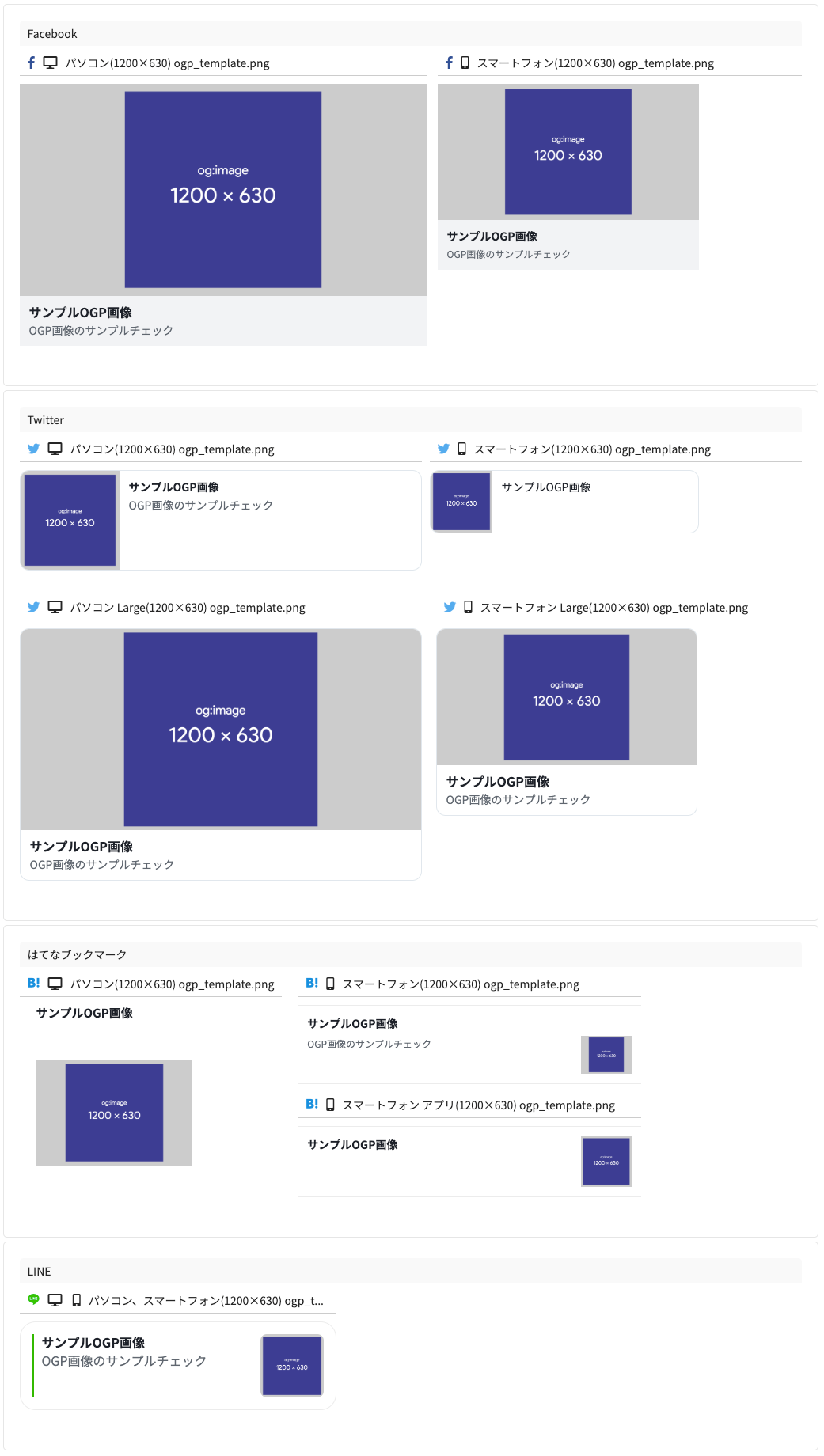
Specify the title of the site that will be displayed on SNS.
<meta property=”og:title” content=”Page title”>
Enter the title of the site or article you want to display in “Page Title”. It is recommended to write within 20 characters.
- Write a descriptive text
You can specify a description of your site that will be displayed below the title.
<meta property=”og:description” content=”Page description”>
Please enter the text you want to display in the “Page description” section. Approximately 80 to 110 characters is appropriate. If it is longer than that, the characters may be cut off in the middle.
- Specify language
Specify the language used in the site to be displayed.
<meta property=”og:locale” content=”Language specification”>
The “language specification” part is written as “ja_JP” for Japanese pages and “en_US” for English pages.
By configuring the settings above, you can customize the content that is displayed when your site is shared on SNS.
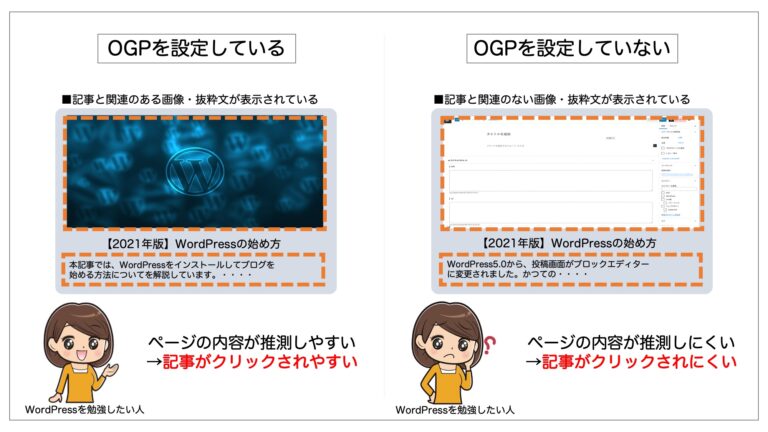
First, let’s get an overview of OGP.
If you can use this article as a reference to insert HTML tags into your site and set OGP yourself, that would be the best. It is also important to master the technique.

However, even if you don’t know much about HTML or can’t set it up yourself, just know that there is a way to use OGP to customize the display content when your site is shared on SNS. The range of SNS marketing will expand.
If you know the outline of OGP, you can instruct the person in charge of web production or an external production company to set up OGP.
When it comes to SNS marketing, the results can vary greatly depending on the information displayed, such as images, titles, and descriptions, so it’s a good idea to keep this in mind.

summary
◆As information is automatically displayed when a site is shared on SNS, unintended images and text may be displayed.
◆By setting OGP, you can display information such as title, text, images, URL, etc. on the SNS platform as desired.
◆You can set OGP on your site by using HTML tags.
◆By setting OGP and devising ways to display SNS, you can improve marketing results.