

Many famous companies often use blogs to disseminate news releases and information about products and services. Some companies build blogs on their own servers, while others use free blogs such as Ameba Blog, Hatena Blog, and Note.
Among them, Hatena Blog is widely used by both individuals and companies as a free blog that is easy to use for SEO.
This time, we will introduce how to take SEO measures when disseminating information using Hatena Blog.
What is Hatena Blog?
Hatena Blog is a blog service that is extremely simple to use, even for internet beginners. Therefore, it is easy to operate and can be used easily even by beginners. There are free plans and paid plans, and the free plan can be used immediately after registering, so it has a low hurdle to use.
There are also communities and groups, and another feature of Hatena Blog is that users can interact with each other. You can engage in meaningful activities by interacting with users who have common hobbies and readers of your blog.
As you can see, Hatena Blog is popular because it is easier to use than other free blogs, and it has sufficient functionality and flexibility to create the site of your dreams.
Related articles
Features of Hatena Blog
Let’s take a look at the features of Hatena Blog.
Strong in SEO
Hatena Blog is characterized by its strength in SEO. This is because it is originally designed to be SEO friendly. In addition, users can also set the minimum necessary SEO measures, so even beginners can operate a blog while aiming to rank high on search engines.
I will introduce specific SEO measures later, but the SEO effect will also change depending on the settings.
Easy to customize
It also has a high degree of freedom in customization. When it comes to corporate blogs, it’s always a matter of appearance, so you’ll want to avoid using a template as is. With Hatena Blog, you can edit the HTML and CSS, so you can change the appearance to a certain extent. Even if you are a beginner in site creation, it is not difficult to set up.
Can be operated for free
As I mentioned earlier, there is a free plan, so anyone can start using it for free. If you are running a business, you can try it out for free and if it seems to work, you can switch to a paid plan later. However, some say that it takes some time to set up when switching to a paid plan, so if you are considering a paid plan, it may be better to switch to a paid plan from the beginning.
In any case, the big advantage is that you can choose between free and paid options depending on your purpose and situation.
Easy maintenance and management
Hatena Blog’s management company takes care of server management and security measures, so users don’t need to be particularly aware of it.
Regarding the status of Hatena Blog’s server down, the official website states that it has become difficult to access at times and that recovery work has been carried out. However, it is not very common, and there is no major problem in using it.
Related article:
The royal road to content SEO! How to get the most out of your blog?
Difference between Hatena Blog’s free plan and paid plan
When you start using Hatena Blog, you will first need to consider whether to choose a free plan or a paid plan. Therefore, we have summarized the main differences between paid plans and free plans in a table.
Source: Hatena Blog Official “Easy even for beginners! Hatena Blog Pro”
https://hatenablog.com/guide/pro
This time, the main theme of this article is SEO measures for Hatena Blog, so I will explain it in relation to SEO. You may be wondering whether paid or free is better for SEO. If you are going to use Hatena Blog in earnest from now on, choosing between paid and free services can be the turning point that determines the success or failure of attracting customers and marketing, including SEO.
In conclusion, I can’t say for sure which one is better. However, the basics of SEO measures in recent years are how easy it is for users to see, understand, and provide information, so it is easier to achieve this by paying. Therefore, it can be said that paid services are more advantageous for SEO on Hatena Blog. However, that doesn’t mean you can’t do SEO for free.
Based on the above, let’s check the differences between free and paid services item by item.
Fee
The longer the contract period, the higher the discount rate. A 2-year contract is equivalent to 600 yen per month, which is a discount of nearly 40% per year. Even a one-year contract is equivalent to 703 yen per month, a discount of nearly 30%. If you want to use Hatena Blog for a long time, you can probably save money by choosing a two-year contract. However, we recommend trying the free plan to determine whether you can use it for a long time.
customization
Even with the free plan, you can change the theme and change the header image, but the scope of customization is limited. With the paid plan, you can edit the code such as custom HTML, so you can create designs that are not possible with the free plan.
own domain
With the free plan, you cannot change domains such as “hatenablog.com”, “hatenablog.jp”, and “hateblo.jp”, but you can only decide on subdomains yourself. For example, enter the string that goes into the “test” part by yourself, such as “https://test.hatenablog.com”, “https://test.hatenablog.jp”, “https://test.hateblo.jp”, etc. You can choose. However, you cannot use strings that are already in use.
If you have a paid plan, you can set your own domain, so even though it is Hatena Blog, you can make it look like your original homepage.
Remove ads
With the free plan, ads will be placed on your blog. This ad can be removed on paid plans. When considering SEO measures, a paid plan without ads is ideal because it is easier for users to view without ads.
Upload photo
The number of photos you can upload varies greatly from 300MB per month for the free plan to 3GB for the paid plan. If you want to upload a lot of photos, a paid plan is better.
Article backup
This is the number of articles that you can go back to in the past and restore them if you accidentally delete them. With the paid plan, you can restore up to 50 past items, but with the free plan, you can only restore up to 5 items.
Creating a static page
Fixed pages are independent pages that are separate from regular articles, such as self-introductions and link collections. Please note that this cannot be created with the free plan.
Number of blogs that can be opened
If you want to open multiple blogs with the same account, choose between paid and free blogs depending on the number of blogs you want to open. With the paid plan, you can create up to 10 blogs, but with the free plan, you can create up to 3 blogs.
Related article:
Why Hatena Blog is easy to implement SEO measures
When using Hatena Blog for disseminating corporate information or content marketing, you will want to take SEO measures to ensure that it is seen by many people. Hatena Blog is said to be easy to implement SEO measures. Here’s why.
Basic SEO measures can be configured
Hatena Blog comes pre-equipped with the necessary functions for SEO, such as title, heading, description, and breadcrumb settings, which are the basics of SEO. Therefore, using Hatena Blog itself is easy to implement SEO measures.
Designed to be easily evaluated by Google
In advance, Hatena Blog has a structure that is easily evaluated by Google, so it can be said that settings that cannot be changed by users or settings that users cannot directly change are optimized for SEO measures. .
High quality domain
Hatena Blog’s domain name is said to be of high quality. Some people rate it as having high domain power. From this, if you operate using the Hatena Blog domain, that is, if you do not set up your own domain, you may be able to benefit from the domain to some extent.
Google Analytics can be implemented
When implementing SEO measures, it is important to check data such as incoming keywords and number of accesses, and revise the content from time to time. Access analysis is essential for this purpose, but since you can implement Google Analytics, it can be said that SEO measures are easy to implement.
Related article:
Word Press, the world’s No. 1 market share, makes CMS implementation easier
How to start Hatena Blog (free plan)
Before introducing the SEO measures for Hatena Blog, let’s start by opening a new Hatena Blog. If you have already created one, please skip to the next section.
1. Create a Hatena ID
To start a Hatena Blog, you must first obtain something called a “Hatena ID.” Hatena ID is the primary user ID required to use Hatena’s entire group of services. By creating a Hatena ID, you can become a Hatena user and be able to use services such as Hatena Blog, Hatena Bookmark, and Human Power Search Hatena.


First, decide on your Hatena ID, which is different from your nickname. Nicknames can be set separately and changed freely, but Hatena IDs cannot be changed, so think carefully before deciding. To register as a Matatena user, you will need a password and email address.
You can also link your Google account and Twitter account, so use them depending on the situation.
By the way, a smartphone app “Hatena Blog” has also been developed, so if you want to use it from your smartphone, you can install the app and register as a Hatena user on the app. Furthermore, those using the iOS app will be able to easily log in by linking their Apple ID only when registering as a new user from the app.
2. Opening Hatena Blog
Let’s start a Hatena blog. A screen called “Easy Blog Creation” will appear, so register from there.

There are two setting items:
- Blog URL
- Blog disclosure range
Blog URL
First, decide on the URL of your blog. Set the URL of your blog in the blank field. This will be the URL of Hatena Blog.
https://test.hatenablog.com
Set the part of this URL that goes into “test”.
The second half of the domain is
hatenablog.com
hatenablog.jp
hateblo.jp
hatenadiary.com
hatenadiary.jp
You can choose from five.
Blog disclosure range
Next, set the visibility of your blog. When you start a blog, you can choose from two options: “Public to everyone” and “Only to me.” If you select “Public to everyone,” everyone can freely view your blog. If you select “Only me”, only you can view it. This is a so-called private state.
After opening a blog, you will be able to select the scope of publication other than these two options, such as “Allow viewing only to specific Hatena IDs” and “Riddle authentication.” Riddle authentication is where you set your own “questions and answers” and only users who enter the correct answer can view the page.
After that, check “I’m not a robot” and click the “Create a blog” button to start using Hatena Blog.
Related article:
Introducing typical CMS that are useful when building a homepage
SEO measures for Hatena Blog
We will introduce the main SEO measures in the free version of Hatena Blog. I will introduce the following items in three major categories. The first is to set it up on Hatena Blog in advance, the second is to do it when creating an article, and the third is to set up the link.
1. Setting in advance
Set up Google Search Console and Google Analytics
As for the basics of SEO, set up your blog’s access analysis by submitting a sitemap to Google Search Console and adding Google Analytics tags.
You will need to submit a sitemap to Google Search Console, but Hatena Blog automatically generates a sitemap, so there is no need to create one. It is generated with the name “sitemap_index.xml”.
Regarding Google Analytics, after completing the registration and settings on Google Analytics, open “Settings” – “Advanced Settings” on the Hatena Blog dashboard management screen. There is a section called “Analysis Tools”, so in the “Google Analytics 4 Embed” section,
Paste the “Tracking ID” obtained from Google Analytics.

Click “Change” at the bottom of the same screen, and if the message “Settings have been updated. Check your blog” is displayed, the settings have been successfully completed.
Setting the blog summary (meta description)
From the blog’s management screen, open “Settings” – “Advanced Settings” and look at the “head tags” item.
In the “Blog summary (meta description)” field, you can set a “meta description” that is common to all pages. Here you can set up an overview of your blog, including keywords. However, according to one theory, since it is common to all pages, there will be duplicate meta descriptions, so you should be careful. After setting, you may want to check the meta description of all pages once to check for duplication.
Setting blog keywords (meta keywords)
In the “head tag” section, there is also a field for setting “blog keywords (meta keywords)”. This is also a common keyword for all pages. Set keywords here, separated by half-width commas. It is said that a maximum of five keywords is recommended.
Use responsive design themes
Hatena Blog should also be aware of mobile compatibility, which is becoming the standard for SEO measures. On Hatena Blog, you can select a theme for design, but it is best to choose a theme that supports
responsive
design.
Responsive design is a design that optimizes the display depending on the screen size of the device the user uses to view it. When viewed on a computer, it is displayed in a size and layout optimized for the computer, and when viewed on a smartphone, it is displayed in a size and layout optimized for the smartphone.
2. Things to set when creating an article
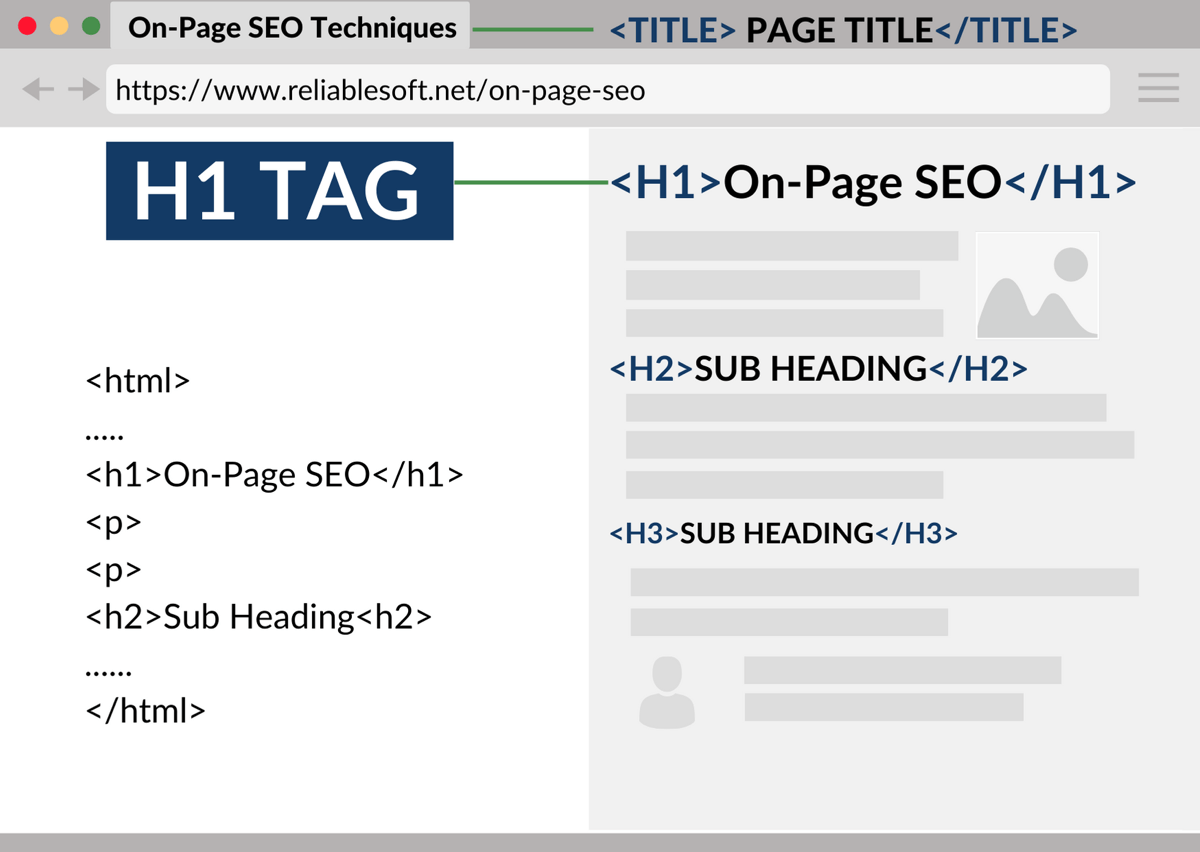
Use heading tags
When creating articles, one of Hatena Blog’s useful features for SEO is the ability to automatically set heading tags. Many people probably know that properly setting heading tags is the basis of SEO.
In articles, you will often use <h2></h2>, <h3></h3>, and <h4></h4>.
Hatena Blog allows you to easily set headings.
On the article creation screen, drag the string you want to use as a headline and select it from the pull-down menu to automatically create a headline.

Let’s take a look at the source from “HTML Edit”.
:quality(80))
<h3>Main heading</h3>
<h4>Medium heading</h4>
<h5>Subheading</h5>
<p>Standard</p>
It will appear like this.
Some of you may be surprised that the main heading is not <h2>. On Hatena Blog, <h1> is assigned to the article title, and <h2> is assigned to the blog summary column. Therefore, if you want the heading to be <h2>, please rewrite it manually on the HTML editing screen.
Set custom URL
We recommend setting a custom URL. By default, the URL of a single Hatena Blog article is assigned the date and time it was posted, such as “/entry/2011/11/07/161845”. Rather than leaving it as is, it is said to be better for SEO if you specify it alphabetically according to the article content and keywords, so set it as a “custom URL” for each article. It is recommended to use only lowercase letters of the alphabet and separate words with hyphens.

To create a custom URL, select the gear icon from the items on the right side of the settings editing screen and enter the string in Custom URL.
add table of contents
On Hatena Blog, just by pressing the “Table of Contents” button on the article editing screen, a table of contents will be automatically generated according to the heading tags. A table of contents is said to be beneficial for SEO, so let’s set one up.
3. What to do about links
create backlinks
When it comes to SEO, it is said that getting more backlinks to your website will improve your reputation with search engines.
Hatena Blog has many community functions and also has a tag function, so you can get backlinks from many Hatena services. For example, you can obtain backlinks by using the following services:
- Join the “Hatena Blog Group” group
Hatena Blog has a community called a group that is created around a common theme. Examples include music/movies, entertainment/idol, sports, etc. There are official groups and unofficial groups, and you can join up to three official groups. When you join a group, the latest articles from participating users will be displayed one after another on the group’s page. In other words, every time you update an article, you can automatically collect backlinks from group pages you are participating in. We recommend joining groups related to your blog theme.
- Using “Hatena Bookmark”
Hatena Bookmark, one of Hatena’s services, is a social bookmark that allows you to save and share your bookmarks online. You can share your so-called favorites with other netizens. Hatena Blog articles can be registered in Hatena Bookmarks just like other pages, but when an article is bookmarked, a page is created and a backlink is created. Furthermore, you can expect access from third parties who share your Hatena bookmark.
Also, if you acquire multiple Hatena Bookmarks in a short period of time, a link will be posted on the Hatena Bookmark official website’s “New Entries”. It used to be that if you got 3 Hatena Bookmarks, it would be posted, but now spam measures have been taken, so it doesn’t necessarily appear that it will be posted on 3 Hatena Bookmarks. In any case, if a link is posted on the new entry, the traffic will increase. If it becomes a hot topic on other blogs or SNS, the number of backlinks will increase.
- Set “Hatena Blog Tag”
“Hatena Blog Tag” is a service that allows you to learn about a specific keyword, from opinions and comments on the Internet to its meaning. In the free plan, the keywords in the article are automatically linked to the page with the corresponding Hatena Blog tag. With paid plans, you can configure settings to prevent links from being added automatically. You can also use tags to specify links to keywords in your articles. Either way, you can increase your backlinks.
- Add “Hatena Star” to other Hatena blogs
Hatena Blog has a feature called “Hatena Star”. This is one of Hatena Blog’s feedback functions, and you can react to the users and blogs you read by adding a star mark with one click. It has a meaning similar to “like”. In fact, when you add this Hatena star, a link will be created from the Hatena blog with that star to your own Hatena blog. In other words, you can get backlinks.
In this way, Hatena Blog allows you to take measures using functions that are useful for SEO measures. However, the content introduced this time is as of May 2022, and the functions and conditions may change due to updates, etc., so it may not be possible to say that the effects of SEO measures will necessarily be shown. When implementing SEO measures, please use these as hints and proceed while verifying whether or not they are actually effective.
Related article:
Aim of companies using CMS to create homepages for a fee
summary
- Hatena Blog is a blog service designed to be extremely simple and easy to use, even for internet beginners. There are free plans and paid plans, and the free plan can be used immediately after registering, so the hurdles to use are low.
- Some of the reasons why Hatena Blog is easy to implement SEO measures include “Basic SEO measures can be set,” “It is designed to be easily evaluated by Google,” “The domain is of high quality,” and “Google Analytics can be implemented.” .
- Hatena Blog’s SEO measures include setting up Google Search Console and Google Analytics, setting blog summary (meta description) and blog keywords (meta keywords), using responsive design themes, and using heading tags. , setting a custom URL, adding a table of contents, creating backlinks, etc.