

Have you ever heard the word “import”? If you are involved in the web, you may have heard of the term, but many may not know the details of what it is.
Importing is the act of bringing in data from an external source and incorporating it into the current environment. This allows you to integrate and leverage external data into your work environment and applications. Import is very popular among people involved in the web, and is used in a variety of situations.
In this article, we will explain the overview and advantages of import, and the difference between “export” and ”
download
“, which are similar to import.
What is import?
Importing is the act of bringing in data from an external source and bringing it into the current environment. This allows you to integrate and leverage external data into your work environment and applications. Imports are used when working with various data and file formats.

The process of reading a file
Import generally refers to the task of reading a file. For example, you may import data such as images, audio files, or text files. Loading a file makes that data available to your work environment.
Related “compatibility”
Compatibility is a term that refers to shared functionality. For example, even if data is imported from outside and incorporated into the current environment, it will not be the same. It refers to something that can be operated or processed in a similar way. Generally, if computers are made by different manufacturers, the same software may not work or the data may not be processed. In some cases, it is possible to operate in these different environments, and this is often referred to as being “compatible.”
When using import, there are many cases where data cannot be properly imported or used due to incompatibility. It is important to thoroughly check compatibility before handling data.

5 benefits of importing
Imports are used to work with a variety of data and file formats and have the following benefits:

Effective use of data
Import allows you to use data imported from outside in your own systems and applications. Utilizing data created with other software and services can improve operational efficiency and support decision-making. For example, market research data and customer purchasing history can be imported and analyzed to help improve
marketing strategies
and product development decisions.
Improving data quality is also essential for effective data utilization. To ensure the quality of imported data, factors such as accuracy, completeness, and consistency must be considered. Improving data quality requires processing such as data cleansing, transformation, and deduplication. With accurate and reliable data, you can get more reliable analysis results and make better decisions.
Centralized data management
By importing external data into your company’s system, you can centrally manage your data. For example, by importing customer information from multiple databases and applications, you can manage customer data in one place and avoid duplication and inconsistencies. This allows you to improve customer service and create efficient business processes.
Data integration and collaboration
By importing data from outside and integrating it into your own system, you can maintain data consistency while working together. For example, by integrating data generated by different applications and services, you can get a complete picture of your customers and make more effective
marketing
and personalized responses. It also facilitates data sharing and information transfer between different departments.
Save time and effort
By importing data from outside, you can reduce the hassle of manual data entry and the risk of human error. By importing large amounts of data at once, you can shorten work time and enable efficient business processing. Additionally, an automated import process streamlines repetitive data ingestion tasks.
Flexible data format adaptation
When importing data, you can convert the data format and structure as necessary. When importing from different data sources and formats, you can transform and map the data to adapt it to a format that can be used by your own databases and systems. This enables flexible data processing while integrating different data formats and ensuring data consistency.
For example, you can flexibly incorporate data from outside by allowing you to import data in a variety of formats, such as
CSV
(Comma-Separated Values), Excel files, JSON (JavaScript Object Notation), and XML (eXtensible Markup Language). You can.

What is the difference between import and export?
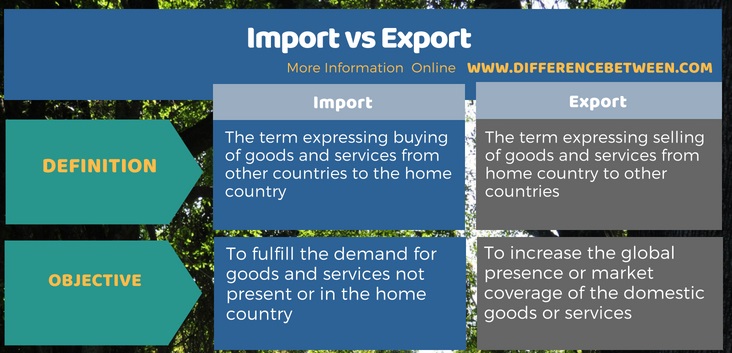
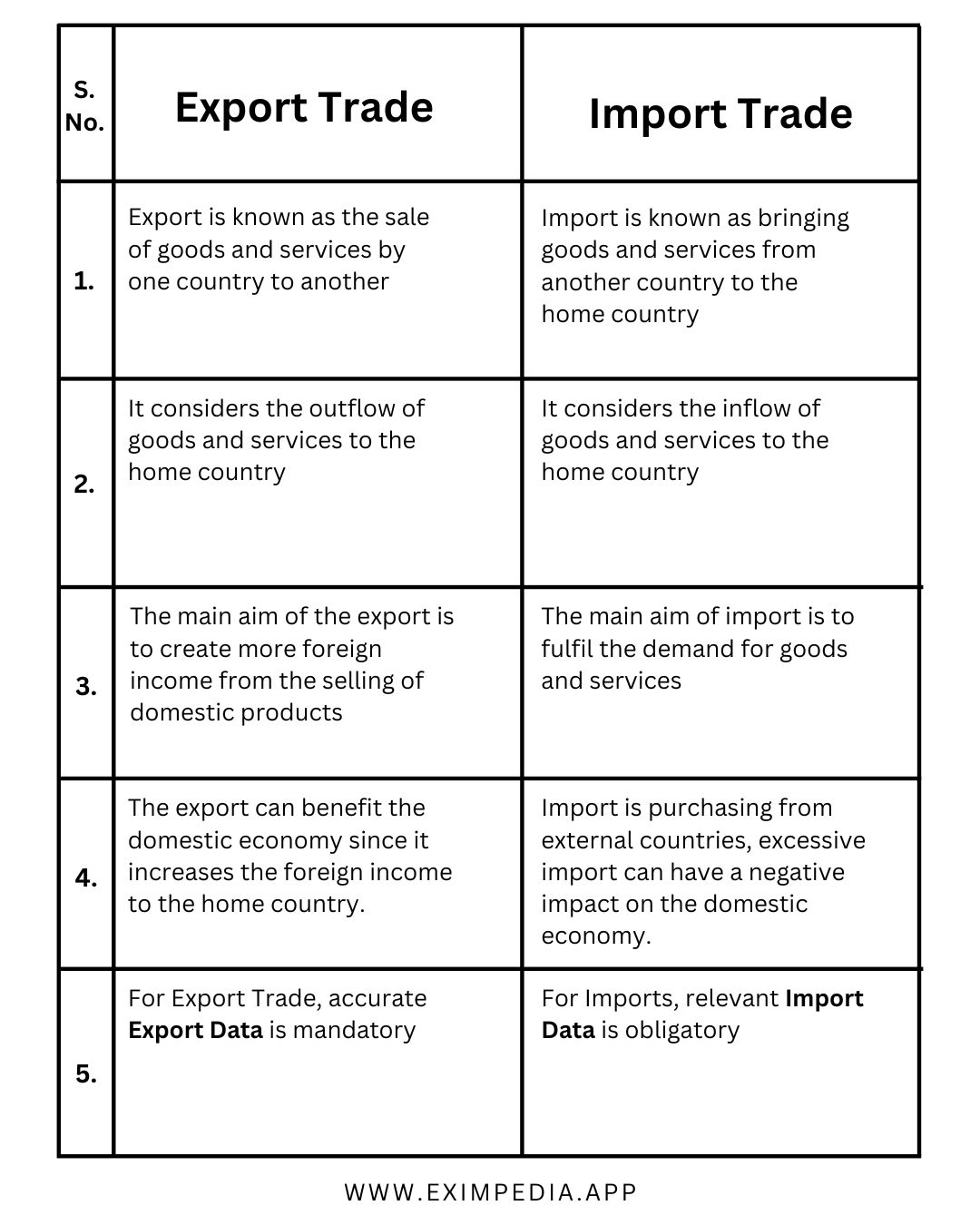
Importing is the process of importing data from outside into the current environment, and there is a word related to importing that is “export.”
From here, we will explain the difference between import and export.
Import changes the data format and reads it.
Importing is an operation that takes in external data, converts it into a format that can be handled by your system or application, and then reads it. The main purpose is to convert different data and file formats to suit your company’s systems and convert them into usable formats.
Export outputs data externally
Exporting is an operation that outputs data handled by your system or application to an external location. Output data externally to provide the data or use it in another application or system. For example, you can export data analysis results in Excel format to share with other teams, or export website data in CSV format for processing by external systems.
Explaining import and export using email software as an example
Let’s explain import and export using email software as an example.
Suppose you have purchased a new computer and would like to transfer the address book of the email software installed on the old computer to the new computer. There are import and export functions to reflect such address book data. Follow the steps below to reflect the address book data on your new computer.
1. Export the “address book” from the old computer’s email software (extract data)
2. Import the “address book” exported from the old computer into the new computer’s email software (import the data)
By doing this, the address book that was on your old computer will be reflected on your new computer.
Export is the process of extracting specific data from the software, and import is the process of importing the exported data into the software. Export is also used for purposes such as data backup. By backing up your data by exporting it, you can restore the exported data in the unlikely event of an emergency.
What is the difference between import and download?
Import and export are related terms, but another related term is “download.”
As mentioned above, importing is the process of importing external data, converting it into a format that can be handled by your own system or application, and loading it, whereas downloading is importing the data into your own system or application in its original format.
Another difference between importing and downloading is the direction of data movement. When explained on the Internet, it is a state in which computers, smartphones, etc. are connected to a web
server
. In the case of importing, there is no hierarchical relationship between the web server and a computer or smartphone, but in the case of downloading, the data moves from top to bottom. In other words, when you save data from a web server to a computer, smartphone, etc., it becomes a download.

In what situations is import used?
Import is used in a variety of situations and plays an important role in capturing and utilizing data. It is mainly used in the following situations.
photograph
By importing photos taken with a digital camera or smartphone to a computer or photo management software, you can organize and edit the photos. Furthermore, it can be used for various purposes such as creating digital albums, backing up photo data, and printing. It is also possible to import photo data wirelessly without connecting cables.
movie
Importing videos is often done in video production and video editing sites. By importing video material shot with a camera or video camera into editing software, you can edit it, add effects, add captions, edit audio, etc.
You can also use the imported videos to upload them to video sharing sites such as YouTube and SNS. By using import, you can have your videos viewed by people all over the world.
email
Import technology is also used in email services. By importing received emails, you can import email data into your own mailbox. Additionally, by using import for emails received with a specific email client, you can manage emails between different email accounts. You can also create backups of important emails by importing emails.
CD/DVD
By importing music, videos, etc. stored on CDs and DVDs to your computer, you can play, edit, and save the contents. By importing a CD, you can play the music on your smartphone or music management software, or in the case of a DVD, you can import it to your computer and use it.
However, music, videos, etc. stored on CDs and DVDs should be limited to personal viewing and use only. Please refrain from sharing this data with others or on the Internet, as it is prohibited.
iTunes
iTunes is software for managing and playing media content such as music, movies, and podcasts, and iTunes also uses import.
You can leverage iTunes to import CDs and add them to your library, or download and import music and movies from online stores. iTunes can also be synchronized with iOS devices such as iPhones and iPads, making it very convenient for users who often use Apple products.

How to use import
From here, we will explain the specific import method for each scene.
On computers such as Windows, use “Save As”
In systems such as Windows, files are imported using a function called “Save As.” This process allows you to import files downloaded from an external source or files saved in another location to your computer.
When importing normally, a save dialog box will be displayed, and you can import the file by specifying the save destination and file name.
Import from Excel data to spreadsheet
Another popular method is to import Excel data into a spreadsheet. By using a Google spreadsheet, it can be shared, edited, and checked by multiple people at the same time, making it extremely useful for companies and teams.
The steps to import Excel data into a spreadsheet are as follows:
1. Open the spreadsheet data
2. Click “File” from the menu bar
3. Select “Import” from the drop-down menu
4. Select the “Upload File” option
5. Select Excel file to import
6. Click Open and set import options
7. Confirm import
In the “6.Click Open and set import options” section, you can specify the data arrangement method, data format, etc. The data is automatically placed in spreadsheet cells and can be edited and edited in much the same way as Excel data.

Points to note when importing
There are several points to keep in mind when importing. Please note the following points when importing:
File format and compatibility
Be sure to check the compatibility of the file format you are importing with the application or system you are importing it to. When importing data in a different format, you may need to convert or adjust the format to match the file format. Also, regarding file format compatibility, it is important to check the documentation of the import destination and select the appropriate file format.
If you try to import the file even though it is not compatible, the file may become corrupted and you may not be able to view it at all. If you are using the data only for yourself, there is no problem in redoing it, but if you want to share it with customers etc., it may be a hassle. Paying attention to the file format and compatibility will help you import your data correctly, so you don’t have to worry about unnecessary hassle. By checking the source and destination file formats and selecting the appropriate conversion method if necessary to ensure data compatibility, you can import while maintaining data accuracy.
Data reliability and security
Care must be taken when importing to ensure the authenticity and security of the data.
First, before importing, let’s make sure the data is consistent. If the data is corrupted or missing, you may not be able to see accurate data at the import destination. Depending on the situation, make sure to back up the data, verify the data, and change the format before importing.
It is also important to check that the imported data conforms to the desired format and scope. If inaccurate data is imported, there is a risk that incorrect information will be included, or data that is not intended to be used will be imported unnecessarily, resulting in unnecessary effort. We recommend validating your data to check its validity and validity.
And if there is a possibility that the import will overwrite existing data, create a backup beforehand. Backup is copy information used to recover systems and data from data loss due to hardware failure or hardware malfunction. Having the ability to restore data from a backup will come in handy in the event of an emergency. To prevent data loss or corruption, it is important to have regular and reliable backups. If a problem occurs while importing data, you can quickly resolve the issue by restoring the data from backup.
Security and privacy protection must also be considered when importing data. It is important to take appropriate security measures, especially when personal or sensitive information is involved. Weak security may lead to data leaks. Prevent data leaks and unauthorized use by encrypting data, controlling access, and complying with security policies.
Managing dependencies
If the data you import depends on other data or resources, you need to properly manage dependencies. Depending on the data, there may be a prerequisite for other data to be registered, and if you import without the prerequisite data being registered, the import may fail. If dependencies, such as unregistered data, are not resolved, data integrity may be compromised or the data may not function properly, so understand the dependencies before importing and import data in the appropriate order. Let’s do this.
Managing versions
Data compatibility may vary depending on the version of the application or system you are importing to. Applications and libraries may be updated from time to time, so even if you think there is no problem, there are many cases where data cannot be loaded properly due to unexpected reasons. Make sure the data you import is compatible with the new version of the specifications by updating and checking compatibility to avoid unexpected problems caused by version differences.
Data deduplication
If the data you import is duplicated, it may not be possible to import the data properly. The presence of duplicate data can affect data accuracy and analysis results, so it is important to check for duplicate data and take appropriate action before importing. Duplicate data can be checked by detecting duplicates using database and spreadsheet functions.

summary
In this article, we explained the overview and advantages of import, and the differences between “export” and “download”, which are similar to import.
Import is a function that plays an important role in data migration and integration. When used appropriately, it is possible to utilize data effectively and achieve efficient work. However, it is also important to understand the precautions and ensure the reliability and security of your data.
Also, the usage of import introduced this time was limited to “PCs such as Windows” and “Excel data”, but there are many other situations where import can be used. As devices such as smartphones are evolving, it will be possible to share a lot of data by effectively using import. Achieve more effective imports by working to capture and manage accurate data.