

SEO measures are essential for increasing customer attraction when operating your own website. In order to achieve results, it is essential to understand the search rankings for each keyword and their changes. This is where a search ranking check tool comes in handy.
There are many search ranking checking tools in the world, but you may be confused as to which one to use. Here, we will introduce 11 recommended search ranking checking tools. Also, check out how to use the search ranking check tool.
What is the search ranking check tool?
A search ranking check tool is a tool that allows you to know your ranking in search engines. For example, if your company wants to rank high on search engines for the keyword “recommended sports gyms”, you can easily check whether your company is ranked earlier in the search rankings for that keyword. In other words, a search ranking check tool is a tool that investigates the current search ranking for a keyword.
Of course, you can manually enter keywords into a search engine and search to see where your site’s pages are located. But unless you’re listed at the top, it would take an inordinate amount of time to see where you’re ranked. With the search ranking check tool, you can quickly find out what your ranking is with just one button, so it’s efficient.
The search ranking check tool is easy to use. Basically, all you have to do is enter the URL and keyword you want to check the search ranking for. You can see where your site currently ranks for that keyword.
In addition, there are now many highly functional search ranking checking tools available, and you can take advantage of a variety of functions.
Purpose of search ranking check tool
So, what is the purpose of a search ranking check tool?
Search ranking is an important indicator for measuring the effectiveness of SEO measures and content marketing. Every day, you will be implementing various measures such as internal measures, external measures, content SEO, etc. In such cases, search ranking is the indicator. Once you check your search rankings, it’s not the end. Rankings change almost every day, so you need to check your rankings as often as possible. In other words, the search ranking check tool can be said to be an indispensable tool for SEO that is used almost every day.
11 recommended search ranking check tools
If you want to check your search rankings every day, it would be better to use a search ranking checking tool that is as easy to use as possible. Here, we will introduce some recommended search ranking checking tools.
Search ranking check tools are broadly divided into three types.
There are three types of tools: 1. Tools that can be checked on the website, 2. Cloud-based checking tools, and 3. Installed-based checking tools. We will introduce recommended tools for each.
1. 4 tools you can check on your website
Tools that can be checked on the website are tools that allow you to access the website and check easily and comfortably for free. It’s the easiest to use, so it’s useful when you want to quickly find out your search rankings.
However, it may not be suitable if you want to check the trends of the same keyword over a long period of time. Just think of it as a simple tool.
1-1. Search ranking checker
http://checker.search-rank-check.com/
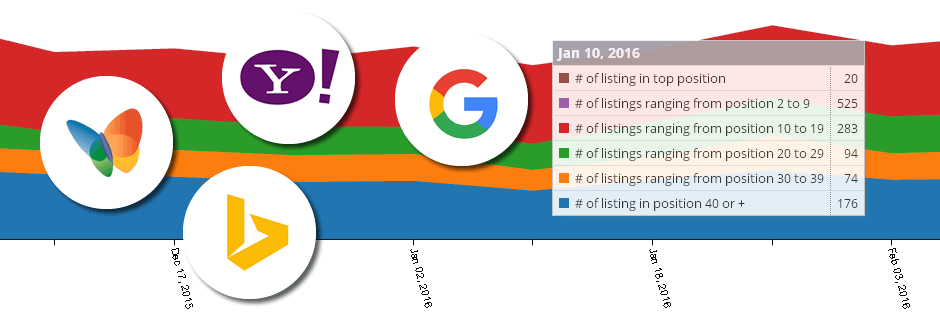
Target search engines: Google, Yahoo!, Bing
How many places can you check: up to 100
Number of keywords that can be checked at once: 5
Number of URLs that can be checked at one time: 1
Smartphone ranking check: Possible
Search Ranking Checker is a free search ranking checking tool that allows you to check the search rankings of Google, Yahoo!, and Bing on the web with simple operations.
The feature is that you can check not only the PC search ranking but also the smartphone search ranking.
Enter keywords on a new line after each keyword. Also, if you leave a half-width space for keywords like “SEO writing”, it becomes an AND search. Therefore, you can find out the search ranking for a set of multiple keywords. However, there is a character limit for each keyword, which is 100 characters or less.
Search ranking results can be downloaded in CSV format.
Another feature of this tool is that you can save search conditions. Search conditions are saved for one year after pressing the “Save this condition” button. If you access this site again with your search conditions saved, the retention period will be automatically extended for one year.
1-2. SEO check! (Theo check!)

Target search engines: Google, Yahoo!
How many positions can you check: Google up to 100th, Yahoo! JAPAN up to 10th
Number of keywords that can be checked at once: 3
Number of URLs that can be checked at one time: 1
Smartphone ranking check: Not possible
SEO check! is a site where you can research various useful information for SEO for free. There are tools that allow you to easily find out things like the number of outgoing links and the frequency of keyword appearances, one of which is “Search Ranking Check.”
With the search ranking check, you can check the search rankings on Google and Yahoo!, and you can specify up to 3 keywords.
It is free to use, and the results are displayed quickly and comfortably, so it is attractive that it can be used easily for everyday SEO work.
1-3. ohotuku.jp
http://ohotuku.jp/rank_checker/

Target search engines: Google, Yahoo!
How many positions can you check: Google up to 100, Yahoo! up to 10
Number of keywords that can be checked at once: 3
Number of URLs that can be checked at one time: 1
Smartphone ranking check: Not possible
ohotuku.jp is a site that provides multiple tools for free that are useful for SEO. There are tools such as “rank check”, “keyword appearance rate check”, and “redirect check”, and you can check the search ranking with “rank check”.
You can check up to 3 keywords at the same time that you want to check the ranking.
The feature is that it has a history function. If you use it more than once, URLs and keywords you have researched in the past will be displayed in a pull-down menu and you can select them. This is very convenient because you don’t have to enter the same URL and keywords over and over again.
1-4. SEOpitshu
https://www.seopitshu.jp/seotool/ranking_form.html

Target search engine: Google
How many positions can you check: Google up to 100
Number of keywords that can be checked at one time: 10
Number of URLs that can be checked at one time: 1
Smartphone ranking check: Possible
SEOpitshu provides three types of free SEO research tools: search engine evaluation tool (site evaluation), internal SEO evaluation tool (page evaluation), and SEO marketing tool.
Among them, the “Search Ranking Check Tool” is included in the search engine evaluation tools (site evaluation).
The feature is that you can check the search rankings of not only PC sites but also smartphone sites.
It also contains a lot of SEO know-how, so you can refer to it when trying to improve your rankings with SEO.
2. 4 cloud-based checking tools
A cloud-based check tool is a tool that can measure search rankings on the cloud. Generally, measurements can be taken automatically by specifying a fixed time every day. The advantage is that there is no need to keep the PC running all the time, no installation is required, and it is not affected by the environment.
Additionally, measurement data can be managed in the cloud, which has the advantage of making it easier to manage and share data among multiple people.
Due to its high functionality, paid plans are often available. It is suitable for companies working on SEO measures.
2-1. GMO ranking checker
Target search engines: Google, Yahoo!
How many positions can you check?: Can manage up to 100 positions
Number of sites that can be registered: Depends on plan (see below)
Number of keywords you can manage: Depends on plan (see below)
Smartphone ranking check: Possible
“GMO Ranking Checker” is a cloud-based search ranking checking tool, and a “Zutto Free Plan” is available.
You can automatically obtain and save search rankings every day and track ranking changes for SEO measures. This tool is cloud-based, so there is no need to launch or maintain it on your PC. Additionally, it is available on smartphones and tablets.
It is equipped with ranking change alerts, account authority management (subaccounts), and AI keyword advisor functions, and is used by many people, including domestic listed companies, famous overseas manufacturers, and famous affiliates.
You can also apply for exclusion from secondary use, so you can rest assured.
There are two types of usage fees and plans: a free plan and a paid plan. Details are as follows.
Free plan: Free Pro 100: 485 yen (tax included) / Monthly Pro 1000: 980 yen (tax included) / Monthly Agency 5000: 1,485 yen (tax included) / Monthly Agency 10000: 1,980 yen (tax included) / month *If you make an annual contract Save 2 months
- Number of sites that can be registered
Free plan: 1 item Pro 100: 5 items Pro 1000: 50 items Agency 5000: 250 items Agency 10000: 500 items
- Number of keywords you can manage
Free plan: 10 words Pro 100: 100 words Pro 1000: 1,000 words Agency 5000: 5,000 words Agency 10000: 10,000 words
The “AI keyword suggestion function”, which is not available in other tools, is useful when coming up with keywords.
2-2. KEYWORD FINDER
https://keywordfinder.jp/

Target search engines: Google, Yahoo!
How many places can you check: up to 100
Number of keywords you can manage: Depends on plan (see below)
Number of sites that can be registered: Depends on plan (see below)
Smartphone ranking check: Possible
KEYWORD FINDER is a tool that allows you to check search rankings and automatically obtain recommended keywords, their difficulty level, number of searches, etc. on the cloud every day.
If you set it as a managed keyword, you can obtain search rankings on Google and Yahoo! every day. A ranking change graph is displayed, so you can see the changes in ranking at a glance. You can also register up to 7 competing sites and compare them with your own site to see how their rankings change.
You can get rankings not only for PCs but also for smartphones.
There is a fee for use, and the plans are as follows.
Standard Plan: 50,000 yen (excluding tax)/month Professional Plan: 100,000 yen (excluding tax)/month Enterprise Plan: 200,000 yen (excluding tax)/month
The number of registered sites that can be registered and the number of keywords that can be managed are different for each.
- Number of keywords you can manage
Standard Plan: 2,000 keywords Professional Plan: 5,000 keywords Enterprise Plan: 15,000 keywords
- Number of sites that can be registered
Standard plan: 3 sites Professional plan: 10 sites Enterprise plan: 30 sites (up to 7 competing sites in each case)
There is a 2-week free trial, so you can try it out once.
2-3. BULL
https://bullseo.jp/

Target search engines: Google, Yahoo!, Bing
How many positions can you check?: Can manage up to 100 positions
Number of keywords and URLs: Depends on plan (see below)
Smartphone ranking check: Possible
BULL is a search ranking check tool that operates on the cloud. Daily ranking checks can be performed completely automatically.
One of its features is that the BULL provider can graph Google’s fluctuation values, which are independently investigated, and compare them with the checked search rankings.
For example, when there are large fluctuations in Google, you can know whether your site’s ranking is affected, making it easier to implement SEO measures. This feature can also be hidden.
You can also check the ranking of your smartphone and specify the region where you want to check the ranking. Export is compatible with CSV and Excel formats.
There is a fee for use, and the plans are as follows.
BULL30: 1,150 yen (tax included)/month (30)
BULL50: 1,850 yen (tax included)/month (50)
BULL100: 3,500 yen (tax included)/month (100)
BULL200: 6,550 yen (tax included)/month (200)
BULL500: 15,400 yen (tax included)/month (500)
BULL counts the set of URL and keyword as one. Each plan has a different number of possible sets, which is the number in parentheses above.
2-4. Gyro-n SEO
https://www.gyro-n.com/seo/seo-check/
Target search engines: Google, Yahoo!
How many places can you check: up to 100
Number of keywords you can manage: Depends on plan (see below)
Number of sites that can be registered: Depends on plan (see below)
Smartphone ranking check: Possible
Gyro-n SEO is a tool that allows you to obtain useful information for SEO, such as search ranking check, ranking comparison of competing sites, page analysis, keyword suggestions, etc.
It automatically measures Google, Yahoo!, and Google’s smartphone search rankings every day, and you can see the daily SEO ranking changes for PC and mobile in a graph.
In addition, there is a function that displays a graph that shows changes in ranking on Google, so you can understand the situation by comparing it with the ranking of pages on your own site.
It also has a local search function, which allows you to measure the ranking of searches from a specified area. This allows you to know the rankings of the regions where your target users are actually searching.
There is a fee for use, and there are four plans:
Starter: 500 yen/month (excluding tax)
Light: 4,500 yen/month (excluding tax)
Standard: 9,600 yen/month (excluding tax)
Premium: 16,800 yen/month (excluding tax)
- Number of sites that can be registered
Starter: 1 site Lite: 1 site Standard: 2 sites Premium: 3 sites
- Number of keywords that can be managed
Starter: 10 keywords Lite: 40 keywords Standard: 160 keywords Premium: 300 keywords
- Number of competitive sites you can check
Starter: 1 site Lite: 2 sites Standard: 4 sites Premium: 10 sites
The starter plan comes with a 3-month free trial, so you can try it out for a long time.
3. 3 installed type check tools
Installed checking tools are tools that are installed and used on your PC. There are many highly functional tools that can be used in earnest.
Similar to the cloud type, search rankings can be obtained automatically, but the tool needs to be kept running, so it is useful if you have an environment where you can keep it running all the time.
However, since it depends on the PC on which it is installed, it is not suitable for sharing information with multiple people.
However, the installation type is often useful and has a good reputation among many users who are trying to conquer SEO. We have picked out the most popular ones.
3-1. GRC (GRC)
https://seopro.jp/grc/

Target search engines: Google, Yahoo!, Bing
How many positions can you check? For Google, select from up to 20, 30, 50, or 100; for Yahoo!, select from up to 10, 30, or 50; for Bing, select from up to 40. Select from top 100
Number of URLs that can be registered: 3 sites (can be increased depending on the plan by purchasing a license)
Number of keywords that can be managed: 10 keywords (can be increased depending on the plan by purchasing a license)
Smartphone ranking check: Not possible (there is a separate mobile version called GRC Mobile)
GRC is a search ranking check tool that can be used by installing it on a Windows PC. It is free to use, but you can expand its scope of use by purchasing a license.
If you set the ranking check to start at startup, you can check the search ranking just by starting GRC without pressing a button. In addition to understanding recent ranking changes, all past ranking changes are also displayed in a graph, allowing you to clearly understand trends.
In GRC, a set of “site name, URL, and search term” is called an “item.” The free version allows you to check up to 3 URLs and 10 items.
There are five license plans available for purchase: Basic, Standard, Expert, Pro, and Ultimate, starting at 450 yen per month. As your plan increases, the number of URLs and items you can manage increases.
It has a good reputation among Windows users because it is basically available only for Windows.
3-2. GRC Mobile
https://seopro.jp/grcmob/
Target search engine: Google (smartphone site only)
How many positions can you check: Select from up to 10th, up to 20th, up to 30th, or up to 100th.
Number of URLs that can be registered: 3 sites (can be increased depending on the plan by purchasing a license)
Number of keywords that can be managed: 10 keywords (can be increased depending on the plan by purchasing a license)
GRC Mobile is the mobile version of the standard version of GRC introduced earlier. Basically, it can be installed and used on a Windows PC to check Google’s search rankings on smartphones. The search rankings for mobile sites are different from those for PC, so you need to check mobile sites separately. A useful tool to know your mobile ranking.
Google search results for smartphones obtained with GRC Mobile can be managed on the standard version of GRC, and the data can be compared with GRC, making it even more convenient to use.
Like the standard version, GRC Mobile is available for free, but the free version can only check up to 3 URLs and 10 items. And like the standard version, you can expand the scope of use by purchasing a license. The license plan is the same as the standard version.
It may be worth using, especially if you want to focus on your smartphone site.
3-3. Rank Tracker
https://www.seopowersuite.jp/rank-tracker/
Target search engines: Google, Yahoo!, Bing, etc.
How many levels can be checked: Can be set up to 1,000
Number of URLs that can be registered: Unlimited for paid version Number of keywords that can be managed: Unlimited for paid version
Smartphone ranking check: Yes (Google only)
One of the four tools included in the SEO tool called SEO PowerSuite is the search ranking check tool “Rank Tracker”. Although it is an overseas-made tool, it is translated into Japanese and is compatible with search engines in Japan.
It is compatible with Windows, Mac, and Linux and can be installed and used. It is especially popular among Mac users.
If you schedule an SEO search ranking check, Rank Tracker will automatically check your rankings if it is running, making it easy to check them every day.
Its features include the ability to check how much the search ranking has changed from the previous day, and the ability to manage SEO keywords by group.
Although it is available for free, there are limited functions, so if you do not have enough features, we recommend using the paid plan below.
PROFESSIONAL version: $299/year
ENTERPRISE: $699/year
In the PROFESSIONAL version, you can research 5 competitors for each project, have unlimited project storage, schedule SEO tasks, copy data to the clipboard, and more.
Rank Tracker does not allow you to save keywords in the free version, so it seems that most people use the PROFESSIONAL version.
How to use the search ranking check tool
So far, we have introduced recommended search ranking checking tools, but they are meaningless if you can’t actually use them and take advantage of them. Here we will introduce how to use the search ranking check tool.
Develop measures to improve pages whose rankings are decreasing
If you check the rankings of all the pages on your website using a search ranking check tool, you will be able to see which pages are strong and which are weak for the keywords you are targeting. There is also a tool that allows you to see graphs of changes in search rankings, so you can use that to find pages whose rankings are gradually declining.
A common improvement measure for pages that are not performing well in search rankings for keywords or whose rankings are gradually declining is to rewrite them. Possible causes include insufficient information, outdated sites, and competing sites that have more useful information for users, resulting in your site losing out in terms of content. Once you check the content of the pages of sites that rank higher than your own, you’ll probably be able to figure out what’s missing. When rewriting, it is important to be careful not to copy content, add original content, and make the page better than the competition. Also, rewriting will not improve everything, especially when the search volume of the target keyword is high. The amount of text in the article itself, the tag information, and the power of the site itself have a big impact, so it’s important to take measures against these as much as possible.
Remedies when your ranking suddenly drops
If you suddenly find a page whose search ranking has dropped, you should be careful. You may be penalized by Google, so take action immediately. If you violate the guidelines set by Google, you may be penalized and your search ranking may be lowered.
There are many possible causes, but the ones you want to check include a lack of original content, low quality content, and unnatural links. There may be other causes as well, so find them as soon as possible and fix them to avoid having a negative impact on the search rankings of your website as a whole.
Check the search rankings of competing sites
Some search ranking check tools allow you to check the search rankings of competing sites. The trick to moving up to the top is to keep track of and analyze sites that often compete with your own site’s pages in the same genre as your own site.
By repeatedly identifying the content of pages that rank high for the same keywords, learning about the good parts, and purposefully supplementing the content that is lacking in competing pages, you will be able to steadily improve your search rankings.
Additionally, you may be able to discover powerful keywords that your company does not know about, so analyzing your competitors’ sites itself can be a meaningful activity.
summary
◆Search ranking check tool is a tool that allows you to know the ranking in search engines. Search ranking is an important indicator in SEO, so a search ranking check tool can be said to be an indispensable tool for SEO, which is used almost every day.
◆There are three main types of search ranking check tools. There are tools that can be checked on a website, cloud-based checking tools, and installed-based checking tools, each of which has its own advantages and disadvantages.
◆The key to improving your search rankings is to look at the trends in the keyword rankings of your website’s pages over the long term and make improvements. It is also important to analyze competitive sites.