

If you use the Internet or
search engines
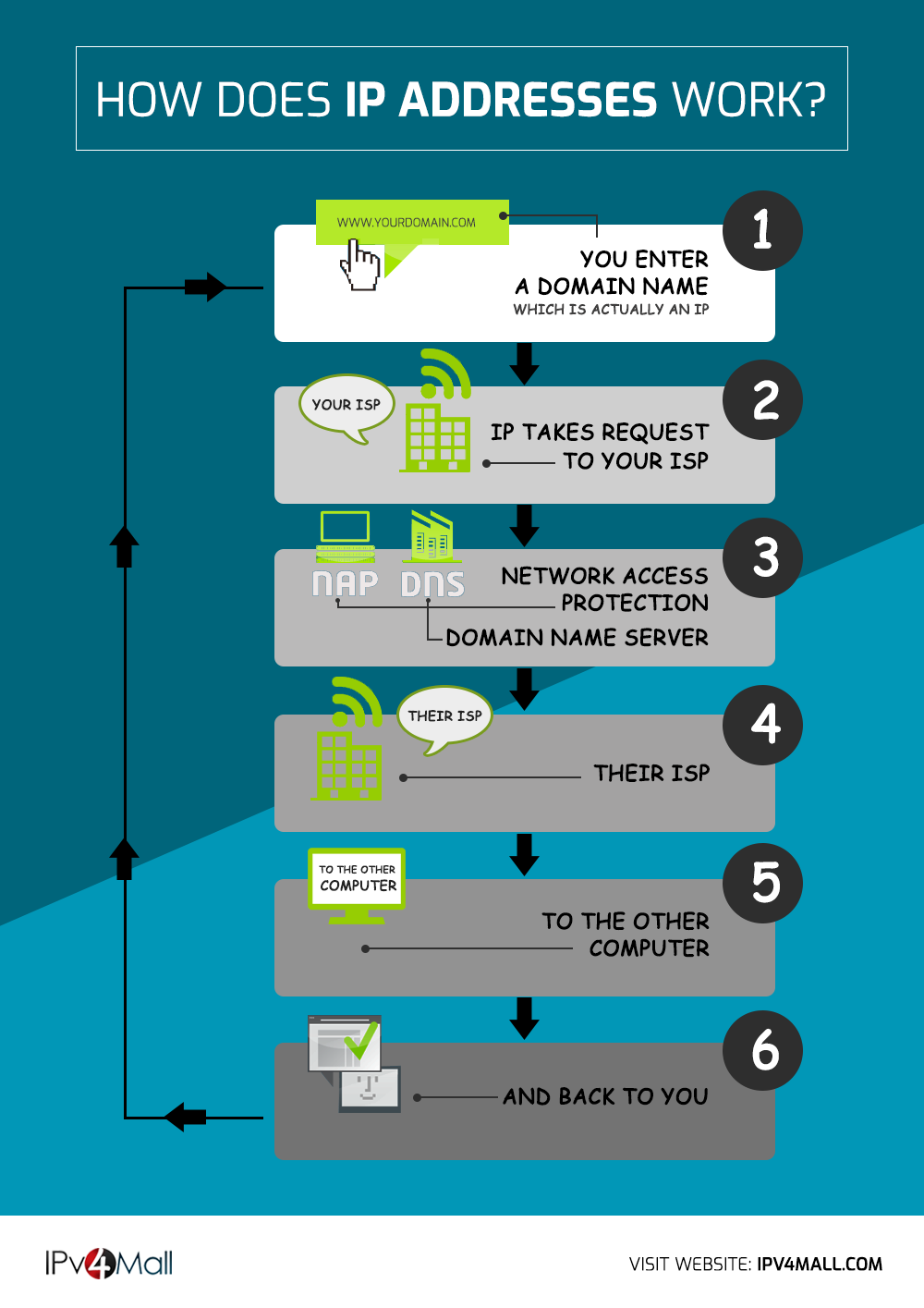
on a daily basis, you may often hear the term IP address. However, some people may not know what an IP address actually is.
Therefore, in this article, we will explain the overview of IP addresses, how they work, and the types of IP addresses. We will also introduce how to find your IP address and its format, so please refer to it.
What is an IP address?
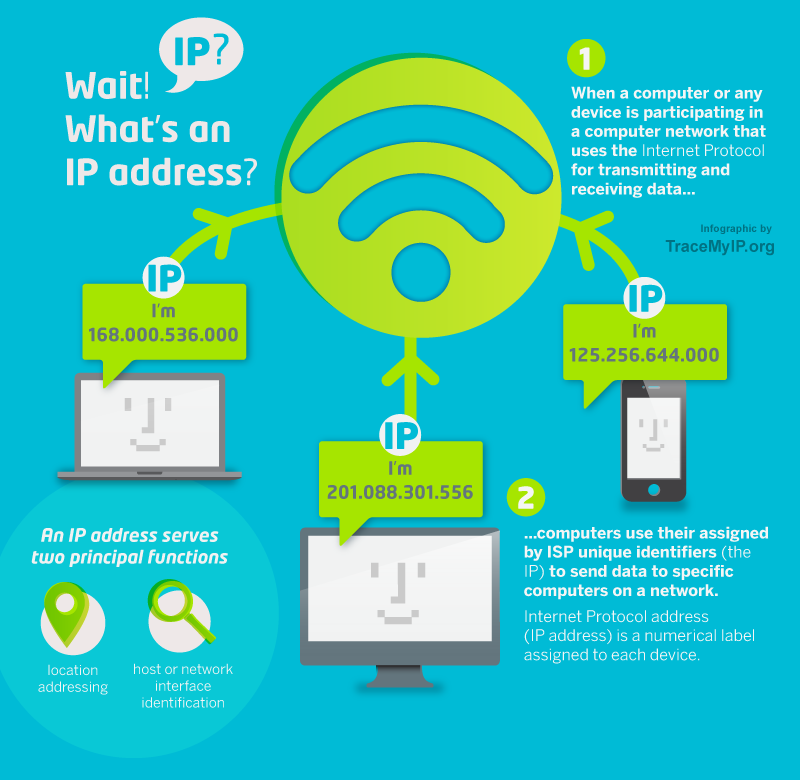
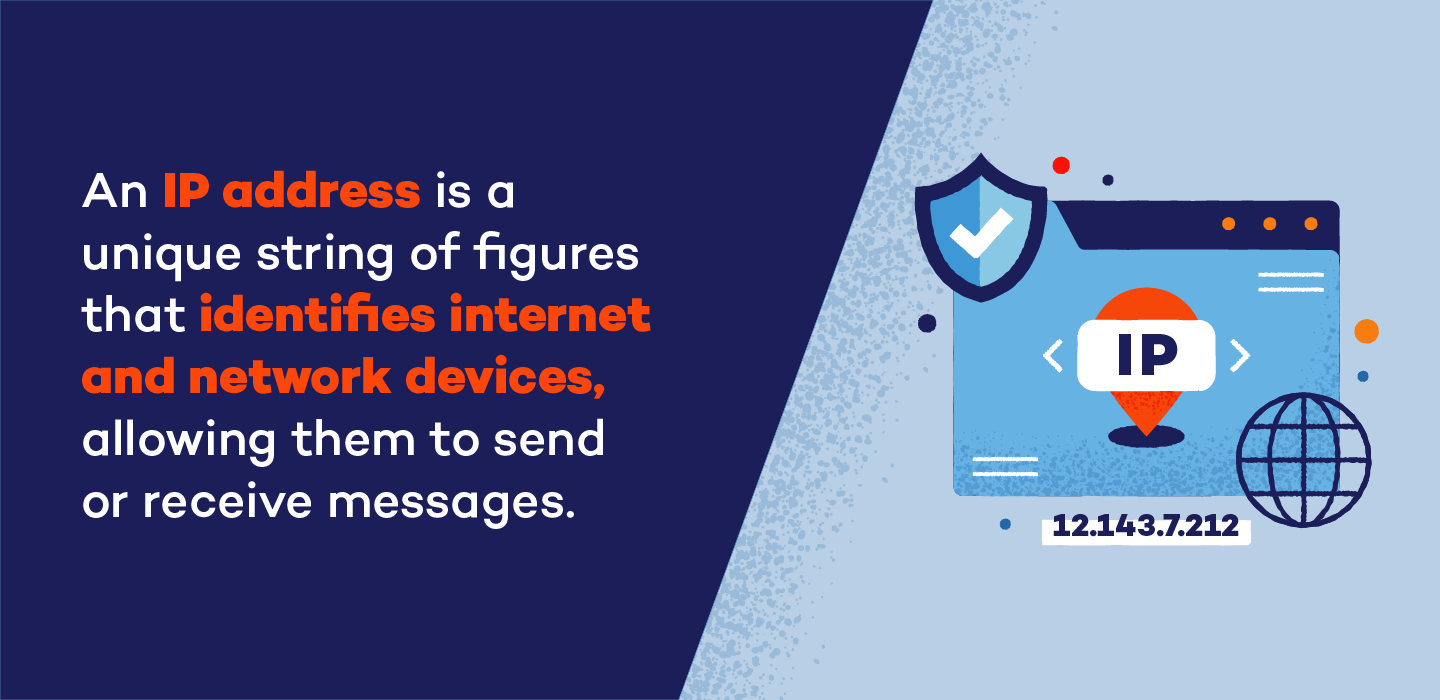
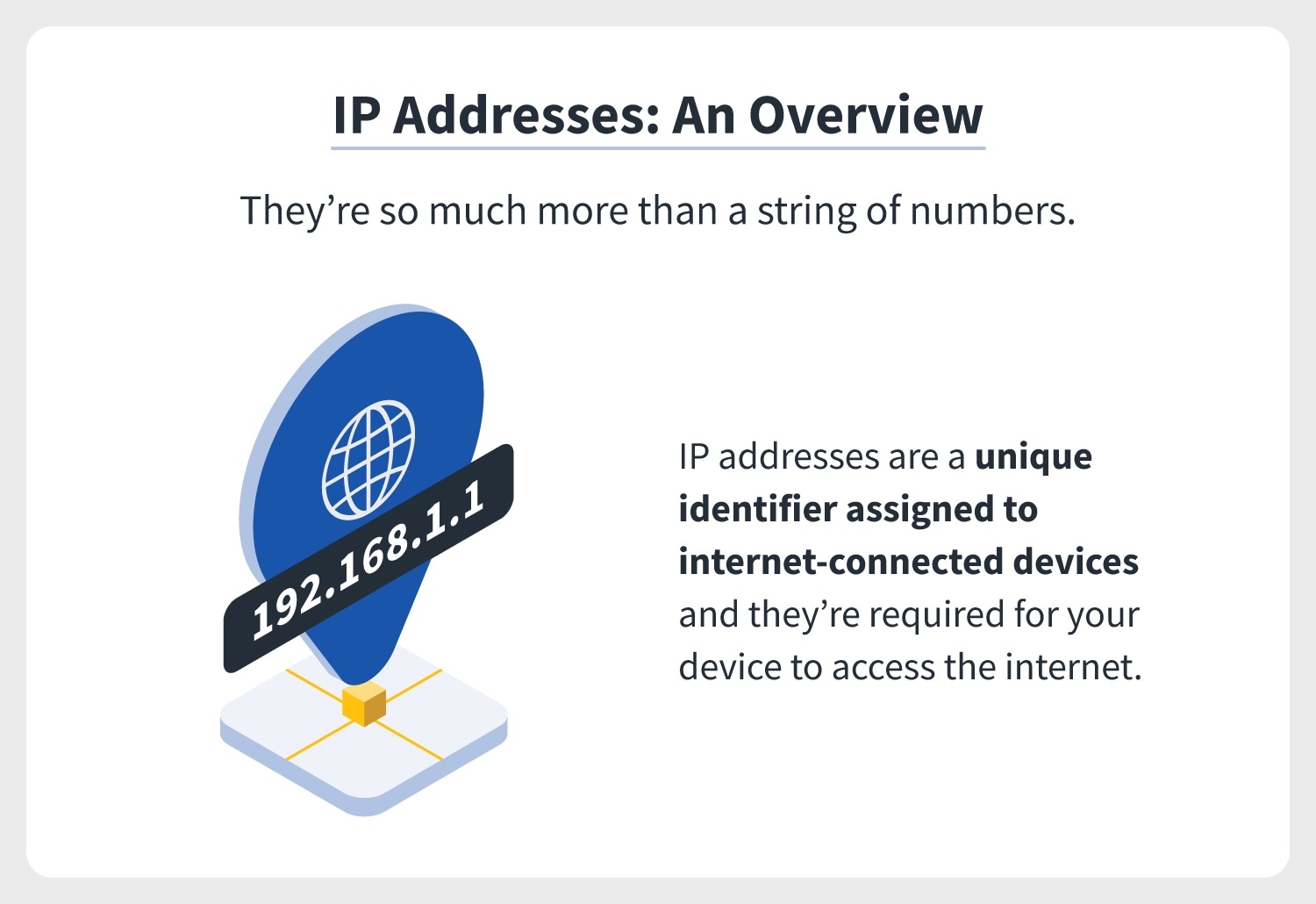
First, let’s take a look at an overview of IP addresses. An IP address (Internet Protocol Address) is a number that uniquely identifies a device on a computer network.
IP addresses form the basis of network communications, including the Internet, and are used when sending and receiving data. It also plays an important role in distinguishing between the “source” and “destination” in order to send information accurately, and is represented by a combination of numbers. It is also notable that there are two main versions of IP addresses: IPv4 and IPv6.
How IP addresses work
Next, let’s take a look at how IP addresses work. IP addresses are uniquely assigned to devices on a network. However, it is also possible to manually (optional) set the IP address of your computer.
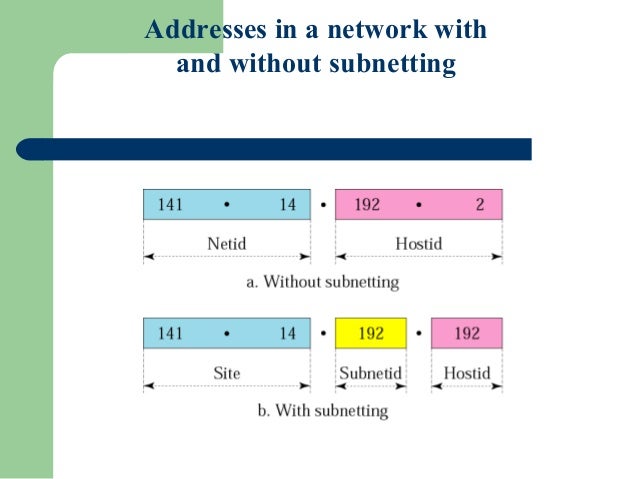
IP addresses have a hierarchical structure. The structure is divided into a network ID and a host ID, where the network ID uniquely identifies a network and the host ID identifies a device within that network.
Therefore, keep in mind that an IP address always consists of two parts: a network ID and a host ID.
IP address type
When it comes to IP addresses, they can be divided into two types:
Let’s look at each in turn.
Global IP address
A global IP address is also called a “public IP address” and is an IP address that identifies a computer or communication device. A global IP address is assigned by your Internet provider (ISP) and is required information when connecting to the Internet.
private IP address
A private IP address, on the other hand, is an IP address that is assigned only within a specific network. It is primarily used within local networks and uses NAT (Network Address Translation), which allows multiple devices to share a single global IP address via a router.
What is a dynamic IP address?
Some IP addresses are called dynamic addresses. A dynamic IP address is an IP address that is assigned every time a device connects to the network. Another feature is that it is not always assigned in a fixed manner, but changes each time you connect.

What is a static IP address?
On the other hand, there is also something called a static IP address. A static IP address is an IP address that assigns a fixed IP address to a network device. For example, it is often used to provide a specific service (such as a web server) or to enforce security requirements for remote access.
Other knowledge about IP addresses
In order to deepen your understanding of IP addresses, we will introduce other things you should keep in mind.
Let’s look at each in turn.
subnet mask
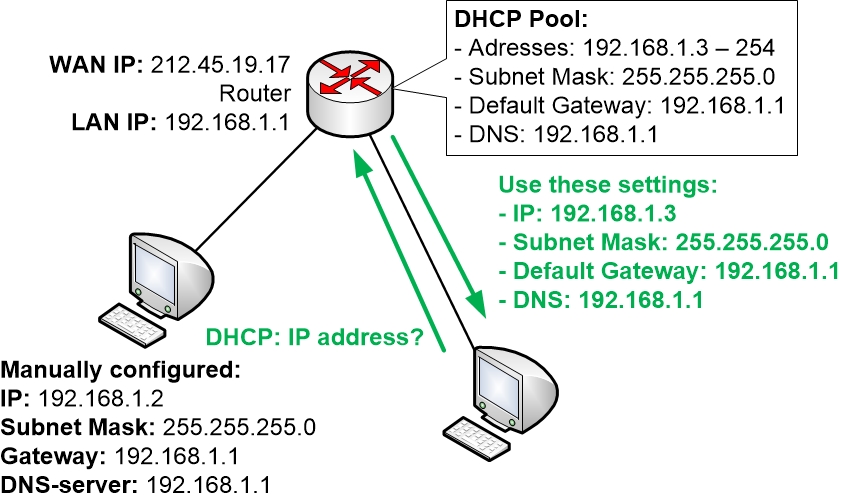
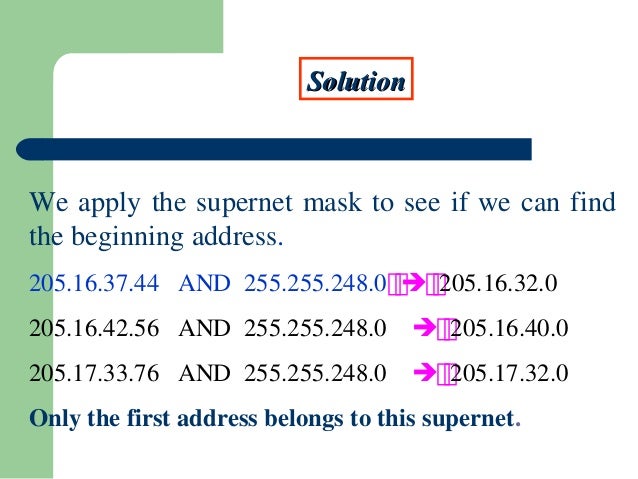
A subnet mask is used to distinguish the network ID of an IP address from the host ID. The subnet mask usually specifies the bits that make the network part 1 and the host part 0 for a 32-bit IP address.
For example, in a subnet mask of “255.255.255.0”, the first 24 bits indicate the network ID and the remaining 8 bits indicate the host ID. You don’t need to worry about this when using the Internet as a normal user, but if you work for an IT company, you should keep this in mind.
DHCP (Dynamic Host Configuration Protocol)
DHCP (Dynamic Host Configuration Protocol) is a protocol for automatically assigning IP addresses to network devices. Devices connecting to a network send requests to a DHCP server to obtain an available IP address.
These mechanisms allow network administrators to avoid manual configuration of IP addresses and allocate IP addresses efficiently.
NAT (Network Address Translation)
NAT (Network Address Translation) is a technology that allows devices in a private network to share a single global IP address.
Routers typically assign temporary local IP addresses to internal network traffic. Next, when sending data to an external network, the temporary local IP address is converted to a global IP address.
This has the benefit of allowing many devices to share fewer IP addresses, improving network security.
How to find your IP address
By the way, many people may be wondering if there is a way to find out their IP address. In conclusion, there are multiple ways to find out your IP address.
For example, common methods include command line tools and web-based IP checkers. The device itself may also provide IP address information. Regardless of the method you use, you can check for free, so if you don’t know your IP address, it’s a good idea to try it.
IP address format
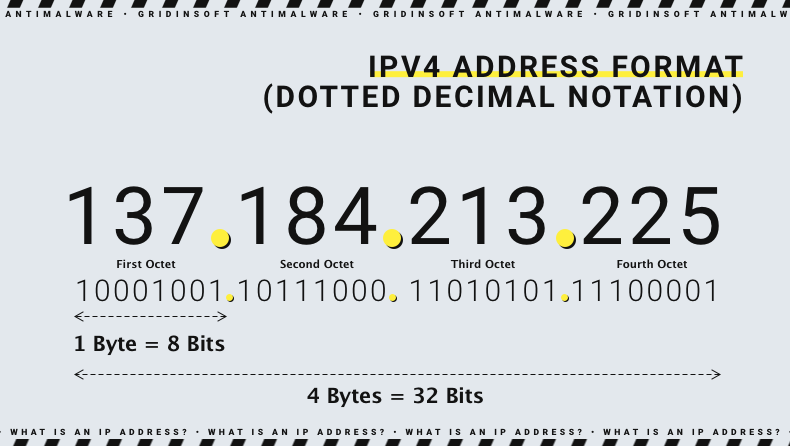
There are two formats for IP addresses:
Let’s look at each in turn.
IPv4
IPv4 (Internet Protocol version 4) is a format that uses 32-bit IP addresses. IPv4 is typically represented by four decimal numbers, with each section assigned a value from 0 to 255. For example, an IP address like “192.168.1.1” is in IPv4 format.
IPv6
IPv6 (Internet Protocol version 6), on the other hand, is a format that uses 128-bit IP addresses. IPv6 is usually represented by eight hexadecimal digits and assigned in groups separated by colons. For example, an IP address like “2001:0db8:85a3:0000:0000:8a2e:0370:7334” is in IPv6 format. That’s what it means.
The need for IPv6
Earlier, we introduced two formats: IPv4 and IPv6. In recent years, the need for IPv6 has increased, and IPv6 was developed to solve the depletion of IPv4.
IPv4 has a limited 32-bit address space, and it was thought that it might not be able to keep up with the growth of the Internet. IPv6, on the other hand, provides a 128-bit address space and can support an infinite number of IP addresses. Therefore, IPv6 is an extremely important technology in order to support future network scalability, which is expected to continue to develop.
:max_bytes(150000):strip_icc()/IPaddress-1e113dd325f74135ab2183d432ea5865.jpg)
Frequently asked questions about IP addresses
Finally, we will introduce some frequently asked questions regarding IP addresses.
Let’s look at each in turn.
Will my IP address be found out?
In conclusion, there is a high possibility that your IP address will be discovered. When you send or receive data over the Internet, your IP address is always communicated to the other party. Since it is a necessary element for network communication, it is essential for sending and receiving data.
Can I change my IP address?
It is possible to change the IP address. Generally, the IP address assigned by your ISP may change at regular intervals. You can also use a virtual IP address by using a VPN (Virtual Private Network).
Can you find out location information from your IP address?
Generally, it is difficult to determine precise location information from an IP address, but it may be possible to determine general geographic location information (city or region). This is done using an IP geodatabase.
summary
In this article, we have explained the basic knowledge and mechanism of IP addresses. IP addresses are an important element that forms the basis of Internet communications, and are unique in that they can uniquely identify devices on a network.
There are also various types of IP addresses, such as global IP addresses, private IP addresses, dynamic IP addresses, and static IP addresses. Why not use this article as a reference to deepen your knowledge about IP addresses?