

BingAI is a chat system that incorporates AI into Microsoft’s
search engine
“Bing”. The search tool that comes standard with Microsoft’s Edge browser allows you to find the information you want in an interactive manner. This article provides an easy-to-understand explanation of how to get started with BingAI, its features, and how it differs from ChatGPT.
What is BingAI? How it works and what you can do
BingAI is a chat system that incorporates AI into the search engine “Bing” provided by Microsoft. It is attracting attention as an alternative to traditional search engines because it allows you to obtain the information you want in an interactive format. BingAI was released in February 2023 and is also available in Japanese.
When it comes to chat systems that allow interactive searches, OpenAI’s ChatGPT is well-known. BingAI uses the same large-scale language model as GPT-4, the paid version of ChatGPT, so if you want to use advanced AI search for free, you may want to try BingAI. Additionally, Microsoft has also invested in OpenAI.
If you would like to learn more about ChatGPT, please see the following articles: We’ll introduce you to the basics of how to use it, including how to use it for free and how to search.
How BingAI with chat function works
BingAI is Microsoft’s search engine with a chat feature. One of the reasons why BingAI is attracting attention is that it was developed using ChatGPT’s paid version GPT-4.
As I will explain later, even the free version of ChatGPT has sufficient functionality and can be used in various fields such as writing sentences and calculations.
BingAI combines its higher version, GPT-4, with Bing’s proprietary search technology, so it supports more advanced uses that cannot be obtained with ChatGPT or traditional Bing.
What BingAI can do
With BingAI, you can:
BingAI is a service that was launched in February 2023, so users are still finding their way around it. Feel free to enter different prompts and explore how you can use BingAI to your advantage.
BingAI can also generate images and illustrations, and there are also services that specialize in image and illustration generation. The following article introduces free services that can generate images and illustrations using AI, as well as specific steps to create them. Please take a look.
What are the strengths of BingAI?
According to a study by StatCounter, a web traffic analysis company, 92.82% of internet searches conducted in the global market in April 2023 were Google searches, followed by Microsoft’s Bing at 2.76%. .
Reference material:
StatCounter|Search Engine Market Share Worldwide – April 2023
On the other hand, when looking only at Japan, Google search remains number one (76.91%), but Yahoo! search ranks second at 14.03%, and Bing ranks third at 7.97%. Although Bing’s ranking is lower, its market share is higher than that of the world as a whole.
Reference material:
StatCounter|Search Engine Market Share in Japan – April 2023
There are no major differences in the search market around February 2023, when BingAI equipped with ChatGPT was released. However, if Bing’s ease of use and attractiveness are conveyed in the future, there is a good chance that the market share will change.
BingAI’s strengths include the following two points.
High matching rate between user search intent and answers
With Google Search, you enter keywords into the search box, search, and view the search results to get the answer you want. However, the answer to the question will not be straight forward.
A link to a web page related to the keyword will be displayed, and you will need to click on the link that you think may contain the answer, and then go through the process of finding the answer on your own while viewing the destination page.
On the other hand, BingAI searches interactively, so the answers to your questions are displayed directly on the search screen. Not only does it eliminate the need to open many web pages and search for answers on your own, but the matching rate between search intent and answers tends to be high.
The latest information can be collected efficiently
In BingAI, answers to questions include links to reference sources. With ChatGPT, where answers are displayed in the same chat format, the reference source is not displayed, making it difficult to distinguish between truth and falsehood, but with BingAI, you can verify the source with one click, making it possible to collect information efficiently. It has become.
Additionally, the information displayed as reference sources is retrieved from online by Bing in real time. In the case of ChatGPT, the information obtained is not online, but learning data up to September 2021. In other words, BingAI always uses the latest information as reference, so it has the advantage of being highly reliable.
4 points you need to know before you start using BingAI
Here are four basic points you should know before using BingAI.
1. BingAI is free, but there is a limit on the number of chats
2. Answers are not necessarily accurate.
3. Web browser can be used other than Edge
4. BingAI can be used in Japanese and on smartphones
1. BingAI is free, but there is a limit on the number of chats
BingAI is a service that anyone can use for free. If you log in to your Microsoft account, you can use 30 turns (30 times) per session. When using without logging in, there are 10 turns per session.
A session is a continuous conversation with the AI regarding the same question or topic. If you exceed the maximum number of turns, you will be forced to start a new session.
Furthermore, the upper limit on the number of uses that was set after BingAI was released is gradually being eased. In the near future, sessions may become unlimited, similar to traditional Bing.
2.Answers are not necessarily accurate
BingAI derives answers to questions from information published on the Internet. Since there is misinformation in the information published on the Internet, the answers derived by BingAI may also be incorrect.
The same thing can be said not only for BingAI but also for other searches, but be careful as choosing the wrong source may lead to incorrect answers.
In order to get accurate answers, we recommend that you get in the habit of checking the basis for the answers you get from BingAI. BingAI displays all the sources that led to the answer, making it convenient to check with one click.
3. Web browser can be used other than Edge
Until now, the only web browser that could use BingAI was Microsoft’s Edge.
However, BingAI can now be used with browsers such as Google Chrome and Firefox (as of May 27, 2023, it has been confirmed that it can be used with Firefox and Chrome). If you are using a browser other than Edge, try using the following steps.
<Steps to use BingAI with a browser other than Edge>
1. Enter “bing” in the search window and go to the bing page.
2. Enter appropriate words in the search box for “bing”
3. Click the “Chat” tab at the top of the search results page
The next section explains how to use BingAI on iOS.
4.BingAI can be used in Japanese and on smartphones
BingAI’s chat function supports Japanese. If you write a prompt in Japanese in the search window, the answer to your question will be displayed in Japanese.
It is also compatible with Android and iOS, and can be used from smartphones. You can easily use BingAI by searching for “Microsoft Bing” in the search window of your browser, or by searching for “Edge” in your browser.
Now, let’s actually use BingAI. The next chapter provides detailed instructions on how to get started and how to use it.
[By purpose] How to start and use BingAI
BingAI can be used with browsers other than Microsoft’s Edge, but the easiest way is to use Edge. First, let’s install the Edge browser. Installation of the browser is free regardless of whether you are using a PC or smartphone.
[Conversations and questions] How to use BingAI
When you open the screen in Edge, a search window will appear at the top. When you move the cursor to the search window, BingAI information will be displayed as shown below.
The images posted below are BingAI capture screens.
![Screenshot: [Conversations and questions] How to use BingAI_Edge search window](https://www.windowslatest.com/wp-content/uploads/2021/05/Bing-chat.jpg)
If you ignore this guide and enter the keyword in the search window, you can use normal Bing search. If you want to use BingAI, click the blue “Get Started” button. The following screen will then be displayed.
![Screenshot: [Conversation and Questions] How to use BingAI_Results of entering a keyword in the Edge search window and clicking](https://www.pcworld.com/wp-content/uploads/2023/04/Windows-11-Bing-Chat-via-Search-edit.jpg?quality=50&strip=all)
Please enter your question in the “Ask me anything” section at the bottom of the screen. This time, we asked, “How can I relieve my lack of exercise while sitting on a chair?”
![Screenshot: [Conversations and questions] How to use BingAI_Write your question in the “Ask me anything” section](https://allthings.how/content/images/wordpress/2023/02/allthings.how-what-is-notion-ai-and-how-is-it-different-from-chatgpt-and-bing-ai-image-2.png)
When I asked BingAI, “How can I relieve my lack of exercise while sitting on a chair?”, it introduced me to a specific exercise method.
The reference source is listed under the answer as “Details”. Clicking on this part will take you directly to the source of the information, allowing you to verify the authenticity with your own eyes. He introduced me to a good method, so I sent him a message saying, “Thank you!”
![Screenshot: [Conversation and Questions] How to use BingAI_Results of sending a message saying “Thank you!”](https://cdn.mos.cms.futurecdn.net/6DQ6GFocNjjxe2fGegjQBf.jpg)
When I had a break, I clicked on the broom icon on the left side of the search window, “New Topic.” This will erase your previous conversation and allow you to start a new session.
Next, I asked, albeit vaguely, “I’m having trouble coming up with ideas for blog posts, so please tell me about today’s topic.”
![Screenshot: [Conversations and Questions] How to use BingAI_Click](https://pic2.zhimg.com/v2-1811a4435782c9a2188d175be610464d_r.jpg?source=1940ef5c)
In this way, even newly posed questions were answered smoothly.
The above conversation with BingAI was on May 27, 2023, but the first topic presented as a blog idea was November 2021, and the second topic was May 22, 2023. The second topic is the news for May 21, 2023 (22nd Japan time).
I found that it is better to write the date instead of “today” in order to get the correct answer from BingAI.
[Image generation] How to use BingAI
BingAI can also be used for image generation.
Although BingAI itself can be used without logging into a Microsoft account, logging in is required to generate images.
If you enter the prompt to generate an image without being logged in to your Microsoft account, you will see “Please log in to Bing.” Logging into Bing is the same as logging into Microsoft.
When generating an image, you must enter a friendly prompt: “Please draw an illustration.” So I typed in “Please draw an illustration of a cute fox with a fluffy tail.”
![Screenshot: [Image generation] BingAI_Result of inputting](https://www.technobugg.com/wp-content/uploads/2023/02/How-To-Use-ChatGPT-On-Bing-Microsoft-Edge.jpg)
In this way, basically four images are automatically created. Next, I ordered the background by adding a forest.
![Screenshot: [Image generation] BingAI_Result of ordering](https://www.ghacks.net/wp-content/uploads/2023/02/bing-ai-scaled.jpg)
As described above, we have created an illustration of a cute fox with a fluffy tail, with a forest in the background.
In addition, you can also generate images by directly accessing the ”
Bing Image Creator
” site, which was added on March 21, 2023 (US time), without using BingAI Chat.
BingAI also uses “Bing Image Creator” to create illustrations, so there is no difference in quality.
Two tips for mastering BingAI
There are two tips for making full use of BingAI:
1. Use different directions, such as “originality,” “balance,” and “rigor,” depending on the purpose.
2. Be specific in your question.
Here are some tips to help you efficiently derive answers that match your search intent.
1. Use different directions, such as “originality,” “balance,” and “rigor,” depending on the purpose.
BingAI has three styles to determine the direction of answers: “Original”, “Balanced”, and “Strict”. If you change your direction, the content of your answer will change dramatically.
To switch the direction of the answer, click the “broom” icon on the left side of the search window. You will be switched to a new topic and will be presented with the options of “Originality”, “Balance”, and “Rightness”.
If you select “Originality”, the background will be purple, if you select “Balance”, it will be light blue, and if you select “Strict”, it will be green.
So, as a direction for BingAI’s answers, I first chose “originality” and asked, “I couldn’t get tickets to the concert I really wanted to go to. What should I do?”

I wanted to ask him how to get tickets, but he asked me why I wanted to go to the concert and the genre of the song. Apparently, if you choose “Originality,” the focus is more on enjoying the conversation than on finding the answer.
Next, I chose the direction of “balance” and asked the same question.

This time, I was taught how to get tickets in a simple way. If you want a specific answer, it seems best to choose “Balance”.
Finally, I chose “strict” and asked the same question.

First, he asked me what kind of concert it was, and then he gave me a concrete answer.
When I chose the “Balanced” direction, it told me how to get general concert tickets, but when I chose “Strictly” it gave me answers specific to the concerts I wanted to go to.
In this way, we recommend using “balanced” when you want to get a versatile answer, and “strict” when you want to get a highly accurate answer.
You can also switch the direction by clicking the “b” button at the top right of the screen. However, please note that since it is displayed as a sub-screen, it will be displayed vertically, just like when viewed on a smartphone.

2. Fill in the question in detail.
In order to improve the quality of BingAI’s answers, you need to ask specific questions rather than vague ones. For example, instead of “Write an interesting story,” you can expect a more precise response if you instruct them to “Write a story about ___ that targets ____.”
So, I chose “originality” as a direction and asked them to “write an interesting story.”
Vague prompts are not appropriate when you have a specific theme in mind. Also, if the questions are commonplace, the questions will likely overlap with those of other questioners, and the answers may also overlap, leading to the risk of not creating an original story.
Next, after deciding on a few settings, I asked them to create a story.
I have a feeling that if you add more settings to the prompt, you will be able to write an interesting story.
What is the difference between BingAI and ChatGPT?
Let’s take a closer look at the differences between BingAI and ChatGPT. The main differences between the two are:
| chat system | BingAI | ChatGPT |
| Fee | free | Free (paid version available) |
| Answer speed | It can take a while | Tends to be faster than BingAI |
| Usage limit number of times | Up to 30 turns per session | none |
| Information that can be obtained | Real-time information obtained online | Learning data until September 2021 |
BingAI can generate answers based on real-time information, but ChatGPT (GPT-3.5) can only obtain data up to September 2021 that was used for AI learning. Therefore, BingAI is more suitable for gathering new information.
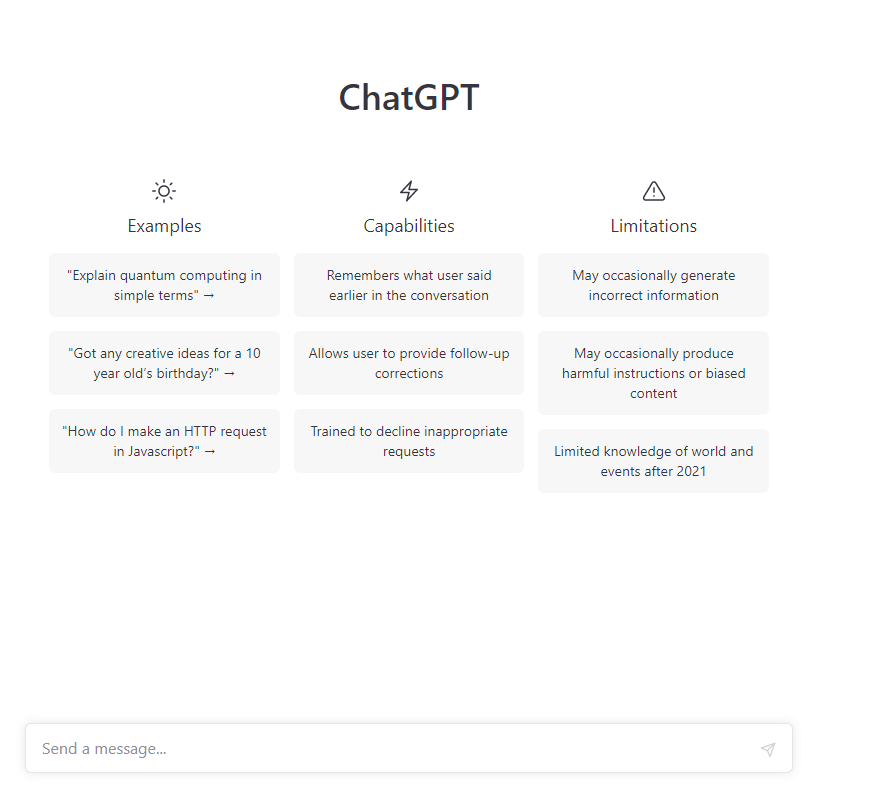
When I asked about the current information on ChatGPT as below, I received the following response.

Please also refer to the following article regarding ChatGPT.
Below, we will explain the differences between BingAI and ChatGPT in more detail.
Difference in provider
BingAI and ChatGPT are both conversational AI chatbots, but they are provided by different sources. BingAI is provided by Microsoft, and ChatGPT is provided by OpenAI. OpenAI is an American AI development company consisting of OpenAI LP, a for-profit corporation, and its parent company, OpenAI Inc., a non-profit corporation.
Although these two companies are competitors in the AI development field, Microsoft has invested in OpenAI and is the largest shareholder with 49% of the shares (as of February 2023).
Differences in plans available for free
There are also differences in the free plans available for BingAI and ChatGPT. BingAI allows you to use “GPT-4”, which is a paid plan for ChatGPT, for free.
GPT-4 is multimodal, and by combining multiple “modalities = information”, it is possible to not only generate sentences, but also to create sentences from images.
On the other hand, ChatGPT’s free plan is “GPT-3.5”. GPT-3.5 is single modal and can only generate sentences.
Differences in whether there is a paid plan or not
BingAI and ChatGPT also differ in whether or not they have paid plans. As of October 2023, BingAI does not have a paid plan, and although there is a limit on the number of chats, you can use the latest language model GPT-4 for free.
On the other hand, if you want to use GPT-4 with ChatGPT, you will have to pay for it, and the “Plus” plan costs 20 USD (approximately 2,700 yen) per month. Although the usage limit is “50 messages every 3 hours”, GPT-4 and plugins can be used, and advanced data analysis is also possible.
In addition, the top-level “Enterprise” plan includes unlimited high-speed GPT-4, as well as APIs and a dedicated management console. This option says “Contact Sales” and does not display prices.
Differences in strengths
BingAI is integrated with Bing Search, allowing you to search for the latest information while performing web searches in real time. You can collect information while taking advantage of its strengths as a search engine.
On the other hand, ChatGPT’s strength is its ability to generate expressive sentences. It is characterized by the ability to generate sentences with rich expressiveness similar to those written by humans, such as creative writing expressions such as stories and plays, and informal writing styles such as conversations and chats.
Difference in number of times limit
There are also differences in the number of times BingAI and ChatGPT can be used. The usage limit for BingAI is “30 turns of conversation” and “the total number of times that can be used per day is 300 turns.”
On the other hand, with ChatGPT, GPT-3.5, which can be used for free, is “unlimited”, and GPT-4, which can be used with the Plus plan, is “up to 50 messages every 3 hours”. The top-level “Enterprise” plan is not publicly available and requires contacting a sales representative.
Differences in freshness of information
There is also a difference in the freshness of information between BingAI and ChatGPT. As explained in the above item “Differences in Strengths”, BingAI is linked with Bing Search, allowing you to obtain the latest information in real time while taking advantage of its strengths as a search engine.
On the other hand, the training data registered in ChatGPT’s language model is as follows as of October 2023.
For this reason, it can be said that it is difficult for ChatGPT to answer questions regarding the latest information on both “GPT-3.5” and “GPT-4.”
Differences in restrictions on conversation content
There are also differences in the restrictions on conversation content between BingAI and ChatGPT. First of all, with BingAI, from an ethical perspective, if a question is too immoral or inappropriate, the conversation may be terminated with the response, “It is not advisable to continue this conversation.”
This is because BingAI has rules that prevent it from answering such immoral and inappropriate questions. ChatGPT, on the other hand, has no such restrictions and allows you to continue conversations freely.
Differences in functions and what you can do
There are also differences in functionality and what can be done between BingAI and ChatGPT.
BingAI functions and what you can do
For example, with BingAI you can do the following:
Interactive information gathering
One of the features of BingAI is that it provides straightforward answers through dialogue. If you ask someone, “What is 〇〇?” or “Tell me about 〇〇,” you will get a simple, organized, and to-the-point answer.
This is different from ChatGPT, which often returns long, essay-like answers. Also, by continuing the dialogue, you can explore the topic even more deeply. During the conversation, you may come up with questions that you hadn’t thought of or things that you wanted to know.
Furthermore, it is equipped with a text translation function, and answers that can only be found in overseas media are converted into Japanese and returned, saving you the trouble of translating them each time.
Due to these functions, it may be more efficient to collect information using BingAI than using a search engine.
Creating a story
BingAI can also create stories. For example, if you ask someone, “Please write a science fiction novel in which 〇〇 appears, the answer will be a story like that. The more detailed the instructions, the more tailored the story will be.
The AI also appropriately judges expressions depending on the scene, such as “when the text is called a novel” or “when the text is called a screenplay,” resulting in a very natural writing style.
You can use this to create new stories, explore ideas, etc., and use it to support your creative activities.
Generating image content
BingAI can also create image content. BingAI is equipped with an image generation AI called “DALL-E2” developed by OpenAI, so if you give it an instruction to create an image, it will return about 4 or 5 images that are similar to the instructions.
You can use it as a good way to get hints, inspiration, and ideas, such as finding images that match the story of your novel or using them as reference when designing advertisements.
ChatGPT functions and what you can do
With ChatGPT, you can, for example, do the following:
Generating programming code
A well-known feature of ChatGPT is the generation of programming code. It can return programming code that is close to the requirements specified by the user, or it can return programming code that is well-corrected if you identify the cause of a code error and prompt the user to fix it.
In particular, it is said that there is a large amount of training data for major programming languages such as JavaScript and Python, so it can be expected to generate highly accurate programming code.
Image recognition and generation
ChatGPT can recognize and generate images in “GPT-4”, which is available on the paid version “Plus” plan and above.
The paid version of the “Plus” plan and above is equipped with an image generation AI called “DALL-E3” released by Open AI on September 21, 2023, making it possible to perform highly accurate image recognition.
If you ask a question such as “I want images of 〇〇,” it will return about 4 or 5 images that match the conditions.
Summary of text
ChatGPT is also good at summarizing texts. Start by typing “Please summarize the following text,” then leave a paragraph, then paste the text you want summarized and send.
Then, you will receive a short, condensed answer as an answer. If it seems too long to answer once, it will gradually become shorter by repeating it several times.
Differences between plugins
There are also differences in the plugins that can be used between BingAI and ChatGPT. Although BingAI opens plugins to third parties, only a limited number of plugins from the plugin platform, which is being jointly built by OpenAI and Microsoft, are available.
OpenAI and Microsoft aim to increase the interoperability of this plugin platform, and it is still in the early stages of development. On the other hand, ChatGPT already has nearly 600 plugins available as of July 2023.
This is provided in a paid version of “Plus” or later, and paid members can use it freely. There are many types of them, and there are many functions to make Chatgpt easier and easier to use, such as “search -based plugins”, “generated plugins”, and “automated plugins”.
Bingai’s future potential
Microsoft is trying to use Bingai not only for search AI but also for all apps and services.
For example, on March 17, 2023, we announced the Microsoft 365 Copilot, which incorporated the GTP-4 in the business app. In addition, “GitHub Copilot X” has been released for developers.
Bingai is expected to be more active in the business scene. Try Bingai and get tips on how to use it.
Summary: Understand the basics of BINGAI and use it in business
Bingai is a chat system equipped with the GPT-4, a paid version of Chatgpt. Not only can you use it for free, but you can also get answers in conversation format, so it has the advantage that it is easier to use than a regular search tool.
Another feature is that you can get the latest information unlike Chatgpt because you use the bing of the search tool.
In the future, business apps that utilize Bingai are being released one after another. Be sure to get used to Bingai as soon as possible and use it.