

Google Adwords is a general term for
Internet advertising
provided by Google, including listing ads and display ads. However, there are many types, and many people may be confused as to which Google AdWords to start with.
Therefore, in this article, we will explain the overview, types, and benefits of advertising on Google AdWords. We will also introduce the posting flow of Google Adwords, so please refer to it.
What is Google AdWords?
First, I will give an overview of Google AdWords. Google AdWords is a general term for Internet advertisements provided by Google, and includes listing advertisements and display advertisements.
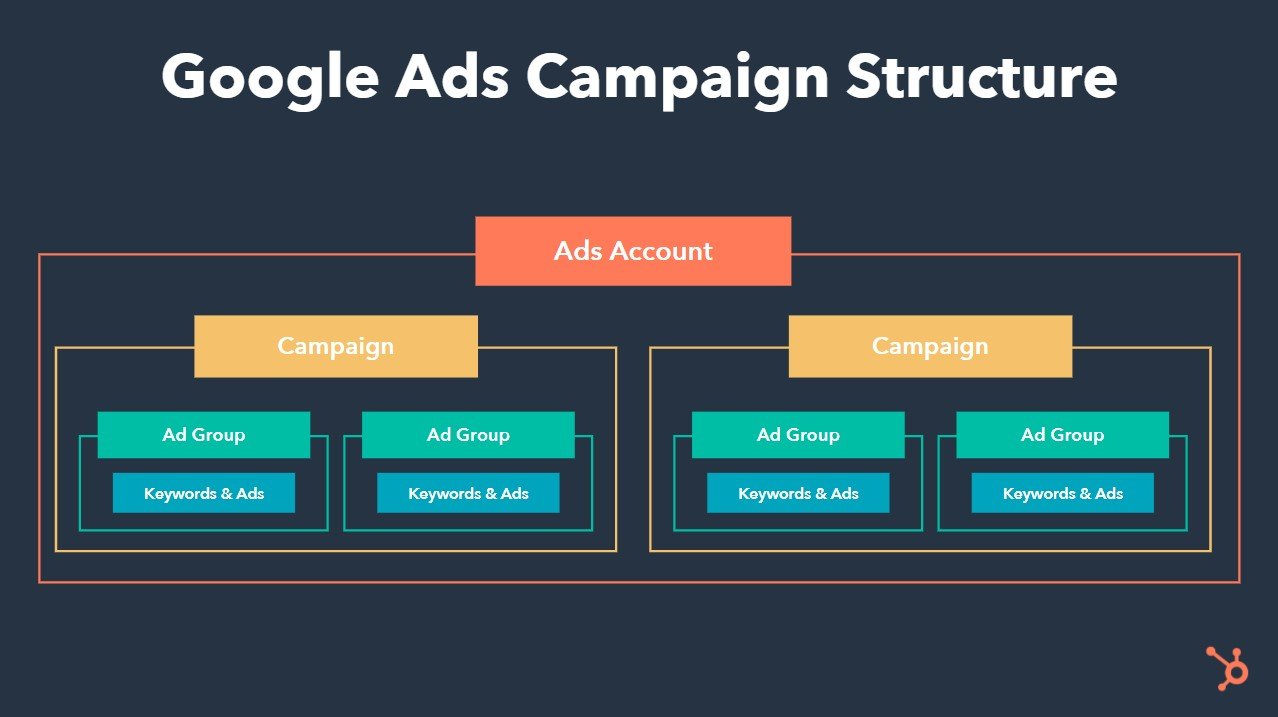
When distributing Google AdWords, create a Google Ads management screen. On the management screen, you can detail the budget for each keyword, monthly budget, keywords to advertise, etc., and it is highly customizable.
In addition, Google AdWords has very good machine learning, so if you have a certain amount of time and budget, it is easier to achieve results than other advertising media. If you are trying Internet advertising for the first time, we recommend starting with Google AdWords.
Name changed in July 2018
As of November 2022, the name Google AdWords is no longer in use. In fact, Google AdWords is the old name, and the name was changed to “Google Ads” in July 2018.
Nothing has changed in the detailed functions or the general outline, only the name has changed. Therefore, there is no problem if you think of Google AdWords as Google advertising. Furthermore, there are still a certain number of people who still use the old name, Google AdWords.
How Google AdWords works
So far, we have provided an overview of Google AdWords. From here, I will introduce how Google Adwords works.
Let’s look at each in turn.
Basically pay-per-click
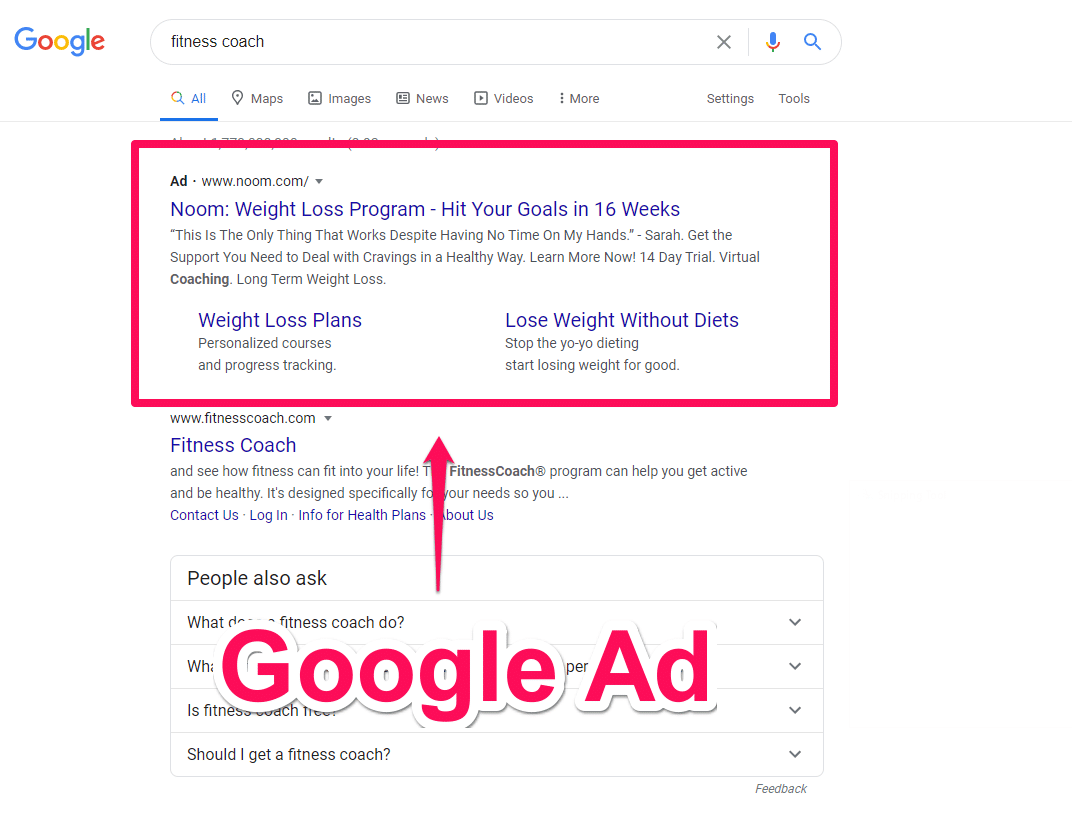
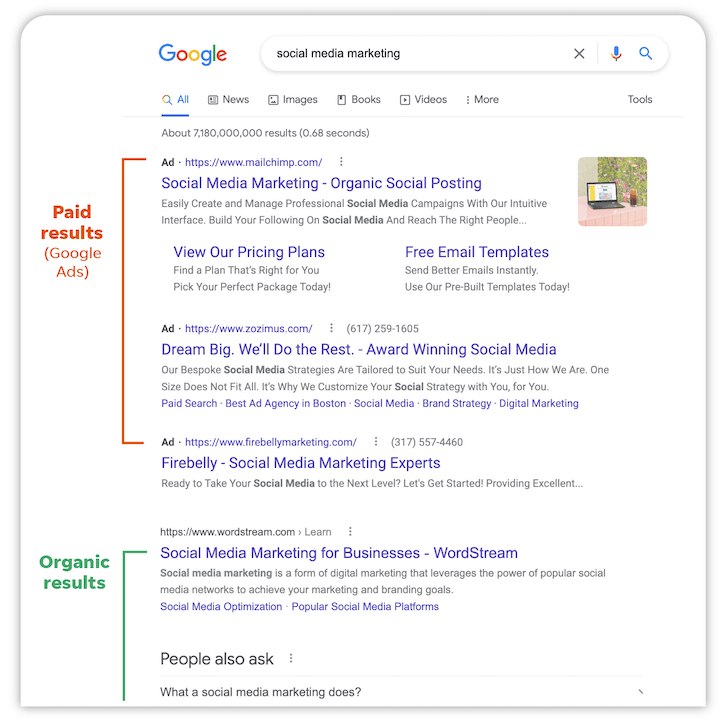
Google Adwords is basically a pay-per-click system. Therefore, there is no cost for displaying advertisements. Taking listing ads (search ads) as an example, you select a keyword to advertise on, and when that keyword is bid on, it will be displayed at the top or bottom of the search results. At this point, not a single yen has been incurred.
However, if a user searches for the keyword you posted and clicks on your ad, you will be charged a fee. The costs incurred vary depending on the keyword, ranging from around 30 yen per click for cheap keywords to more than 1,000 yen per click for expensive keywords.
Google AdWords also allows you to set a monthly budget limit. For example, if you set it to 1 million yen per month, you will not spend more than 1 million yen, so there is no risk of exceeding your budget, which is another advantage of Google AdWords.
Unit price is in bid format
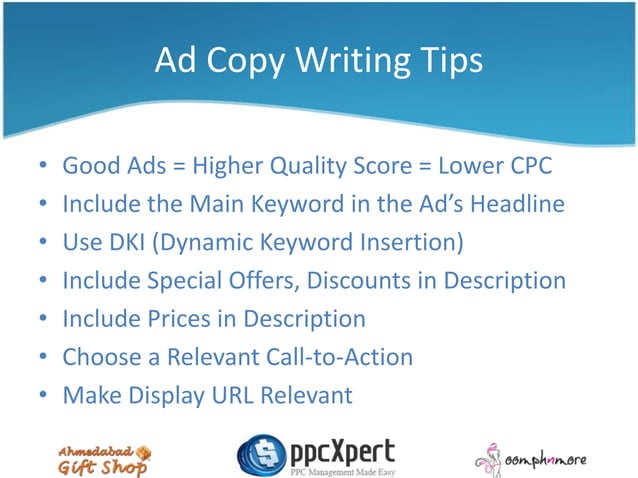
Google Adwords advertising unit price is determined by the bidding format. For example, suppose the keyword you want to post is “YouTube consulting” and the average bid is 400 yen. In this case, you can post an ad if you pay 400 yen per click.
However, if competitors are also trying to advertise at a similar cost per click, the company that can raise the budget more can buy out the advertising space. If there is a company that places an ad for 400 yen and another that places an ad for 500 yen, the latter can bid.
Taking these into account, there is no doubt that companies with a monthly maximum budget or a budget per keyword have an advantage. When advertising with Google Adwords, it is important to always search for the optimal budget.
Types of Google AdWords
When it comes to Google AdWords, it can be broadly divided into three types:
Let’s look at each in turn.

search ads
Search ads are called “listing ads,” and are ads that can be posted for keywords searched by users. Since you can place ads based on the keywords you searched for, you can approach the clear and visible demographic. The management screen is easy to set up, making it suitable for first-time Internet advertising users.

display advertising
Display advertising is advertising that can approach the aspects that Google owns. For example, websites and apps that are affiliated with Google.
Display ads can be delivered in the form of banner + text or text + video. When a user clicks on a banner, etc., they are redirected to an LP (landing page), where they aim to close a CV (contract). It can be displayed even when the user is not searching, so it is suitable for capturing potential customers.
video ads
Video ads are ads that can be placed on YouTube, a medium owned by Google. By delivering video ads before or during video playback, you can sell your own products or increase YouTube subscribers.
There are so many video ad formats that it is not something that beginners can try and immediately produce results. Therefore, in the case of video advertisements, it is advisable to ask someone with knowledge of the matter.

Advantages of Google AdWords
Google Adwords has the following two advantages.
Let’s look at each in turn.
Speedy ad delivery
Google AdWords has the advantage of being able to quickly deliver advertisements. In the case of search advertisements (listing advertisements), as long as they pass the screening, they can be published as soon as the same day as the management screen is set up.
Since you can quickly place advertisements and approach clear and obvious demographics, you can quickly estimate sales potential. Also, the earlier you can generate sales, the more advertising budget you can invest in, which will speed up the sales cycle.
No need to worry about going over budget
Google AdWords also has the advantage of not having to worry about going over budget. If you set a monthly budget limit, no more will be spent. For example, if you set a monthly budget of 1 million yen, your daily budget will be 33,333 yen.
Google Adwords often consumes more than 33,333 yen per day. However, because the budget is properly adjusted on a separate day, you will never spend more than 1 million yen at the end of the month.
For these reasons, Google AdWords can be said to be an advertising medium that is easy to manage your budget.

Google AdWords posting flow
If you are posting an ad on Google AdWords for the first time, please follow the steps below to prepare for distribution.
I will explain each in turn.
Create an advertising account
First, create a Google Adwords advertising
account
. You can create one for free if you have a Google account, and no particularly difficult settings are required.
Setting advertising delivery conditions
Next, set the ad delivery conditions in the ad account you created. Start by creating a new campaign and decide on the type of ads you want to run. For example, search ads and video ads.
Once you have decided on the type of advertisement you want to run, the next step is to decide on your goals. Examples include app installs, brand awareness reach, and website visits.
In addition, you can decide in detail the daily budget, distribution area settings, distribution devices, etc. If you have a targeted business, distribute only to areas where your potential customers exist. The minimum commercial area can be selected from 5 km.
actually start advertising
Once the settings are complete, it’s time to actually start advertising. Once you complete the settings on the Google AdWords management screen, Google will automatically review your application. If it passes the review, distribution will start automatically.
Consider the keywords users search for and how well they are spending their budget, and make improvements by changing the budget and adjusting the keywords.
Please note that if you wish to stop advertising after you have started distributing ads, you can do so immediately. You can quit by simply setting “stop” from the management screen, so you don’t have to worry if you want to stop advertising for some reason. If you wish to resume advertising, you can do so immediately from the management screen.

How to get results with Google Adwords
To achieve results with Google AdWords, keep the following three points in mind.
For search ads, there are different ways to buy keywords, such as exact match and broad match. The ideal cost ratio is said to be 90% or more exact match. If exact match falls below 90%, you will end up buying extra keywords using broad match etc., and your budget will be wasted.
Also, LP is extremely important, not just for search ads. This is because the quality of the LP has a large impact on whether a user converts or not. In conjunction with Google Adwords, let’s always use the PDCA cycle regarding LP as well.
summary
In this article, we have explained about Google Adwords. Google AdWords is suitable for people who are trying Internet advertising for the first time, as there is no risk of going over budget and ads can be delivered quickly.
To advertise with Google Adwords, start by creating a Google Adwords account. Why not set up a type of ad that suits your company and actually start delivering it?