
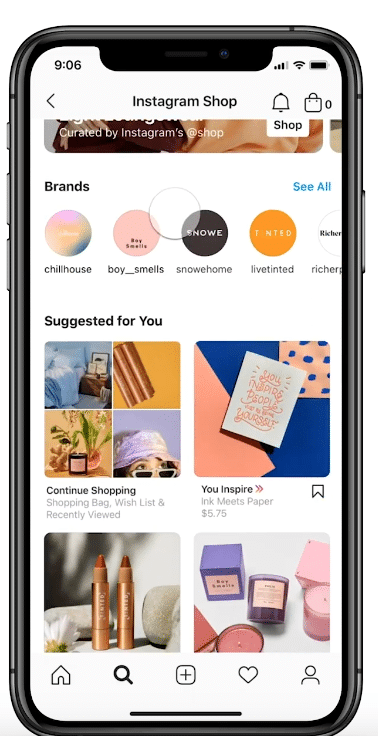
In recent years, with the rapid increase in demand for smartphones and tablets and the spread of internet connections, businesses that utilize the online environment are appearing one after another. In addition, business models that utilize SNS continue to attract increasing attention, and there are many users using them. Among them, the Instagram shopping function provided by Instagram is one that is becoming increasingly useful.
With the advent of this shopping feature, the number of cases where Instagram is used in business situations has increased, and Instagram is playing a major role in connecting general Instagram users with companies and marketers.
In addition, even for general users, Instagram, which was mainly enjoyed by posting about their daily lives and private scenes, has become more and more convenient with repeated updates on a daily basis, and information that matches their hobbies and tastes is not wasted. It is now possible to obtain. By using the shopping function, you can easily check the product details by tapping on the product you are interested in on Instagram, and you can jump to the purchase page for that product in one go.
In this article, we will explain what is the Instagram shopping feature? Starting from this section, we will introduce in detail the conditions required to use the shopping function and the actual setting method.
What is Instagram shopping feature?
Instagram is unique in that it uses creative images and videos to provide users with product details and service value that cannot be conveyed through text. Initially, Instagram was mainly used for posting photos and videos from daily life, but with the passage of time, Instagram has undergone various updates and has now established its value as a representative tool that supports the business scene. .
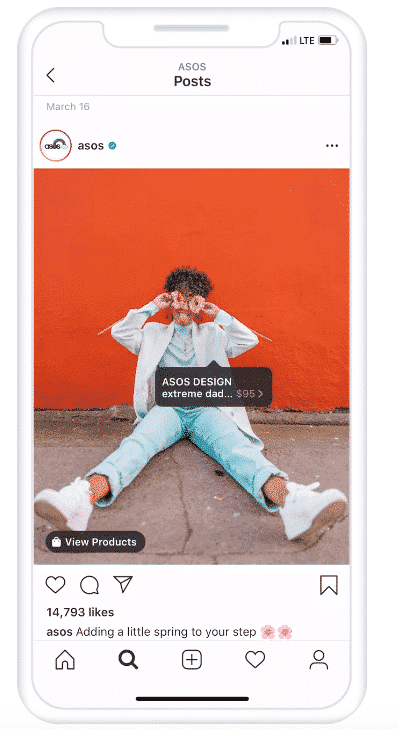
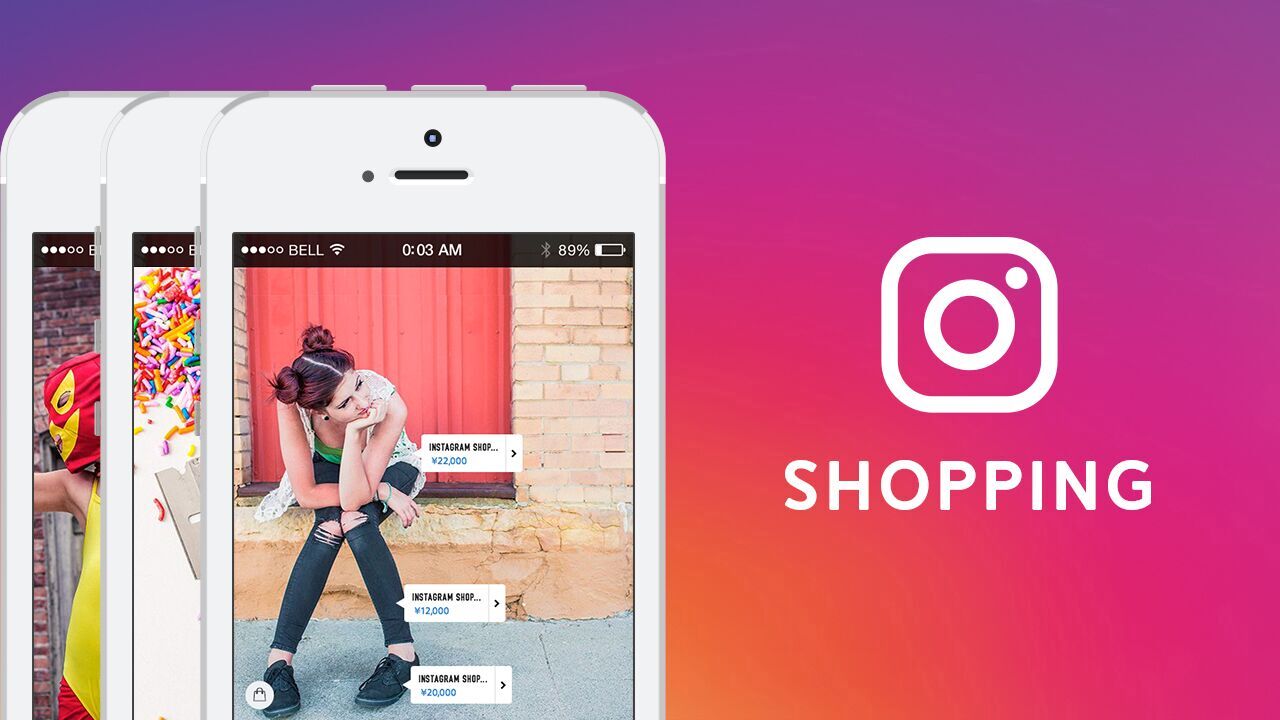
The “Shopping feature” is an innovative feature that allows you to display the actual product name and price when posting products on Instagram.
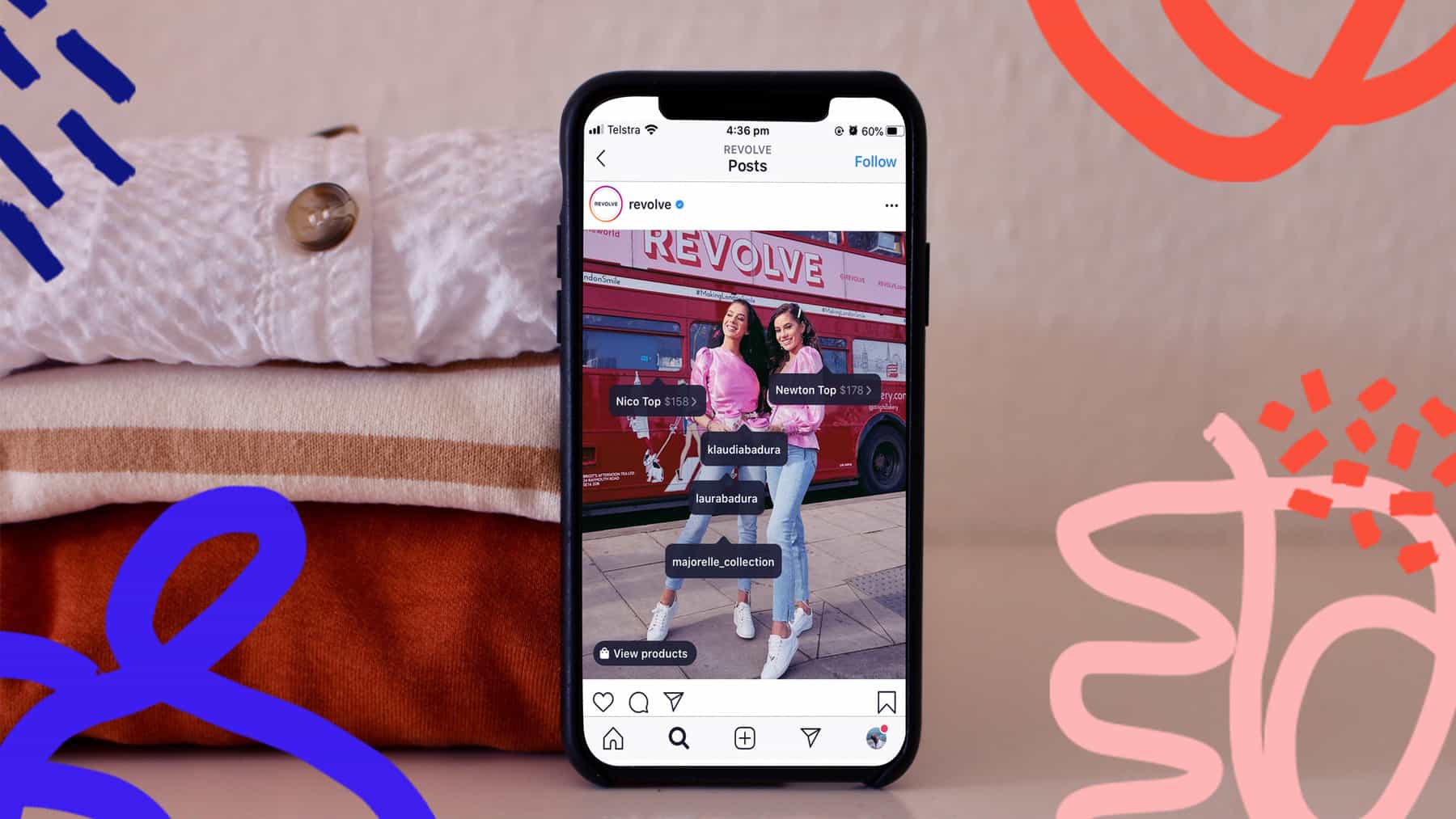
In the same way as “tagging”, a feature provided by Instagram, it is possible to place a shopping button on the product image you post, and the shopping button displayed on the screen will display the actual posted image. You can specify the name of the product shown in the image.
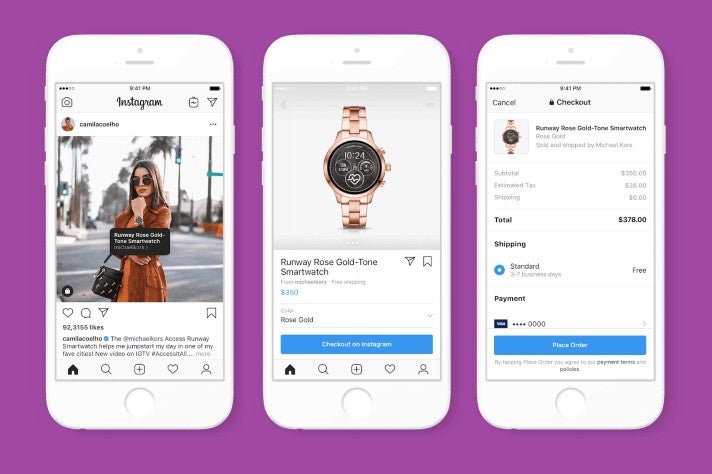
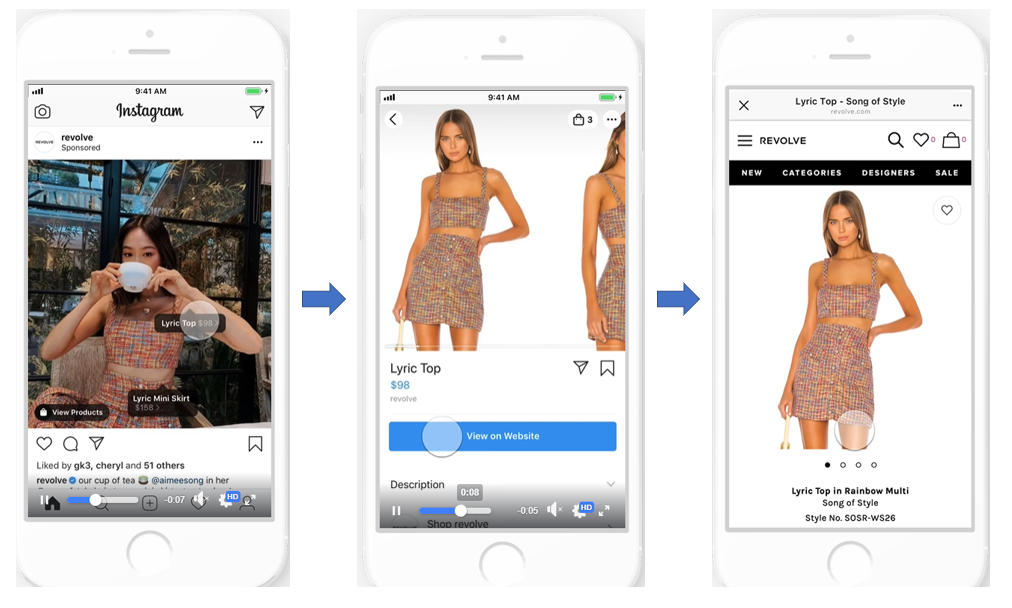
When you tap the shopping button, you can check the product details page, which includes price ranges, multiple images of color variations, detailed information about the product that can be displayed in text format, and information about the vendor brand. The system provides a wide range of useful information for users who have expressed an interest, such as a message sending function and images of other items in the vendor’s shop.
In addition, at the pre-release announcement stage of a product, there is a reminder function that displays the actual release date in advance, and above all, it is possible to instantly transition to a product purchase page that links the posted product with a single button. This can be said to be one of the great appeals of the Instagram shopping feature.
Instagram users are characterized by the ability to instantly collect information useful for their own interests from a large number of creatives. Additionally, by strengthening Instagram’s algorithm, a system has been introduced that allows more accurate information to be posted on Instagram that matches the interests of users.
As a result, Instagram users are able to more accurately find information specific to their interests, and they tend to use Instagram with a higher purchasing intent than ever before. is.
Before the introduction of the Instagram shopping feature, when users found a product they were interested in or had shown interest in, they had to go to the e-commerce site and search for the product, which was a hassle. Due to these various hurdles in the process of purchasing a product, customers may not be able to find the product they are interested in, and their desire to purchase may decline, leading to them giving up on purchasing the product or checking the details. There were many such cases.
In fact, when searching for a product on various websites with the premise of purchasing a product that piques your interest, you may search for brands, search for sales sites, search for product names, select product categories, etc. Many of you may have experienced that the more you narrow down your search, the more complicated your search behavior becomes, and that you are unable to reach the relevant product page as you would like.
Spending a lot of effort searching for the product you’re interested in can be time-consuming and tedious.
However, the introduction of Instagram’s shopping feature will lead to a solution to such cases.
Instagram users can easily purchase or check product details for products they are interested in by simply tapping a button on the screen, allowing them to comfortably enjoy shopping from Instagram.
In this way, it not only increases the convenience of purchasing products and checking details for general users, but also plays a major role for both companies and marketers who use Instagram to deliver their business and services to a large number of users.
Companies and marketers who are developing their business can provide a seamless environment for users who have a strong desire to purchase the products they are developing, and they can deliver a lot of product information without causing stress and secure a path to the product purchase page. You can expect to gain more business opportunities, such as improved awareness and increased sales.
In addition, as demand continues to rapidly expand in the internet shopping market, the shopping function that makes it possible to easily encourage people to purchase products on the platform Instagram, which has a large number of users, is designed to differentiate itself from competitors and increase the number of users. It can be seen that it also contributes to the acquisition of prospective customers. We recommend that you make the most of Instagram’s shopping features from this perspective.
Requirements for using the Instagram shopping feature
There are some usage requirements to use the shopping feature on Instagram.
First of all, please make sure that you meet the usage requirements explained here before you start using it.

sells tangible products
The Instagram shopping feature cannot be used unless you are dealing with tangible products. The Instagram Shopping feature is available for the first time using product photos. It is important to understand that this is a function that can be set as a value-added service for posting “tangible objects” that actually appear in photos. Please note that the shopping function cannot be used for businesses that specialize in services rather than tangible products, such as membership registration or reservations.
Business location is located in an available country
The Instagram Shopping feature requires a business to be located within the service’s eligible countries, so you may not be able to take advantage of this innovative feature from anywhere in the world. Please note that even if you tag products in countries other than the target countries, it may not function properly. Japan is certified as an area where the Instagram shopping function is available.
Complies with Instagram’s terms of service
When using the shopping function, conditions such as compliance with various terms of use are required. You can only use the shopping feature if you meet the terms of the user agreement and commerce policy provided by Instagram.
Also, since you will be using some of Facebook’s functions, you will also be subject to Facebook’s terms of service, so it is very important to check both parties’ terms of use.
Use your Instagram business account
To use the Instagram shopping feature, you will need an Instagram business account. Normally, Instagram uses a regular account by default, but you can switch to a business account without incurring any costs.
By switching to a business account, users such as companies and marketers will be able to obtain and check a variety of detailed information to help them run their accounts smoothly when developing their business through Instagram. It performs analysis based on the detailed data on posts that it has acquired, and is effective in planning new measures and efficient posting methods, providing generous support for business situations.

You are planning to sell products using an EC site that is actually in operation.
To use the Instagram Shopping feature, you must meet the conditions of selling products using the EC site you are operating. The Instagram account and Facebook page required to use the shopping function must be linked to the domain of the e-commerce site where you will be actually developing your business, so be sure to understand this.
Once you meet the usage requirements explained above, Instagram’s review will begin. Once your account has been successfully approved, you will receive a notification and will be able to enable product tagging in your settings. The review normally takes a few days to complete.
Steps to set up the shopping function
Next, we will briefly explain how to set up the shopping function.
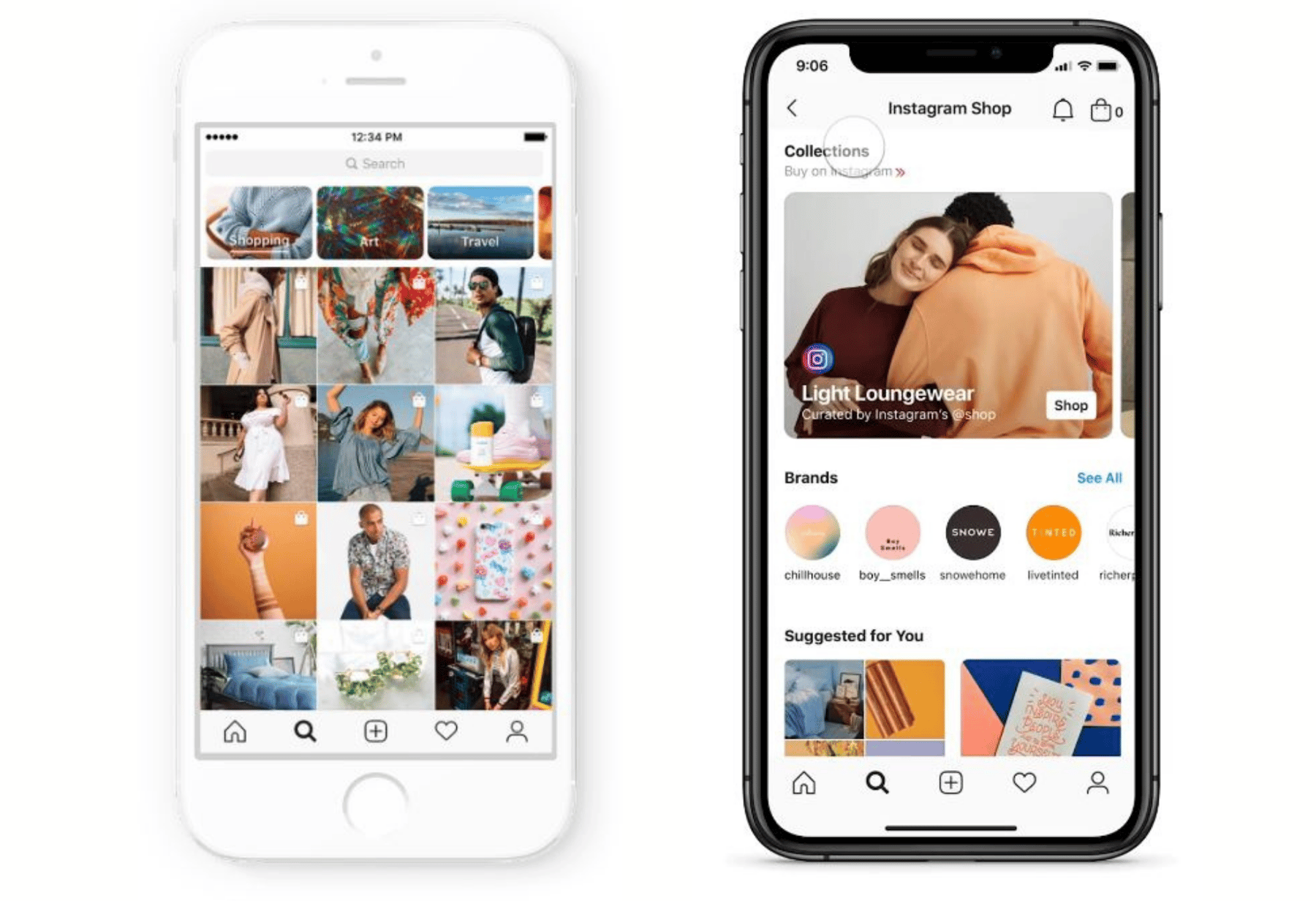
Switch to Instagram business account
As mentioned above, please switch from the default regular account to a business account. Tap “Account” from the settings screen to display “Switch to business account”.

Link your Facebook page
“Link Facebook Page” will be displayed. If you already have a Facebook account in operation, select the relevant account and link it. To use the shopping feature, you also need a Facebook page. Create it in advance.
Select a category related to your account
Depending on your business, choose the one that suits your business from a variety of industry categories. You will also be required to enter detailed information about the shop that will be displayed on your profile screen, so please be careful of any typos when completing the entry.
Once all information has been entered, perform a final check and tap the “Finish” button. With the above steps, you have completed creating a business account and have created a company profile page.
Linking Facebook Catalog
You need to link the catalog function provided by Facebook with Instagram.
First, open Facebook Business Manager.
Select the “Catalog” item and select the “How to use” item from the menu that appears. Next, select the “Instagram Shopping” item from the displayed “Other ways to use the catalog”.
When you see “Link your Instagram business profile” displayed, tap the “Link your profile” display, and the linked accounts will be displayed, so select the corresponding account.

summary
In this article, we will explain what is the Instagram shopping feature? From that point on, we have introduced the requirements for using the shopping function and the actual setting method.
I hope you can understand that Instagram plays an important role for companies and marketers who use Instagram to promote their products.
In addition, for general Instagram users, when they discover a product they are interested in, it is an extremely convenient feature that ensures a smooth path to purchase, and will continue to be used as a place to gather information. It will probably expand further.
It is expected that Instagram will continue to establish its value through various updates. Why not deepen your understanding of the shopping features and explore even more fun on Instagram?