

You may have the impression that QR codes are widely used on flyers and websites, but many people may not know the specific method to create one. Also, many people are probably wondering what kind of benefits there are in marketing by using QR codes.
In this article, we will introduce an overview of QR codes, how to create them, and six useful tools for creating them. We will also introduce methods and precautions when using QR codes in
marketing
, so please refer to them.
*QR code is a registered trademark of DENSO WAVE.
What is a QR code?
First, let’s start with an overview of QR codes. A QR code is a rectangular barcode developed by Denso Wave Corporation. QR codes were developed in 1994, and as of 2022 (at the time of writing), they are still widely used in restaurants, websites, airports, etc.
The mechanism of a QR code is very simple; all that is required is to read the barcode with a device that supports reading, and then the operator of the device executes the content contained in the QR code. QR code is an abbreviation for “quick response,” and as the name suggests, the code can be read quickly. Additionally, if the data contains only numbers, up to 7,089 characters can be read, so the amount of data that can be included is extremely large.
Features of QR code
QR codes have the advantage of being able to express a wide variety of data, such as numbers, alphabets, and kanji, in small codes. Furthermore, since data is expressed both vertically and horizontally, the same amount of information can be displayed in about one-tenth the size compared to barcodes.
In addition, the design allows for high-speed reading from any 360° direction. Since it is equipped with an error correction function, it is possible to restore data even if the code is partially dirty or damaged, but depending on the degree of dirt or damage, it may not be possible to restore the data.
The biggest difference between QR codes and barcodes is that they are not “one-dimensional codes” that record information horizontally, but rather “two-dimensional codes” that record information in two directions, vertically and horizontally. QR codes, which record data in two dimensions, can store approximately 350 times more information than barcodes.
Scenes where QR codes are used
As mentioned above, QR codes are used in restaurants, websites, airports, etc. In addition, QR codes are used in the following situations.
- Sending and receiving URLs
- SNS account
- electronic payment
- electronic ticket
- Checking the opening/closing status of train doors
As you can see from the above, you can not only convert the SNS account you want to share into a QR code and send it via SMS, but also use it to analyze things like the opening and closing status of train doors. Additionally, since QR codes can be printed, they are useful for marketing measures such as flyers and postings.

How to create a QR code
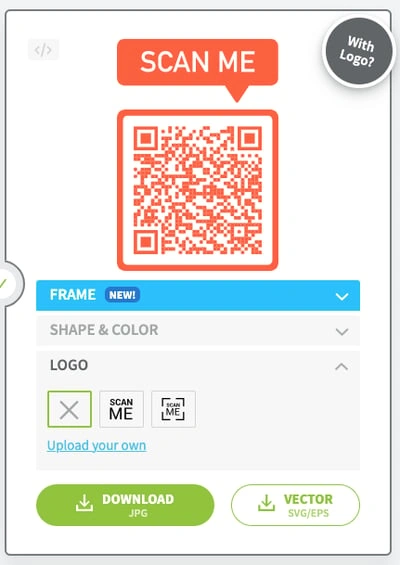
Creating a QR code is quite simple. Just use the free QR code creation tool described below and set the information you want to include in the QR code. Therefore, even those who are not familiar with computer operations or the Internet can create one right away.

6 QR code creation tools
Up to this point, we have introduced an overview of QR codes and the scenes in which they are used. From here, we will explain six tools that can create QR codes.
- Free online QR code generation tool
- QR code [two-dimensional barcode] creation
- QR recommendation
- Kurukuru Manager
- QR code builder
- Create a QR code easily on your smartphone
Let’s look at each in turn.
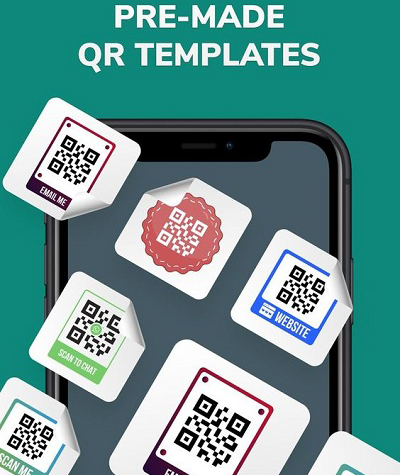
Free online QR code generation tool
The free online QR code generation tool
is
a QR
code creation service
provided by Canva
, a free graphic design tool that can be used online.
With this tool, you can freely change the background color and foreground color of the QR code, as well as adjust the margins. Therefore, the feature is that you can create a QR code with an elaborate design for free.

QR code [two-dimensional barcode] creation
QR code [two-dimensional barcode] creation
is a tool that allows you to create a QR code with overlapping images and text.
It can be used on a browser, and you can specify details such as cell size and cell color. You can also select files and images as appropriate, so it can be said to be a very easy-to-use QR code creation tool.
QR recommendation
QR Recommendation
is a tool that allows you to create many different types of QR codes, such as those for creating emails, those with designs, and the ability to create bulk QR codes.
Similar to creating a QR code [two-dimensional barcode], it is a tool that can be used on a browser, so it is very easy to create.
Kurukuru Manager
Kurukuru Manager
is a tool that can convert not only URLs but also text information and Wi-Fi into QR codes.
In addition, even though it is a free QR code creation tool, its biggest advantage is that it is also useful for marketing, as it can even measure its effectiveness.
You can analyze the number of unique users, the number of times the QR code was read, the location where the QR code was read, etc., so it would be a good idea to perform the analysis as appropriate for your company’s services.
QR code builder
QR Code Builder
is a QR code creation tool that is equipped with a CSV file upload function, so you can create a QR code from multiple data at once.
In addition to freely setting text and URL, it is also possible to add parameters to the QR code. This allows access analysis for each QR code, allowing you to know the characteristics of the QR codes that contribute the most to inquiries and access.
If you are looking for a QR code creation tool that allows you to analyze more, you may want to try QR Code Builder.
Create a QR code easily on your smartphone
Easy QR code creation on smartphones
is a tool that allows you to create a QR code by simply entering the size and the text you want to convert into a QR code.
Although the name says it’s easy to use on smartphones, it can also be used on a computer, so it can be created in any environment.
In addition, the size of the QR code can be adjusted to fit the device, so you can create a QR code that is easy for users to read.
Two points to note when using QR codes
So far, we have introduced an overview of QR codes and free tools that can be used to create them. However, many people would like to know what precautions to take when actually creating and using QR codes. In conclusion, there are two things to keep in mind when using QR codes.
- Make QR codes easy to read
- information management
Let’s look at each in turn.
Make QR codes easy to read
A QR code is a convenient barcode that can be read just by holding it up. However, if you do the following, users will not be able to read the QR code, so be careful.
- Overlay text or images on top of the QR code
- Place illustrations around the QR code
- Enlarge/reduce QR code
In particular, the third option, enlarging/reducing the QR code, is desirable for user convenience, but it should not be done as it will make it unreadable.
information management
When creating and using QR codes, be careful about managing QR code information. Anyone can create a QR code, and while it has the advantage of making it easy to obtain information, it also makes it easier for information to be leaked.
In particular, if a company has trouble with consumers related to QR codes, it will lead to a loss of trust in the product or service itself. Therefore, please be extremely careful when managing information.
Marketing using QR code
So far, we have introduced precautions and usage scenarios for QR codes. From here, we will explain marketing using QR codes.
- Coupon posting
- Sharing SNS accounts
- get a review
- Attracting customers using prizes
Let’s look at each in turn.
Coupon posting
By distributing advantageous coupons using QR codes, you can attract new customers. Additionally, by distributing coupons for a limited time and giving them a sense of exclusivity, you can increase the likelihood that users will read the QR code.
It is a good idea to use it when selling new products or services, such as flyers, postings, and retail stores.
Sharing SNS accounts
SNS such as Instagram, Facebook, and Twitter now allow you to convert your profile page into a QR code. When a user scans the QR code, they are directly redirected to the profile page. In addition, by printing out the QR code of your SNS account and leaving it in your store, restaurants and retail stores will be able to efficiently increase the number of followers of their store’s SNS account.
Another benefit is that users can follow any SNS account by placing QR codes for all of the store’s SNS accounts on the LP (landing page).
get a review
Businesses want to get feedback on their products and services, but collecting reviews can be a bit of a hassle. Therefore, by issuing QR codes for website survey forms, review sites, etc., and placing them near the tables and doors of stores, you can collect reviews efficiently.
Attracting customers using prizes
By using prizes in reviews and surveys, user participation rates can be greatly increased. Issue a QR code that lets people know that the prize is included, and announce it on your website, store, flyer, etc. Overseas, QR codes were embedded in the packaging of new products, and some users who participated were given prizes where they could win new products.

Google Analytics is useful for QR code access analysis
If you’re using QR codes for marketing, you’ll probably want to analyze them by segmenting them by user attributes, region, age, etc. However, you may not know how to do it.
This is where Google Analytics comes in handy. By publishing a URL with parameters, you will be able to track your QR code results in Google Analytics.
Additionally, some QR code creation tools are equipped with analysis functions, so consider which tool to use depending on your company’s situation.
summary
In this article, we introduced an overview of QR codes, precautions, and how to use them in marketing. QR codes can be easily created by anyone, and can be used to attract new customers to stores, websites, flyers, etc.
If you use Google Analytics, etc., you can understand the attributes of users, so you can analyze your own customers. Why not start by creating a QR code for your product or service?