

When creating a website, you need to create a site map (structure diagram) that allows you to see the entire site. Many people have heard of the name sitemap, but they may not know how to create one.
In this article, we will explain how to create a sitemap, how to send it, and the appropriate structure that can be expected to be effective for
SEO
measures. Also, for beginners, we will introduce what a sitemap is, the types of sitemaps, and the purpose of creating them, so please read until the end.
What is a site map (composition diagram)?
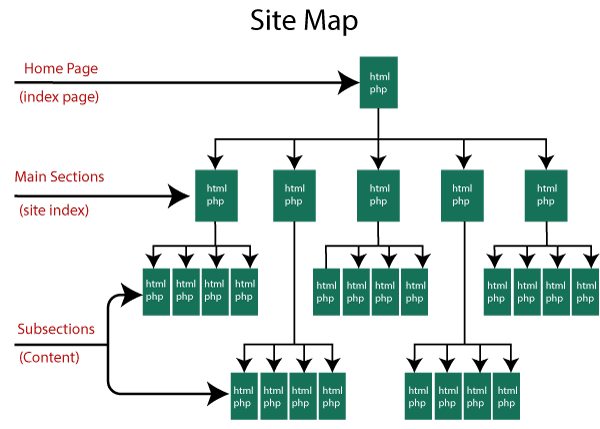
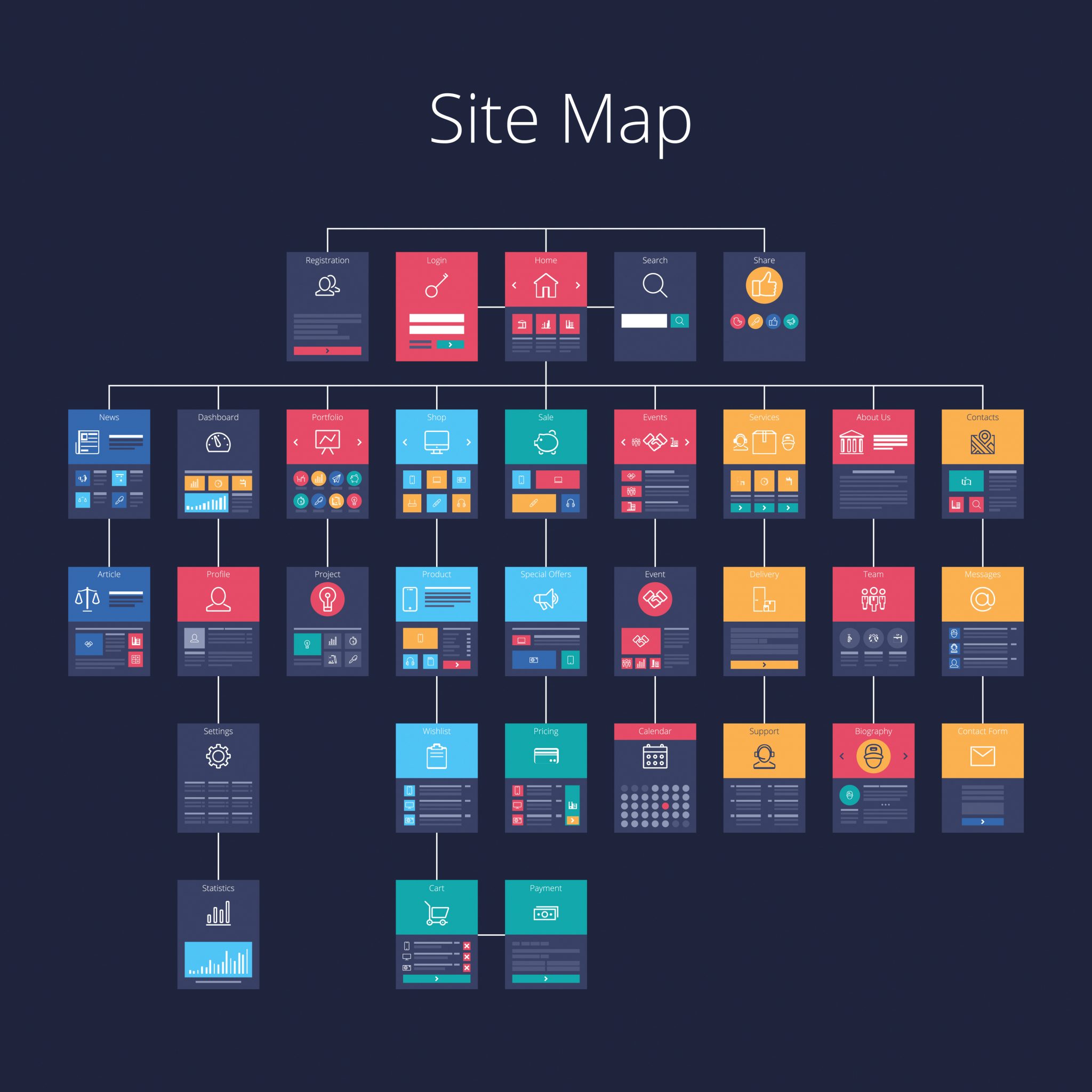
A sitemap is a map-like page that shows the page structure of the entire site in a tree-like format, and is also called a configuration diagram. If your site is large, it may be difficult to understand its overall structure. A sitemap is used to clearly explain the content of your site to users and
search engines
.
Sitemaps can be divided into two types depending on the file format.
・What is a site map? About the effects of SEO and how to create and send

XML sitemap (sitemap.xml)
An XML sitemap is a sitemap that tells search engines the page structure of your site. If your site’s page structure is complex or contains errors, search engines may not be able to accurately judge your pages. Therefore, by creating an XML sitemap, you can notify search engines of pages that are difficult to identify or newly created pages.
In other words, it can be said that XML sitemaps play a role in improving search engine crawlability.
However, as a guideline, do all websites need an XML sitemap?
Google
has officially announced that the following websites do not require one.
① The total number of pages on the site is less than 500 pages ② There are internal links on the site ③ You do not use many media files (videos/images)
In fact, even if a website does not fit into ① to ③, it can be crawled efficiently by sending an XML sitemap, so we recommend sending an XML sitemap once you have created it. Related articles:

HTML sitemap
An HTML sitemap is a sitemap that tells users the page structure of your site.
As the name suggests, an HTML sitemap is written in
HTML
, and allows you to check the links on each page from a bird’s-eye view. Even if you are visiting for the first time or are not used to searching for information, you will be able to understand what kind of information is available on this site and will be guided to the desired page in an easy-to-understand manner.
In other words, HTML sitemaps play a role in improving usability.

Difference between directory map and site map
Something similar to a sitemap is a directory map. What is the difference between a directory map and a site map?
Both have the same thing in that they let you know the page structure of a site, but the major difference is how the page structure is represented. A directory map expresses the page structure of a site, such as the titles, URLs, and content of all pages, in text. Each page is comprehensively represented in a list format, which is necessary when coding and other web productions proceed smoothly.
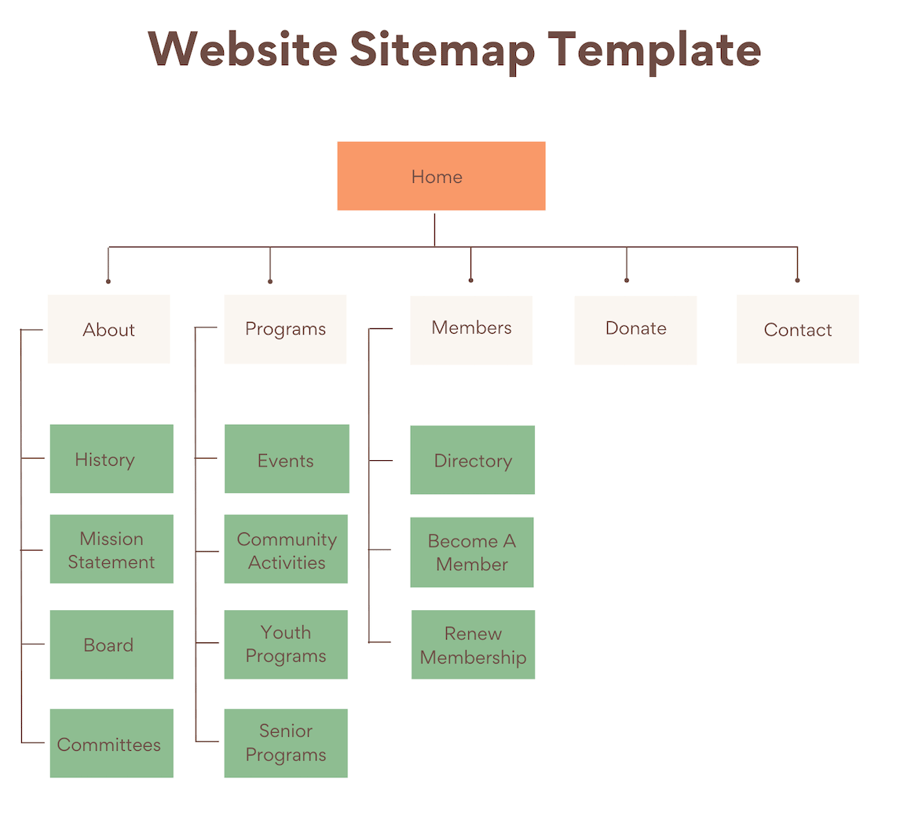
A sitemap, on the other hand, graphically represents the entire page structure of a site. Since you can see the whole thing from a bird’s-eye view, it is easier to understand the relationship between each page, but it is not necessary to represent all pages like a directory map.
Why create a sitemap?
So why create a sitemap? I will explain two reasons for creating a sitemap.

To look at the entire website objectively
Since websites are displayed page by page, it is difficult to see the entire page, and there is a danger that you may easily forget about the overall structure. If you focus too much on one page and lose the balance with the whole, the overall design of your site will be a failure.
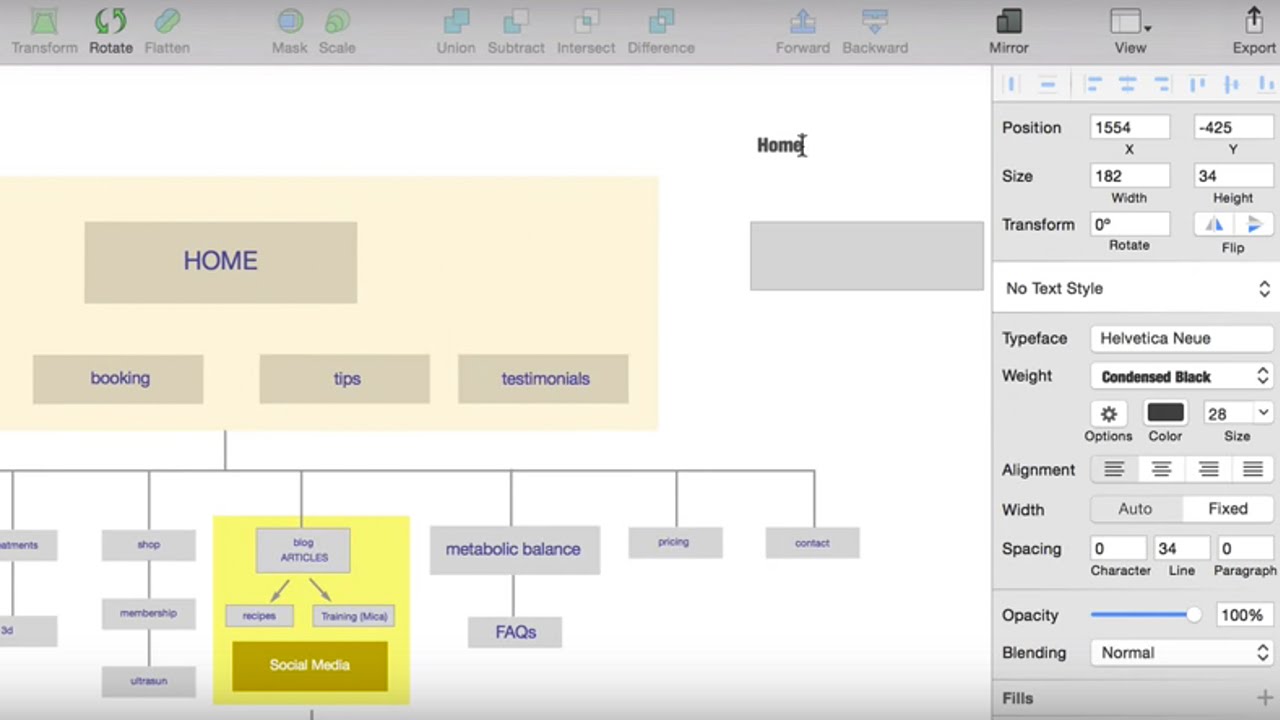
A sitemap helps you understand the overall structure of your site. By imagining the overall structure, it encourages you to look at the overall image of the site and the balance of the overall structure.
To organize necessary information
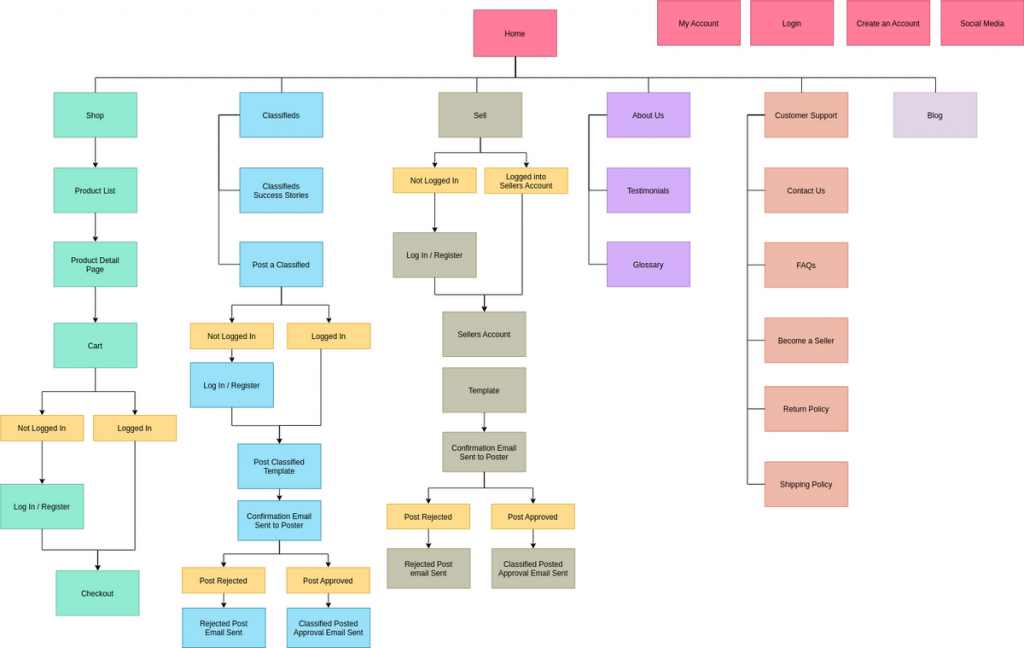
A sitemap will help you understand what your site needs. If you can see the page structure of the entire site in a diagram or if all the pages are listed, it will be very useful for organizing the necessary information.
Also, if the necessary information is organized, it will be easier to have a common understanding and share information even when multiple people are working on web production.
How to submit an XML sitemap
Search engines such as Google patrol each site. When a site registers an XML sitemap with Google Search Console, it has the advantage of being able to communicate the XML sitemap to search engines, which improves the crawlability of the site.
Here we will explain how to submit an XML sitemap.
Select Sitemap from the Google Search Console menu
First, let’s access Google Search Console. Then select “Sitemap” from the menu and click “Add Sitemap.”
Enter the XML sitemap URL
Please enter the URL of the XML sitemap you created in the input field. Don’t forget to check for errors by clicking “Test” to make sure there are no errors.
If recognized, transmission is complete
Once you are sure there are no errors, click “Submit Sitemap.” After that, check the submitted sitemap field at the bottom of the administration screen, and if the status is displayed as “Successful”, the submission is complete.
How to make a site map
From here, we will explain how to create a sitemap. Here are three tools that allow you to easily create a sitemap.
Excel
Excel is famous as a spreadsheet software, but you can also create sitemaps. The advantage of creating in Excel is that you can manage information other than the page content as well.
It will be easier to understand if you use the Excel format and write the hierarchy in each column, with the first level in the first column and the second level in the second column, and color-coded.
PowerPoint
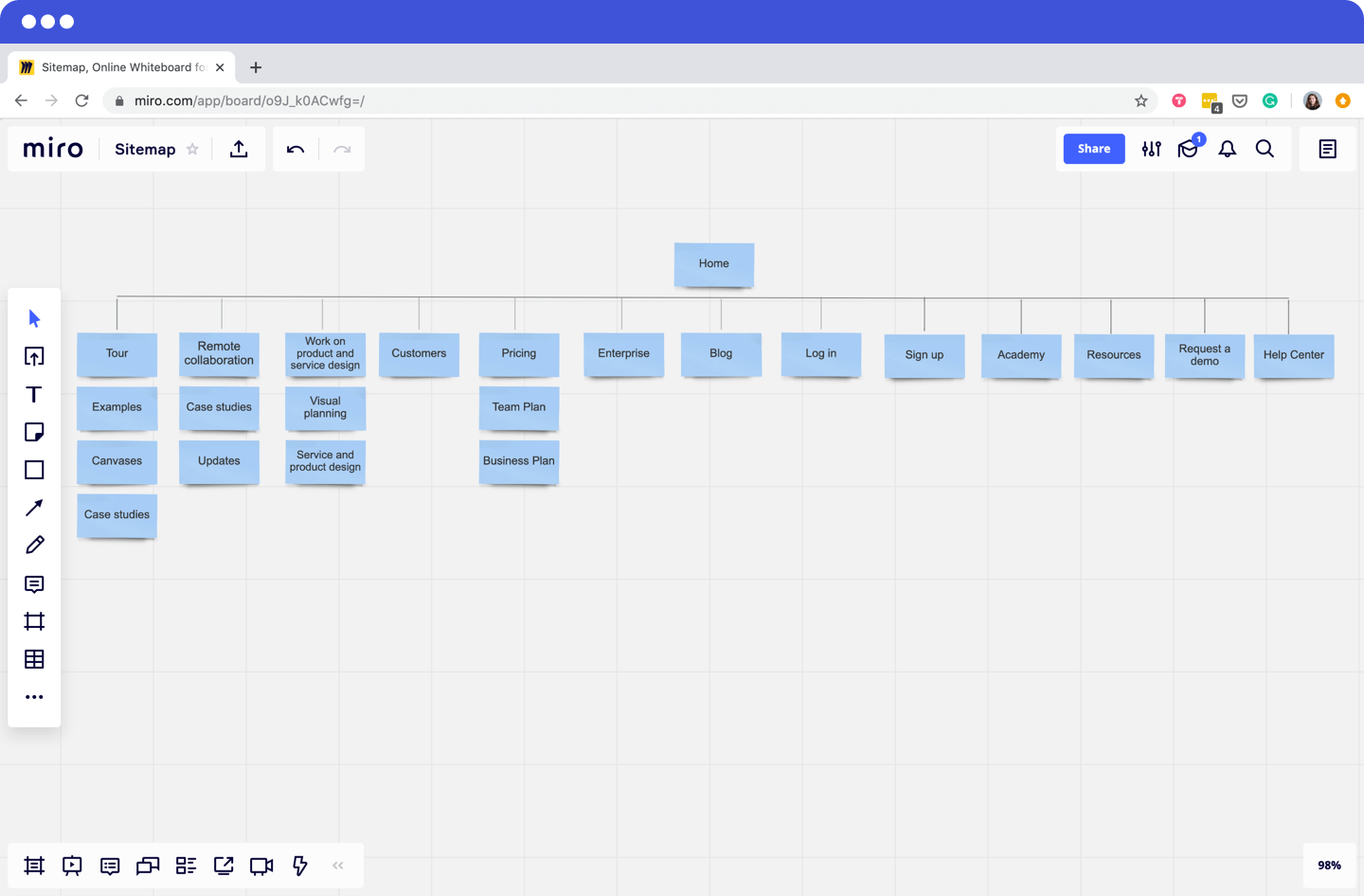
PowerPoint is a tool used to create proposals and presentation materials, but it can also be used to create site maps because it allows you to easily create diagrams. You can easily create a sitemap using PowerPoint’s drawing features.
Adobe XD
Adobe XD is a tool used for creating layouts and designs, but it also makes it easy to create sitemaps. It’s a bit more specialized, but if you’re looking for a better design, you may want to use Adobe XD.
Regarding the structure when creating a sitemap
Up to this point, we have provided an overview of each sitemap. From here, we will explain the structure when creating a sitemap.
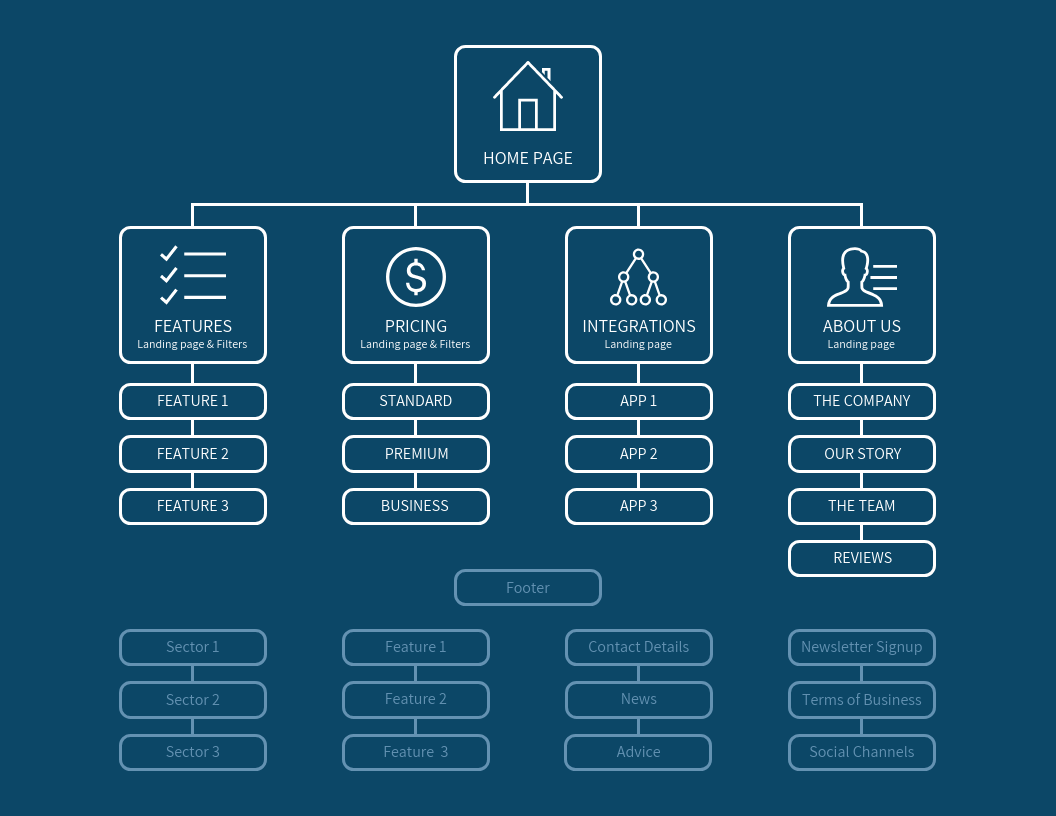
Identify all necessary pages
First, identify the pages you need overall. Please make a list of what specific pages you will need.
If it’s a corporate homepage, you can refer to your competitors’ sites and make a list to find just the right number of pages you need.
Separate pages by category
Next, divide the pages into categories. Decide on a category and add items related to that category. Once this step is complete, the page structure is almost complete.
Determining the directory
Finally, decide on a directory for your categorized pages. A directory means a hierarchy of pages.
One thing to keep in mind when deciding on a directory is that the category you decided on earlier must also be counted as one page. If this category is not counted as a page, pages that should have been separated by category will be displayed side by side, making it difficult to understand.
Don’t forget to count the categories themselves.
Summary: Create a sitemap suitable for SEO
In this article, we have explained the overview, types, and purpose of creating sitemaps. Sitemaps help improve usability and search engine crawlability, and are also very important for SEO.
In order to create a site that is highly evaluated by search engines and users and has strong SEO, why not start by creating a sitemap using the tools introduced in this article?