
Many people who operate
owned media
such as websites and blogs as part of their
marketing
efforts are thinking about using Instagram effectively to increase access to their sites. Isn’t there?
However, in the case of Instagram, the link may not work even if you include the URL. In this article, we will explain the reasons why URL
links
cannot be set properly and also explain how to deal with them.
Please use it to increase access to your company’s website or blog.
3 places you can paste URLs on Instagram
The places you can paste URLs on Instagram are “Profile”, “Stories”, and “Posts”. We will explain how to paste these URLs.

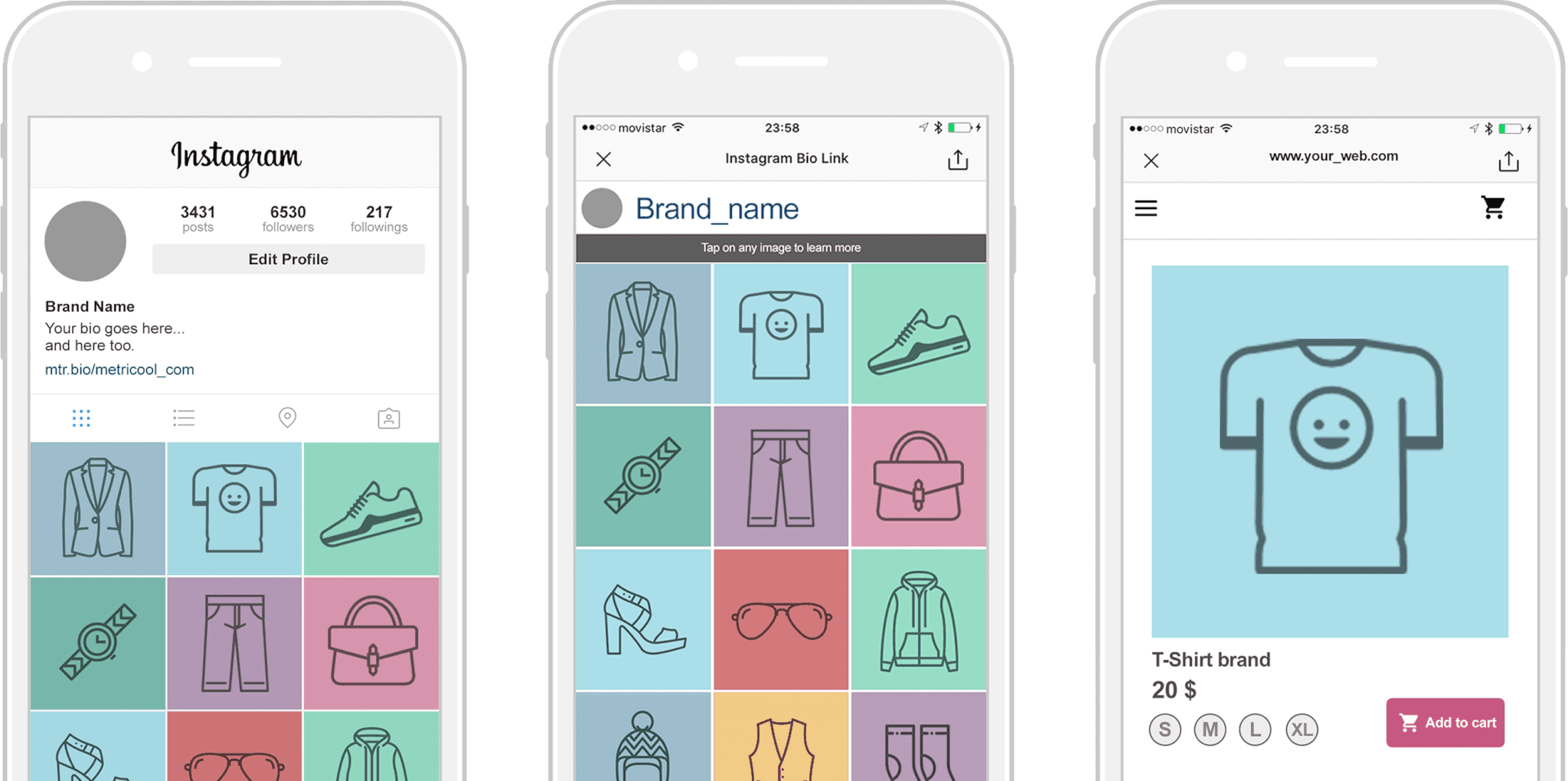
Only one URL can be pasted on your profile
You can paste a URL on the profile screen, but please note the following:
I want to add lots of links to my profile! You might think so, but unfortunately there are limitations as mentioned above. On your profile screen, be sure to paste the URL of the page you most want users to see, such as the top page, which is the face of your site.
In addition to adding a link on the profile screen, there is also an item called “Add Facebook link” (as of April 2023).
Please note that this function adds a Facebook profile linked to your Instagram
account
as a link, and you cannot post your company’s official Facebook page.
Supports stories with link stickers
You can also paste a link when posting a story. Stories are content that is a collection of short videos and images in a slide format that is published for 24 hours only.
To post a link in a story, use a stamp called a “link sticker.” A link sticker is a stamp that allows you to embed a URL in your story.
Previously, it was only available to accounts with over 10,000 followers, but now all accounts can post stories with links, regardless of the number of followers.

You need to be creative when pasting it in the caption field of a post.
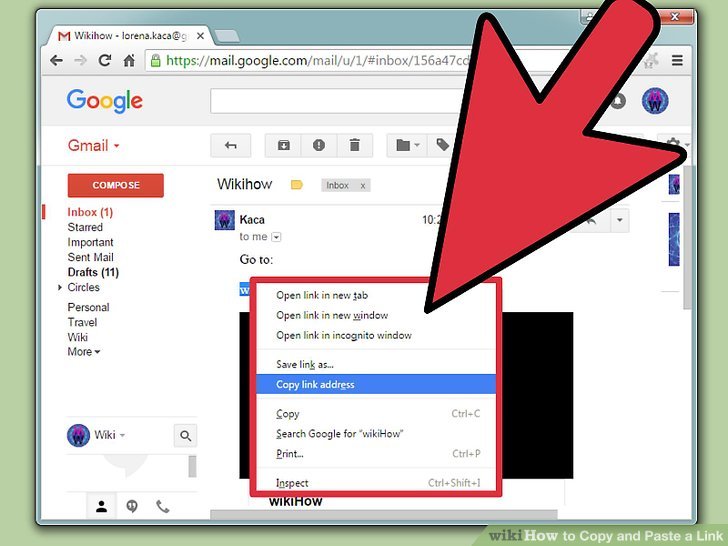
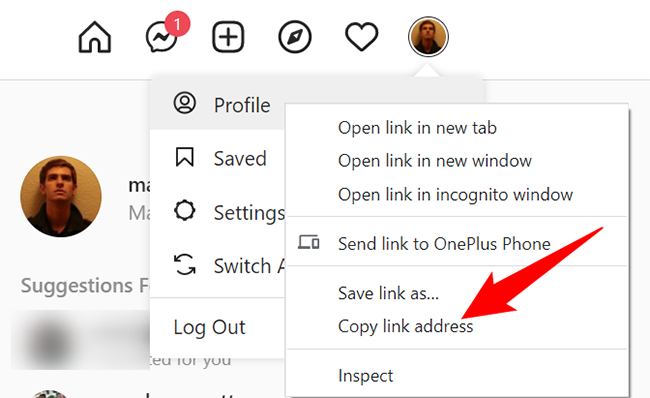
When posting a regular feed, you can paste the URL in the caption field. However, since the pasted URL is recognized as a character string, the screen will not change even if you tap the URL directly. Therefore, use one of the following methods:

Reasons why you can’t jump from the link posted on Instagram
Even if you paste the correct URL, you may not be able to jump to the linked page from the URL. Possible causes are as follows.
I will explain each in turn.
Your profile has multiple URLs or the URL is too long
If you have entered multiple URLs in the “Add link” field on your profile screen, tapping the entered URL will not take you to the linked destination. Only one URL can be pasted in your profile.
Additionally, the number of characters in the URL that can be posted on your profile is limited to 30 characters or less. Instagram imposes restrictions on the number of URLs that can be placed in order to prevent spamming and other problems from impairing user convenience.
If you want to set multiple URLs on your profile, use a service such as “Linktree”. Linktree allows you to create a page with multiple links for free, and in addition to your homepage, you can also share links to blogs, related media, and official SNS such as LINE and Twitter.
Reference link:
linktree

There is an error in the link
Another reason why you cannot jump to the linked page is if there is an error at the destination of the URL. This is because if a link is broken or the linked website is down, the page itself cannot be displayed.
In this case, the problem is not with the wrong placement, but with the link destination page itself. If the website you link to is down, you may experience an inaccessible error. You may be able to resolve the issue by waiting a while and trying again.
Other times, there may be technical issues with Instagram itself. If the problem persists after waiting a while and trying again, please contact Instagram support.
Pasting the URL directly in the self-introduction section
Even if you paste the URL directly into the “About Me” section of your profile, you will not be able to jump to the link destination. The only place in your profile where you can paste a URL is the “Add link” field.
Please note that even if you paste a URL in the “About yourself” field, it will only be displayed as a string and no link will be generated.
Unable to set link sticker
If you do not select the correct link sticker in your story, this may also cause the link to not go to the destination. Only link stickers can be used to paste links in Stories.
If you enter a URL into a sticker stamp other than a link sticker, or enter the URL directly as text, it will be recognized as just a string of characters.
Also, you cannot paste a link to a story that has already been posted. If you want to paste a URL link in your story, be sure to enter the URL in the link sticker when creating the story.

How to paste a URL on Instagram
We will explain how to paste a URL that will take you to a link destination.
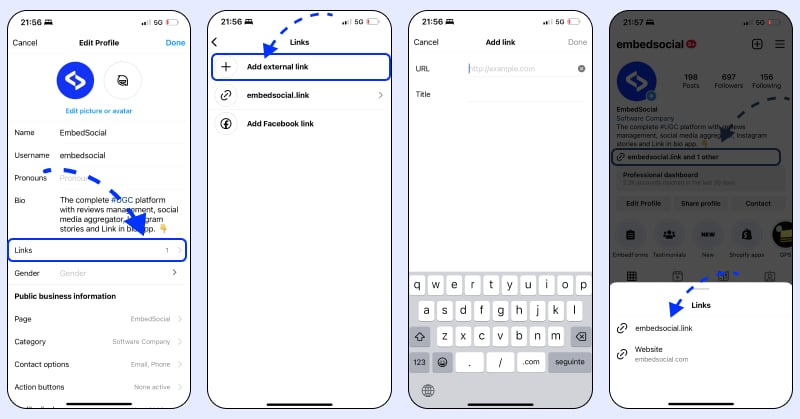
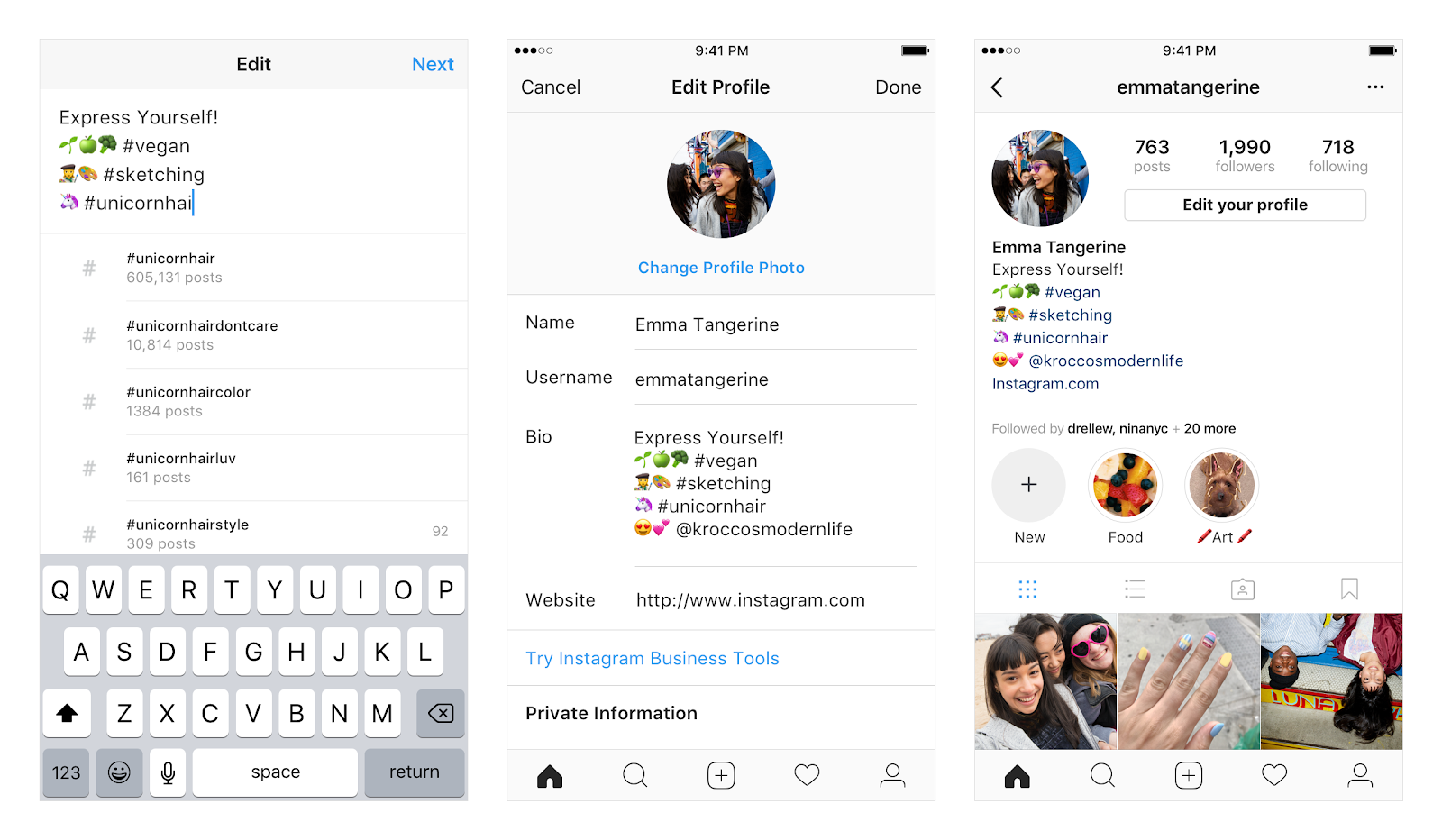
How to paste a URL to your profile
The profile screen is an important place to post your URL. Paste it using the steps below.
1. Open the app
2. Tap the profile icon at the bottom right of the app screen
3. Tap “Edit Profile”
4. Tap “Add link”
5. Tap “Add external link”
6. Enter the URL in the “URL” field (“Title” can be left blank)
7. At the top right of the screen, click
” Tap
Using the method above, the link and URL will be displayed on your profile screen. Clicking this link will take you to the specified website.
Please note that the URL you enter must include “http://” or ”
https
://”, and the length of the URL is limited to 30 characters or less.
Therefore, please keep in mind that you cannot post links with long URLs, such as pages with long
directory names
or file names, or pages with Japanese characters.
If the URL of an individual article such as your company’s website or blog is too long, you may not be able to paste it, so in that case, use a URL shortening tool to shorten it to 30 characters or less.
However, while there are advantages to shortening URLs, there are also disadvantages. For more information on shortened URLs, please refer to the article below.
How to post a link in Stories
If you would like to post a link in your story, please follow the steps below.
1. Open the app
2. Tap the profile icon at the bottom right of the app screen
3. Tap the profile icon at the top left of the screen
4. Tap “Add to Stories”
5. Select the image or video you want to post
6. Tap the stamp mark (face-like icon) at the top right of the screen
7. Tap the link stamp
8. Tap “(chain mark) link” and enter the URL
9. Tap “Done” at the top right of the screen
You can check whether the pasted link can be successfully transitioned by clicking “View Preview”.
How to paste a URL into a post
Even if you post a URL link in the caption of a regular feed post, it will be treated as just a string of characters, so tapping it will not change the screen. Therefore, in order to get users to click on the link, you need to do one of the following:
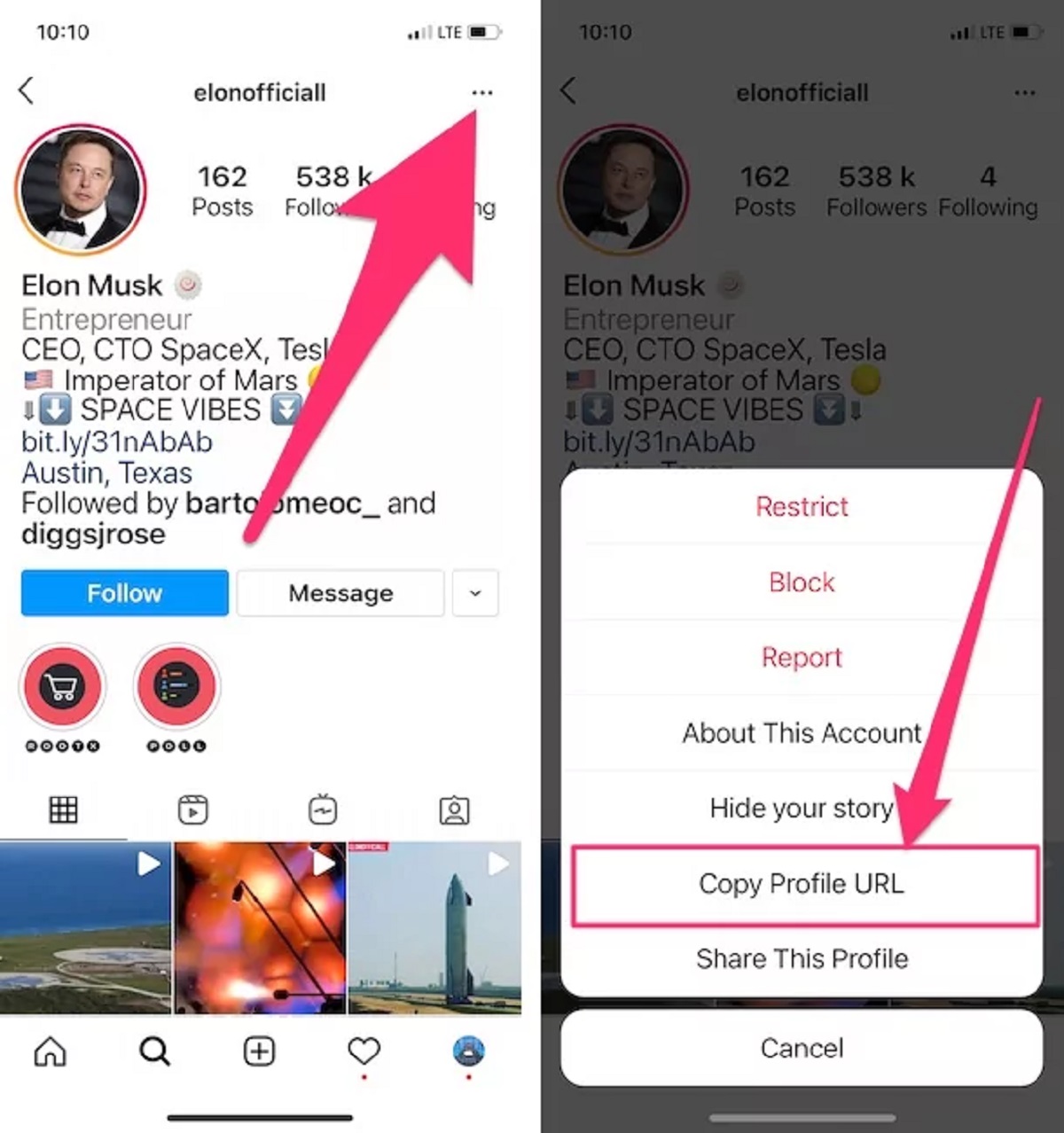
The first method is to enter “@account name” in the caption and generate a link that will take you to your profile.
If you post a link to the destination profile using the method explained in “How to paste a URL to your profile” above, you can direct people to the link destination. Additionally, tapping on the account name to display the profile screen has the advantage of increasing the user’s follow rate.
The second method is to have the user manually copy the URL.
This requires the user to copy the URL string written in the caption and paste it into the URL input field of the browser.
Attract customers by posting URL links on Instagram
Instagram allows you to add URL links to your profile and stories, so you can use this feature to direct users to your website or owned media. The link sticker feature in Stories is especially effective for attracting customers.
Due to milder restrictions, anyone can now use link stickers.
Previously, in order to paste a URL in a story, you had to have over 10,000 followers, but now that restriction has been relaxed, and any account can now paste a URL.
Furthermore, although you could only set up to one URL per story, this restriction has now been relaxed and it is now possible to set multiple URLs.
Due to these restrictions, if you use link stickers and insert URLs to your company’s website or owned media in the link destination, you can expect an influx of access.
How to attract customers more effectively
On Instagram, you can attract customers by pasting URL links on your “profile” and “stories,” but we will explain how to make it even more effective.
Highlight your stories
One of the most effective ways to attract customers using Instagram is to make Stories a highlight. Highlighting stories has the following benefits:
Stories will be visible to users for more than 24 hours
Instagram Stories are deleted 24 hours after they are posted. You will not be notified when the post will be deleted, so your post may be missed.
The useful features are highlighted here. By setting the highlight function on a post, the post will remain even after 24 hours have passed, allowing you to keep it at the top of your feed.
Can also be used like a catalog
In Stories, you can create categories using the highlight function. By setting highlights after introducing products and organizing them by category, you can create something like a simple catalog.
By organizing products by season, type, popularity, etc., you can manage large groups of products on Instagram.
History can be viewed
For feed posts, if you use Instagram’s official analysis tool “Insight”, you can check the number of accesses and reactions to posts, but you cannot check the history.
On the other hand, Stories keeps a history of visitors. By checking what kind of people are interested in the content and visiting it, you can use it to set up personas.
Increase external links
Unlike feeds, Stories allows you to paste multiple URLs for each post. This allows you to gradually increase the number of external links.
By using these as explained in the above item “Can also be used like a catalog”, you can set up a large number of links.
Be creative in your captions
You can also increase the effectiveness of attracting customers by devising the content of your captions. A caption is a descriptive text that appears when content is posted.
Proper use of captions can increase user response, as the content and meaning can be supplemented by text that cannot be understood just by looking at the content.
Make your content more popular with hashtags
Many users search on Instagram using hashtags, so by including keywords with hashtags in the caption, you can make your content more likely to get hits.
Attract customers from within the caption
You will need one cushion to attract customers from within the caption, but it is a very effective method.
As mentioned above, although a URL can be written in a caption, it cannot have a link function. The URL is just a string of characters and cannot direct the user to the URL destination.
Therefore, instead of writing the URL in the caption, we take a method of first directing people to the profile and then attracting customers to the URL destination from there. By writing “@username” in the caption, it can be converted into a link to the profile screen, so by doing this, you can be directed to the profile.
Points to note about Instagram’s link sticker function
Instagram’s link sticker feature is a very effective and convenient feature for attracting customers, but at the same time there are some caveats. That is the following item.
Not available for Instagram ads
Instagram ads cannot promote posts with link stickers. This applies to both new and existing posts.
Therefore, if you use Instagram ads to promote your Stories, you should refrain from installing link stickers.
There are cases where link stickers do not appear.
In rare cases, the link sticker may not appear. The reasons for this are as follows.
In particular, violations of guidelines are determined by Meta, and users do not know the reason or clear standards.
However, the guidelines list prohibitions, so you can make some guesses by reading them. We will also explain the prohibitions below.
If the account has not been opened for a long time
Instagram has announced that you will not be able to use link stickers if your account has not been established for a long time, so in this case you will have no choice but to wait until link stickers become available.
If the account has many guideline violations
Link stickers may also be disabled for accounts that are determined by Meta to have a high number of guideline violations.
In this case, not only will you no longer be able to use the link sticker, but your account may also be suspended. Examples of specific guideline violations include:
If you have an older version of Instagram
In rare cases, link stickers may not be displayed if the version of Instagram is older. The same thing can also happen if the cache is accumulated.
In such cases, link stickers may be displayed by installing the latest version of Instagram or deleting the cache.

Explaining how to paste a URL link on Instagram! Why can’t I jump from the URL? summary
In this article, we explained how to paste a URL link on Instagram. When using Instagram as a promotional tool, posting a URL that leads to a web page will be effective in attracting customers.
However, Instagram has some restrictions on pasting URLs, so even if you think you’ve pasted them correctly, the link may not go to the destination.
In such a case, please refer to this article and check each method for “Profile”, “Stories”, and “Post”.
Implement the correct transition method and increase access to owned media such as your company’s website and blog.