

When creating a homepage or site for an individual or a company, it is very convenient to use
WordPress
. WordPress is highly customizable and extensible, and there are many templates called WordPress themes that serve as the core of design and layout. However, because there are so many types, some people may have difficulty choosing a theme.
In this article, we will introduce 5 recommended themes for WordPress. We also explain what WordPress themes are and how to choose a theme, so please read until the end.
What is a WordPress theme?
WordPress is
a CMS (Content Management System)
with the most proven track record in the world, allowing you to create websites with excellent design and customization without any specialized knowledge.
A WordPress theme is a template created with WordPress that sets the overall design and structure of a website. Currently, there are over 8,000 official WordPress themes, so it can be said that there are so many themes to choose from.
With WordPress, you can change the overall design and structure of your website simply by setting a theme, so even beginners with no knowledge of web design or programming languages can easily create a website with a consistent design concept. You can.
Another feature of WordPress themes is that in addition to changing the design, you can also change the layout of various contents and set the font type.
Basic knowledge about WordPress themes
From here, we will introduce basic knowledge about WordPress themes.
Difference between free and paid
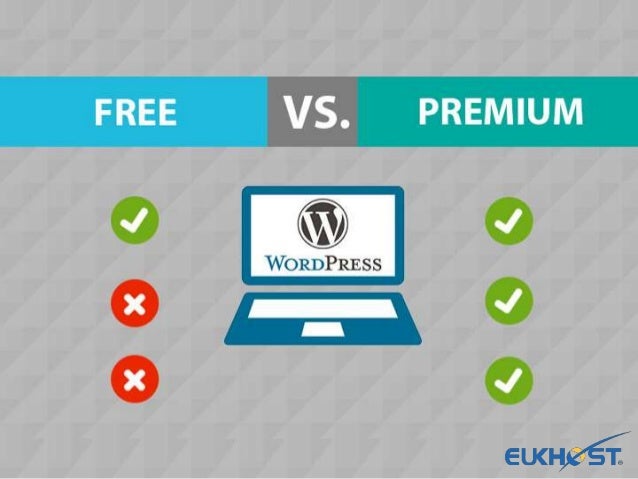
There is a difference between free and paid WordPress themes. Literally, it’s the difference between whether or not it costs money to purchase the theme. So, what are the differences between free themes and paid themes?
cost aspect
If you are trying to install WordPress for the first time, we recommend setting up a free theme that is available for free. Free themes are safe for those who want to use them on a trial basis or those who don’t have a budget.
On the other hand, the average price for paid themes is said to be around 10,000 yen to 20,000 yen. For those who want to choose a theme with excellent functionality, design, and support, the average cost of a paid theme can be said to be within a reasonable range. However, for those who are installing it for the first time, it may be a little costly.
Paid themes are generally purchased as a one-time purchase, but there are also monthly subscription-based themes.
Overall site design
Design is a very important indicator when evaluating a website. The design of the theme differs between free and paid themes.
The first difference is the completeness of the design. Of course, there are free themes with excellent designs, but paid themes are relatively more complete and have sophisticated designs.
The second difference is the high degree of customization. Paid themes are highly customizable and have a variety of functions from the beginning, so even beginners can easily customize them. Even if the initial design or layout no longer suits your concept, you can easily change the design, which is very convenient.
Availability of support/update support
The availability of support and updates also differ between free and paid versions. Many free themes lack support and update support. Additionally, support and updates may end prematurely. If WordPress itself becomes unable to keep up with updates, we cannot deny the possibility that the site you created will stop working. When using a free theme, be sure to check whether it can be updated and whether the support system is complete.
On the other hand, many paid themes come with extensive support and update support. If you are thinking about running a website created with WordPress over the long term, choosing a paid theme will allow you to run your website without any problems later on.
initial cost
The biggest difference between free themes and paid themes is the initial cost. In the case of a free theme, there is no initial cost when purchasing the theme, and you can consider the cost only with the server fee and domain fee.
On the other hand, paid themes cost about 10,000 to 20,000 yen for one-time purchases, and several thousand yen per year for subscription-based themes. You may feel that the one-time purchase type is more expensive in terms of initial costs, but the subscription type may be more expensive depending on the number of years of operation.
It is important to keep initial costs as low as possible, but deciding on a theme based solely on the initial amount is dangerous.

5 Recommended WordPress Themes
So far, we have provided an overview of WordPress and themes. Here we will introduce 5 recommended WordPress themes.
Free WordPress Themes
First, I will explain the following two free themes.
Let’s look at each in turn.
①:Cocoon
Cocoon
is a free all-purpose theme that features a simple design and includes all the functions necessary to create a site. It is a successor theme to “Simplicity” and is one of the most popular free WordPress themes.
Cocoon’s templates are designed to be easy to use even for beginners, allowing them to create content with intuitive operations. Inserting Google AdSense is easy, and those who want to create an affiliate site can easily build a site that can be monetized.
In addition, it is
SEO
optimized and responsive, and its functionality can be said to be a passing grade.
②: Xeory Extension
Xeory Extension
is a free WordPress theme that is SEO friendly. It is produced by the Buzz Department, which is famous in the field of
web marketing
. The characteristics of Xeory Extension are that it is strong in SEO and suitable for creating corporate homepages. Xeory Extension has an internal structure that follows Google guidelines, and you can easily set tags and meta descriptions.
In addition, the theme is a one-column site with a blog function, making it easy to place content such as service introductions and company information, making it suitable for corporate homepages and LPs (landing pages).

Paid WordPress Themes
Next, we will introduce the following three paid themes.
I will explain each in turn.
①:SWELL
SWELL
is a simple and highly functional paid theme that is fully compatible with the latest post editor, the block editor “Gutenberg.” SWELL’s features can be said to be the ease of creating article content and the simplicity of its design and functionality. Since it is compatible with “Gutenberg”, you can write a blog quickly and happily, and design settings and content placement can be easily done with intuitive operations.
We also have SWELL’s own custom blocks and a dedicated affiliate program, making it a theme that will help you get started on creating your site.
The price is 17,600 yen (tax included) for a one-time purchase.
②: AFFINGER
AFFINGER
is a paid WordPress theme that specializes in “earning money” and has a structure and functions that make it easy for sites aiming to monetize to produce results.
AFFINGER’s feature is that functions that increase monetization can be easily set on the management screen. It has more features related to SEO, advertising, and ASP than other themes. Of course, it is also responsive.
The price is 14,800 yen (tax included) for one-time purchase.
③:JIN
JIN
is a paid WordPress theme with a design that pursues true ease of use.
JIN’s feature is that it has strengths in SEO measures and affiliate marketing. It is equipped with six monetization functions that fully utilize the knowledge of theme creators. Additionally, you can switch designs with a single button and easily write articles, making it a very beginner-friendly theme.
The price is 14,800 yen (tax included) for one-time purchase.

How to choose a WordPress theme wisely
Here we will explain 5 ways to choose a WordPress theme wisely. Be sure to choose a WordPress theme that follows these five points.

Are minimum SEO measures taken?
In order to attract customers to the website you have created, it is necessary to take minimum SEO measures. The features you need to rank high in search include:
When choosing a WordPress theme, be sure to choose one that is SEO-friendly.

Does the overall theme and atmosphere of the site match?
The optimal WordPress theme will vary depending on the use and purpose of your site. Functional strengths differ depending on whether the theme is suitable for a corporate homepage or a blog.
For example, when creating an LP, you should choose one that is easy to place content such as service introductions and company information. Also, if you are planning to create an affiliate blog, you should choose a theme that allows you to easily insert affiliate links.
In this way, the WordPress theme you should choose will change depending on the use and purpose of your site. Make sure you have a clear idea of what kind of site you are trying to create, and make sure that the atmosphere of the site and the WordPress theme match.

Are updates being done appropriately?
It is also important to ensure that updates are being made from time to time. If you use a theme that is not compatible with WordPress updates, there is a risk that your site will no longer function in the future.
Search engines such as Google also update their websites regularly. If a theme cannot keep up with the changed search engine algorithms, your SEO efforts will be compromised.
It is also important to update the theme itself. Especially with paid themes, many new features are added and updated from time to time, making it very easy to upgrade.
In this way, when choosing a WordPress theme, it is important to check whether the theme you choose is updated appropriately and whether it supports updates to various things.
Is it responsive?
Responsive (multi-device) refers to page display that is optimized for devices such as smartphones and tablets.
Have you ever seen a site that looked good on a computer, but when you view it on a smartphone, it looks corrupted? It’s a non-responsive site. Currently, there are not many themes that do not support responsiveness, but there are some that do, so be careful and check.
Google has also announced that it will rank responsive websites higher in search results. When choosing a theme, be sure to choose a theme that is responsive, which can be said to be a standard feature.
Is it compatible with block editor?
WordPress has released its newest post editor, the Block Editor (Gutenberg). At the moment, there are many themes that only support the old editor, and free themes may not support the “block editor (Gutenberg)” in the future.
When choosing a WordPress theme, be sure to choose one that supports or plans to support the Block Editor (Gutenberg) from the beginning.

Should I use a paid WordPress theme?
Should I use a paid WordPress theme? If you want to keep initial costs as low as possible, there is no other choice than a free theme. However, if you are unsure whether to go for a paid theme or a free one, we recommend using a paid theme.
This is because paid themes are far superior in terms of functionality and design, and many of them are compatible with updates to the latest systems.
In order to avoid having to go through the process of choosing a free theme first, but then changing to a paid theme because it wasn’t compatible with updates, choose a paid theme from the first installation.

Summary: Make full use of WordPress themes
In this article, we have introduced how to choose a WordPress theme and 5 recommended themes. There are WordPress themes with various designs and functions. In addition to focusing on the design, you should also pay attention to the functionality, such as whether SEO measures are taken and whether it is responsive.
Additionally, updates occur frequently in the web world. Please pay attention to whether the theme can support this and choose the WordPress theme that you want to create. If you fully understand the points to keep in mind when choosing a theme, you will be able to freely use WordPress themes.