

Since the use of smartphones has rapidly increased, the term “app” has become more common. However, many people may wonder what the word app specifically refers to, and whether there are any differences among apps.
Therefore, this article provides an easy-to-understand explanation of the app’s overview and features. We will also explain the benefits of using apps and the differences between free apps and paid apps, so please use this as a reference.
What is an app?
First, I will explain the overview of the app. App is an abbreviation for application software and can be used on devices such as smartphones, tablets, and PCs. Among the apps available on smartphones, the most famous are LINE and Instagram.
There are many types of apps, and Excel is also classified as one of the spreadsheet apps. Apps are created to carry out specific purposes or tasks, such as LINE for
chat
communication and Excel for spreadsheet calculations.
There are also free and paid apps, and paid apps often have more features than free apps. Apps can help you work more efficiently in every aspect of your daily life and business.
Where can I use the app?
To use an app, download it from the app store and install it on your device. The two most popular app stores are:
App Store
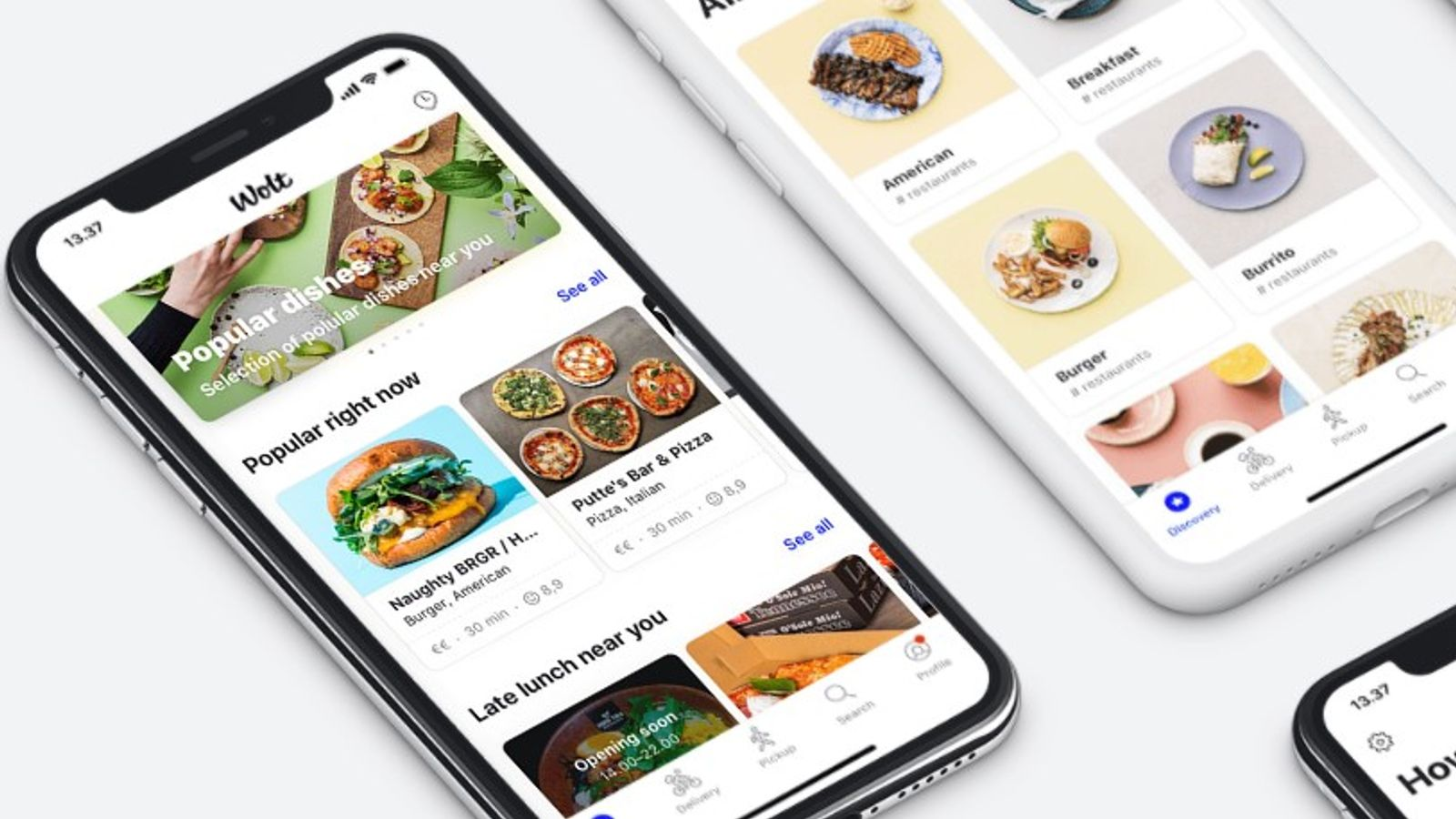
App Store is an app store service operated by Apple. You can mainly
download
applications for iPhone and iPad.
In addition to apps for companies, you can also publish apps created by individuals as a hobby to the App Store. Of course, you will need to pass certain examinations set by the App Store.
Google Play Store
Google Play Store is an app store service operated by Google. It is also sometimes called “Google Play”. Google Play Store is installed by default on Android smartphones and tablets.
Web application
The App Store and Google Play Store are both services that allow you to install specific apps, but there are also services called web applications that can only be launched in a web browser.
For web applications, there is no need to install the app from the App Store or Google Play Store; you can open it from the web application URL.
Some web applications include login and membership registration functions, and the features vary greatly depending on each web application.
Application services for businesses are often provided primarily in the form of web applications.

Advantages of using the app
Nowadays, many apps are used not only in business but also in daily life. So, what are the benefits of using apps? There are three typical benefits:
Useful in every scene of daily life
Apps are now widely used in daily life and can be said to be an indispensable part of daily life. For example, if you install a weather forecast app, you can easily check today’s weather or the weekly weather.
Also, when flip phones were the mainstream, email was the main messaging service used. However, if you install LINE, you can easily exchange messages with friends, colleagues, etc.
There are apps that can be used even without internet.
Some apps can be used without an Internet connection.
For example, some music distribution apps allow you to download music once and then listen to it anytime without being connected to the Internet. Additionally, some smartphone games can be played offline at any time as long as you install the app.
Additionally, there are devices that allow you to immediately notify pre-registered contacts in the event that you are in any danger. An app like this would be extremely useful for parents with small children.
Can be used immediately after installation
The advantage of apps is that they can be used immediately after installation. Therefore, there is no need for time-consuming and troublesome tasks such as having to input detailed personal information.
Of course, apps with higher security risks may require detailed personal information, but most apps can be installed and used immediately.
Additionally, as mentioned above, web application services can be used without being installed on the device.

What is the difference between free apps and paid apps?
So far, we have explained the features and benefits of apps, but as mentioned above, there are two types of apps: free apps and paid apps.
The main differences between free apps and paid apps are in terms of functionality. The image is that you can use it for free up to a certain range, but if you exceed that range you will have to pay.
Of course, in most of the cases mentioned above, a confirmation screen will be displayed before the paid version is activated, so you will not be charged automatically. However, please be aware that some apps may charge you automatically.
However, even in such a case, when registering the app, a warning screen such as “You will be automatically charged if you exceed 〇〇” will appear, so be careful not to overlook it.
In addition, the paid version can make various tasks in daily life and business more efficient than the free app, so if you have an app you like, it might be a good idea to try it out.
Difference between app and browser
Many people may not be able to tell the difference between an app and a browser. The main differences between apps and browsers are as follows.
Differences in usage
There is a difference in usage between apps and browsers. If you want to continue using a specific service, an app is more suitable.
Since you can download it and install it on your smartphone, tablet, PC, etc., you can concentrate on your work without unnecessary information.
On the other hand, browsers are suitable when you want to collect a wide range of information. It displays a variety of information just by launching it without downloading or installing it, and users can obtain new information simply by refreshing their browser. For these reasons, browsers are more suitable for tasks such as information gathering.
Difference in degrees of freedom
There are also differences between apps and browsers in terms of freedom and usability. The app is developed specifically for the target task, and is characterized by extremely high functionality and a high degree of freedom.
It is designed with the assumption that tasks can continue to be performed smoothly and stress-free, with features such as excellent operability, highly customizable flexibility, and reduced communication capacity.
While apps have a high degree of freedom for the target “task,” browsers can be said to be a medium that has a high degree of freedom for a wide variety of “uses.”
It is extremely easy to use and has a high degree of freedom for a wide range of purposes, including a wide range of information gathering, research, and information sharing.
Differences in user inflow routes
There are clear differences in how users arrive in apps and browsers. The main route for users to download apps is from app stores such as Google Play and the App Store, or from websites that provide apps.
On the other hand, the main inflow route for browser users is through search engines such as Google, Yahoo!, and Bing. Due to these differences in inflow routes, there are also differences in where to focus efforts to acquire users.
An app is not counted as one user just because it is downloaded, but only after it is installed and used. Therefore, first of all, you need to create an app that will make users want to install it and use it.
On the other hand, browsers do not attract users unless they are searched for using search keywords. Therefore, when it comes to browsers, it is necessary to focus on SEO measures rather than the quality of cloud apps.
Difference in retention rate
There are also differences in user retention rates between apps and browsers. When it comes to apps, users first become interested in the app and then purchase or install it on their own initiative. If you decide that you still need the app, you will continue to use it.
On the other hand, browsers are often used to solve temporary questions or people visit a website by chance as a result of a search, so it tends to be difficult for users to become established. This level of user interest is reflected in the difference in retention rate.
Points to note when installing apps
Apps are useful tools that can make various tasks more efficient, but you should also be aware of the precautions when installing them. If you are not aware of the precautions, unexpected risks may occur. Please note the following points when installing the app.
Check if the app is safe
First, let’s check whether the app is dangerous. In the first place, apps that are installed on smartphones need to pass a review by the App Store or Google Play Store.
Therefore, apps that pose a high security risk will not pass the review, so there is no need to worry too much.
However, there are some apps that may be dangerous but still pass inspection for some reason. To determine the safety of an app, be sure to check the reviews on the app’s installation screen as well as reviews on the internet and SNS.
If you see a review saying something like “My smartphone stopped working after I installed it,” do not install that app.
Understand the difference between free and paid apps
Next, it is important to understand the difference between free apps and paid apps. If you have registered the app as a paid app in the app store service from the beginning, you will need to pay when you install it.
In this case, there is no problem because you are choosing the paid app yourself. However, as mentioned above, there are some free apps that charge you if you exceed a certain range.
To avoid being charged unexpectedly, be sure to check in advance where you will be charged and how much you can use for free.

Advantages and disadvantages of companies introducing their own apps
From here, we will explain the advantages and disadvantages of companies implementing their own apps.
Benefits for companies to introduce their own apps
The benefits for companies to implement their own apps include:
Can be used for your own branding strategy
By providing in-house developed BtoC apps to users of our own services, we can improve user convenience.
If convenience increases, we can expect users to use the site more frequently, which in turn can lead to them becoming fans.
In addition, you will be able to provide services that will make your users happy, such as awarding points, issuing coupons, and app-only time sales, and you will be able to come up with strategies to retain users.
If you can offer your app to users, you can use these various
branding
strategies to keep them engaged.
The icon can be expected to have the effect of reminding people of the brand.
When an in-house developed app is installed on a user’s smartphone or PC, its icon will be displayed on the home screen, hot sheet, etc.
This icon is often devised by each company to have a design that makes people think of the company at first glance, and it has an advertising effect as one of the elements of the company’s brand.
You can expect this to have the effect of making users think of your company every time they open their smartphone or computer and see this icon.
Apps are more convenient than browsers
It is easier to access the service through an app than through a browser. When accessing using a browser, the following three actions are required.
1. Launch the browser
2. Search or search from “Bookmarks” and “Favorites”
3. Access the official website
On the other hand, if the app is installed, you can access the service with a single action from the home screen.
In this way, apps are highly convenient, so if you can develop your own apps and provide them to users, you can expect to have the effect of increasing the frequency of using your company’s services.
Push notifications will be available
Push notifications are a feature where the app automatically displays notifications without the user having to check their email etc. Depending on your settings, you can receive real-time notifications even when you’re playing a game or doing something else.
This feature allows companies to quickly send their own information and makes it easier for users to check it immediately.
Expected to improve operational efficiency
If your in-house developed app is for internal use or
BtoB
, you can expect it to improve your business efficiency. By transferring many administrative tasks, reporting tasks, and clerical tasks that are normally performed using paper media to digital media, we can expect to reduce the number of man-hours and working hours, as well as reduce human errors.
In addition, as explained in the above item “Push notifications will be available,” if push notifications can be sent to employees, important internal notifications and breaking news in the event of an emergency or disaster can be quickly delivered. You can do it.
Disadvantages of companies introducing their own apps
While there are many advantages to developing your own app, there are also disadvantages. That is the following item.
Development costs are high
App development requires a large amount of development cost. First of all, if your company does not have human resources such as programmers and system engineers who can work on app development, you will need to either secure new human resources or outsource.
Additionally, there are costs associated with each OS, such as iOS, Android, Windows, and Macintosh, so you must take these into consideration when allocating resources.
Update work and troubleshooting required
The possibility of problems occurring in apps increases each time the OS is updated, so it is necessary to constantly update the apps.
Also, if a problem occurs, users will not be able to continue using the product and will be forced to repair it. These situations can also result in maintenance costs and personnel costs.
There are high hurdles to downloading
An app is a medium that once a user likes it and continues to use it, there is a high possibility that they will continue to use it for many years to come.
However, the hurdles to the first stage of downloading are high, and it is difficult to reach that point.
It’s also possible that an app is downloaded and installed, but if you don’t like it, it gets uninstalled right away. Matching with these users is also a high barrier to continued use.

summary
In this article, we have explained about the app. App is an abbreviation for application software, and there are many such as apps for smartphones and apps for PCs.
There are also apps that can be installed from app store services and web applications that can be used on a browser without being installed.
Apps have become familiar and anyone can use them easily, but there are also apps that are free but can be dangerous, and apps that are actually paid and expensive.
Why not look for an app that will be useful for you depending on the situation you are envisioning, such as daily life or business situations?