

We will explain what
an index
is, what effect it has on SEO, its meaning, and how to register it. Indexing is important for search engines such as Google, and can be said to be the basis of SEO measures. In this article, we will use Google as an example to introduce effective indexing methods, no-indexing, etc.
Basics of SEO What is an “index”?
Indexing refers to the registration of web pages in search engines such as Google. If your web pages aren’t indexed, they won’t show up in search results when users search for keywords.
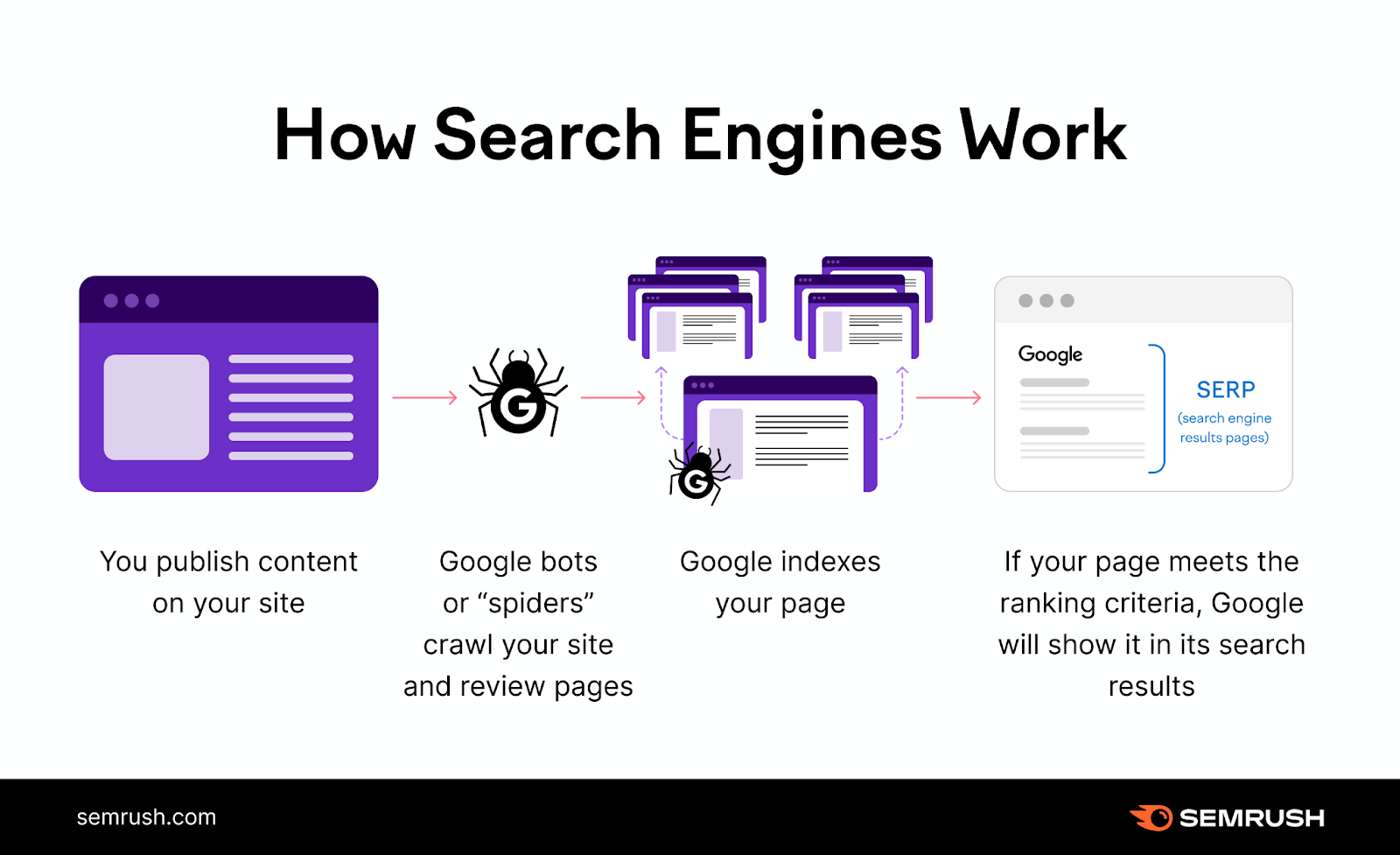
How the index works
A robot called a “Google crawler” that crawls through web pages and analyzes their contents is heavily involved in indexing. Crawlers are constantly visiting web pages, and when they find a new web page, they analyze and understand the contents, and register the information in Google’s database. The information that is registered is an analysis of “what kind of content the page contains” and “what kind of content the image and video files contain.”
This process of “registering a web page in Google’s (search engine) database” is called “indexing,” and only after it is indexed can it appear in search results.
・For more information on how search engines and crawlers work, click here.

Effects obtained with indexes
Being indexed means more than just being listed in a search engine’s database. We will explain the effects that can be obtained when a web page is indexed.
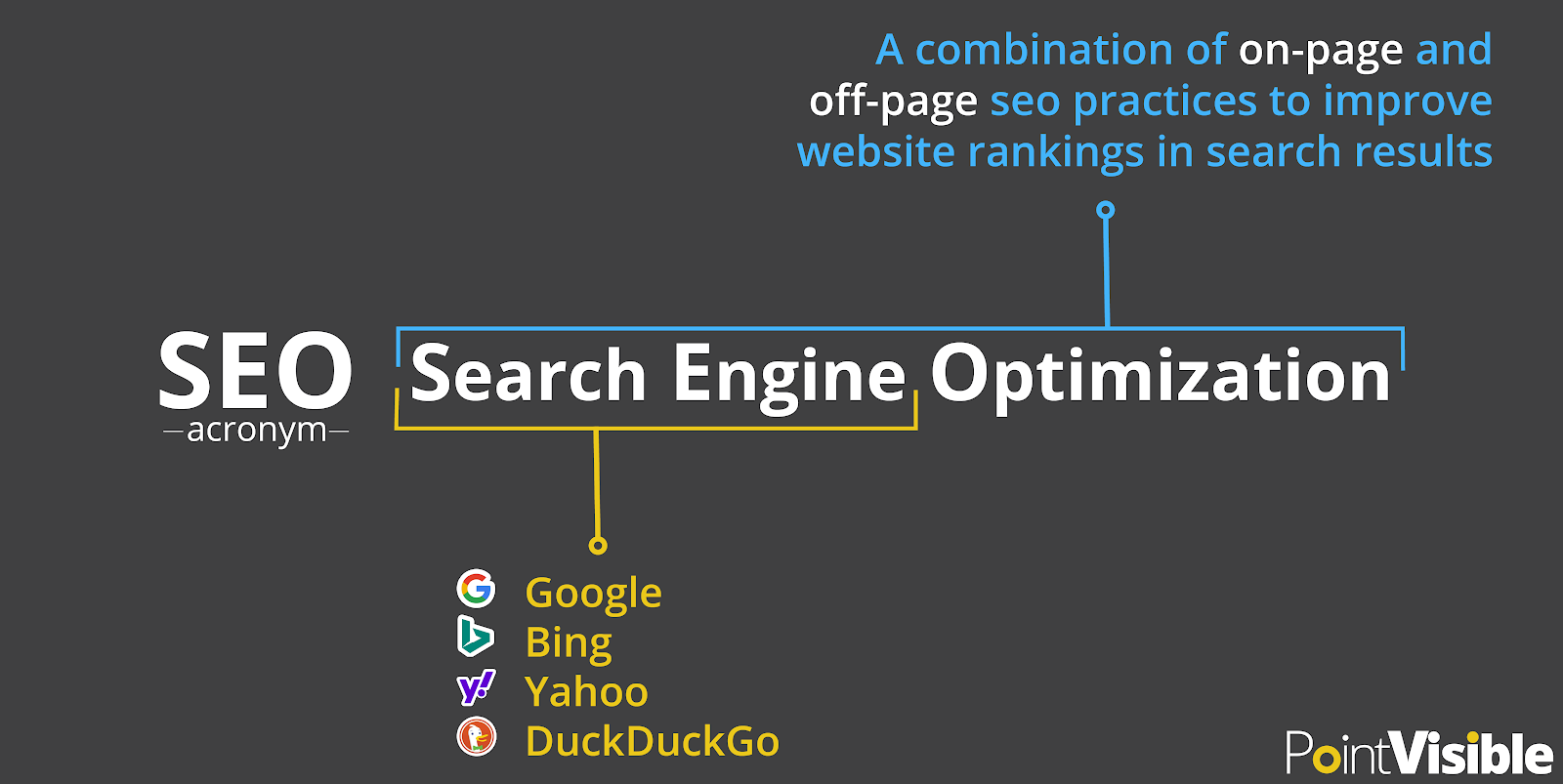
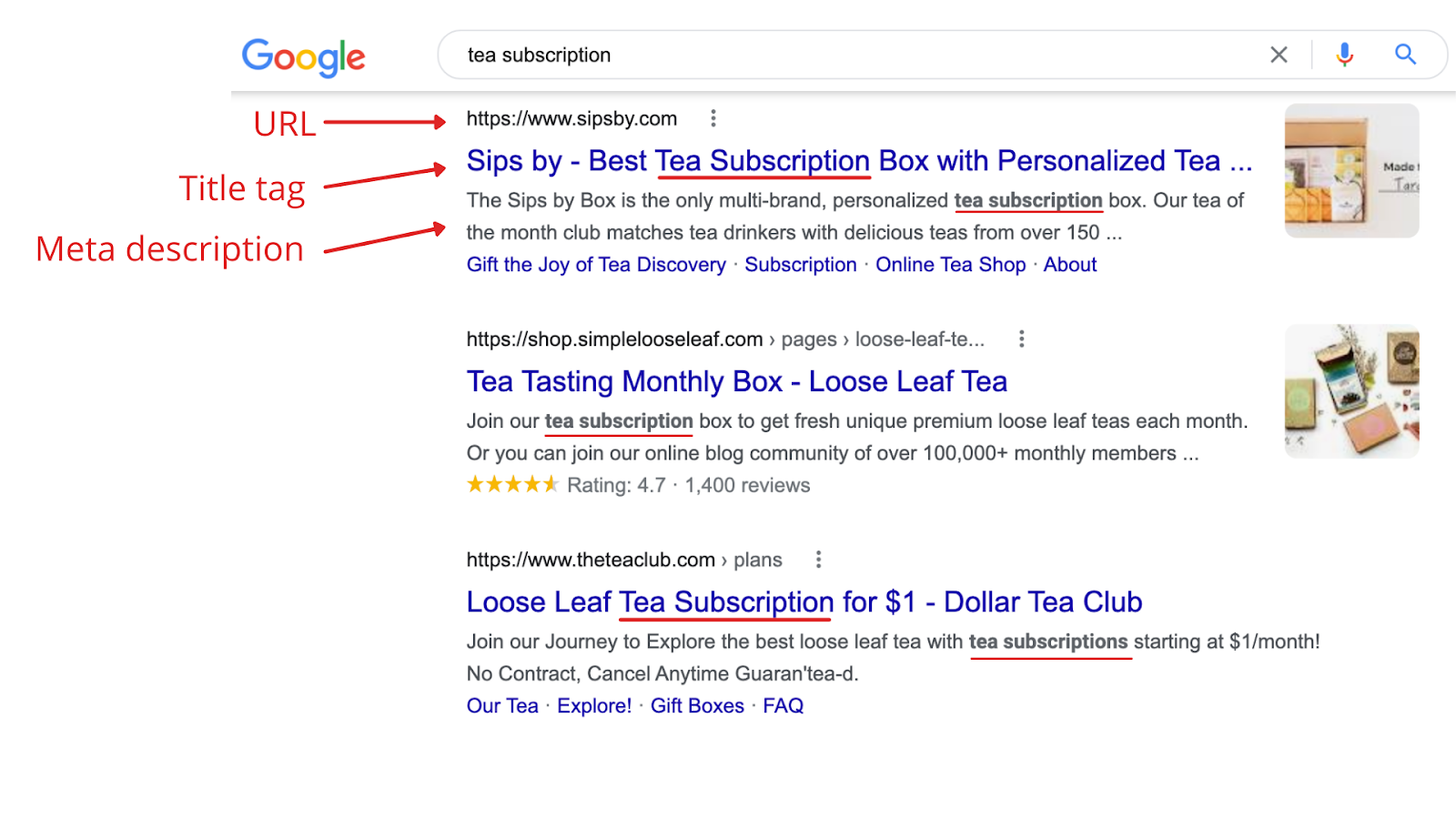
Appear in search results
If it is indexed, the “Title” and “Description” will be displayed in the search results. A title is literally the title of a website or page. A description is a short piece of text that appears below the title of a search result. Displaying in search results is the gateway to making your web page known to users, so it can be said to be the basis of SEO measures.
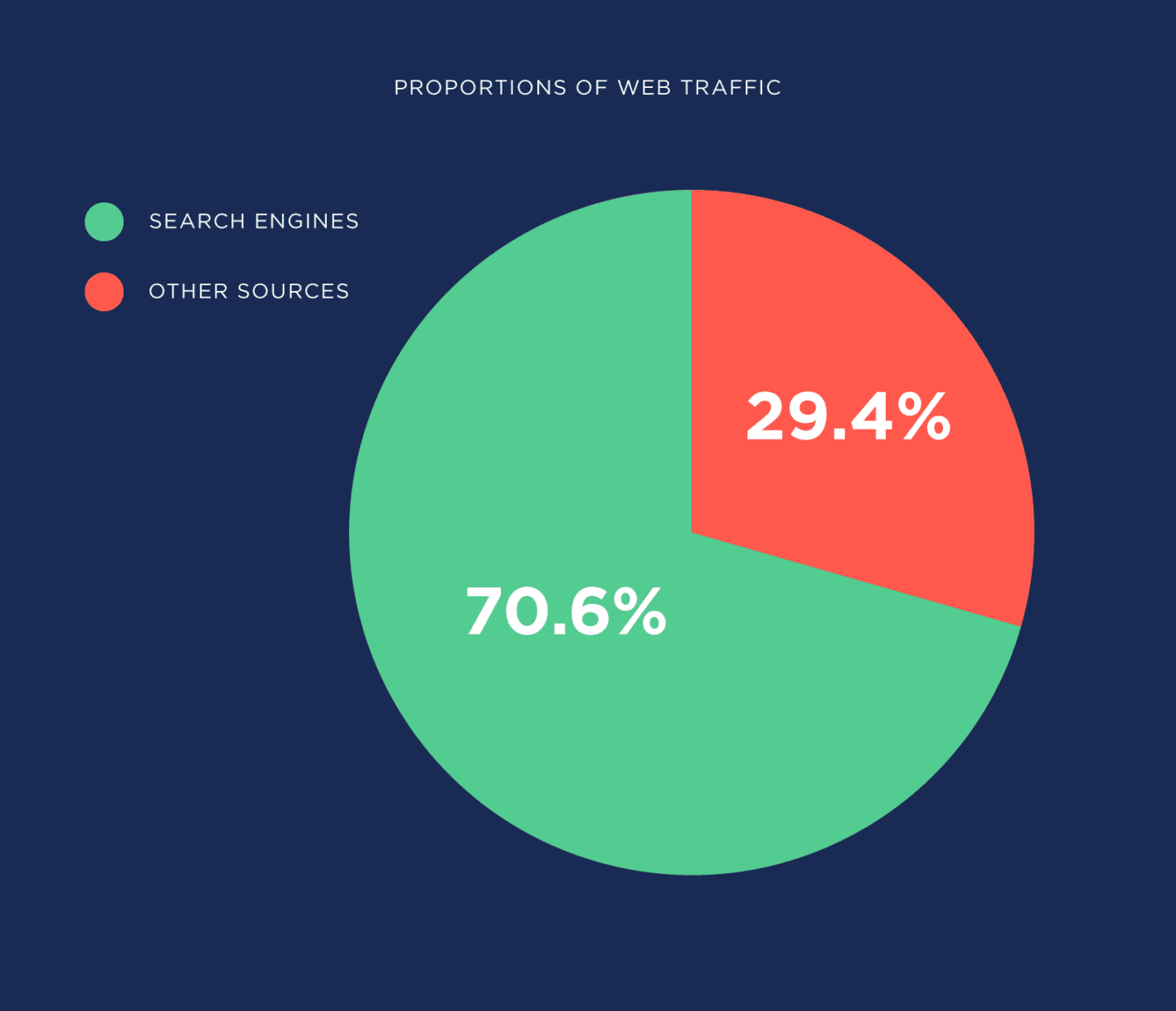
Increase in number of accesses
One of the benefits of indexing is that you can expect an increase in the number of accesses. This is because not only will it appear in search results, but displaying the title and description will make it easier for users to become interested. Additionally, when crawlers roam the site and index multiple pages, the number of points of entry for users is expanded.

How to register an index
Once a web page is published, it is automatically indexed within 3 days to 1 week. However, since crawlers regularly cycle through and index pages, it is rare for pages that have recently been published to be indexed immediately. In order to gain an advantage over competing sites with SEO measures, it is effective to take measures to speed up index registration, which will be explained in the next chapter.

How to make indexing faster?
When it comes to SEO, an important point is how quickly you can get crawlers to recognize your page. Instead of waiting until you are recognized, you can also approach search engines.
Inspect URLs with Google Search Console
You can check whether your site is indexed using Google Search Console by following the steps below.
1. Open Google Search Console
2. Select “URL inspection”
3. Enter the URL of your website and click “Test”
If it’s not indexed, click “Request Indexing” to increase your chances of getting indexed sooner.
Click here for details on how to set up and use Google search console.
Add to XML sitemap
Another way to help crawlers quickly understand your content is to add the URL of your content to an XML sitemap, which is a file that summarizes information such as pages and images on your site. Here’s how to add it to your XML sitemap:
1. Open Google Search Console
2. Click “Sitemap” from “Index” in “Menu”
3. In “Add new sitemap”, enter the URL of the XML sitemap file you created in advance.
4.Click “Send”
By adding it, you can save the time of crawlers visiting pages and help your website be understood quickly and accurately.
How to make indexing more effective?
Having crawlers correctly understand the information on your web pages is essential for indexing. Here are five measures that are effective for both users and crawlers.
Keep titles short and easy to understand
Page titles should be short and easy to understand. Avoid listing related keywords, which are often seen in SEO campaigns, or titles that are too long to display all of them. Make sure the content is easy to understand for both users and crawlers, and make the title concise and stand out.
Use alt text and other attributes for images and videos as appropriate
If your content includes images or videos, prepare alternative text (alt attribute) and explanatory text to indicate the content. Since the only content that crawlers can recognize is text, product pages with only images will be less likely to be displayed in search results. Prepare descriptive text for each image.
Increase site speed
Increase your site speed to reduce site crawl time. Google crawlers have an upper limit on what they can crawl to avoid putting a load on the server. However, if the sites you crawl respond quickly, the limit will go up and they will be more likely to be indexed faster.
Thinking based on “Easy for Google to understand”
Please be conscious of creating a site that is easy for Google to understand. When a new site or page is discovered, the crawler tries to understand its contents for indexing purposes, but if the page title is ambiguous or has an unrelated heading, the analysis takes time.
Also, since crawlers follow links to navigate your website, it is a good idea to create a structure that is easy for Google to understand (and index), such as by linking new web pages to pages that are already indexed.
Mobile compatible
Make your site mobile-friendly. These days, more users browse sites on smartphones (mobile devices) than on computers. Therefore, having a UI/UX that is suitable for smartphones is essential for effective indexing.

Why it’s not indexed
・Site that has just been launched
– Unable to crawl due to design issue
・Error due to a problem on the site side
・Crawling is blocked
If your website has just been launched, crawlers may not have discovered it yet. As mentioned above, request indexing from Google Search Console. Also, it may not be crawled due to design issues. Review your site’s content and structure according to Google’s guidelines.
Other reasons include if an error occurs on the site and it cannot be crawled, or if Google crawlers are blocked by site policy. If a problem is detected on your site, you can receive a notification on Google Search Console, so make sure to check if the URL is indexed and use it.
What is no-index to remove from search results?
The act of intentionally preventing crawling by not indexing is called “no index.” If you use the no-index tag for low-quality pages, the content will not be reflected in search results even when crawlers crawl, and only high-quality pages will be evaluated.
If similar pages are scattered on Google, users will see the same content over and over again and will not get the desired results. In order to prevent this, no-indexing is a way to maintain the health of the site by deliberately not indexing similar pages.

Summary: Index is the starting point for SEO measures
Indexing, which registers websites and pages in search engines, can be considered the start of SEO measures. Check whether your website is indexed and take SEO measures.
Also, being indexed does not mean your search ranking will improve. Google puts users first, so they evaluate articles by improving their quality and uniqueness.
There are also other changes, such as the rapid increase in the number of mobile users due to the spread of smartphones, and it is necessary to implement structured markup and review internal link design. If you find it difficult to implement SEO measures on your own, please feel free to contact us.