

In order to efficiently operate a YouTube channel, analysis of posted videos is essential. Video analysis can be done using an analysis tool called “YouTube Studio” that can be used at the same time as opening a YouTube channel. While YouTube Studio is extremely versatile, not only for video analysis but also for SEO measures, many people may not know how to use it properly.
In this article, we will explain what you can do with YouTube Studio, its benefits, and how to use it effectively. If you don’t know how to use YouTube Studio or want to operate YouTube effectively, please refer to it.
What is YouTube Studio?
YouTube Studio is a free analysis tool provided by Google that allows you to analyze your YouTube channel and posted videos. Also, using YouTube Studio to analyze your channel is essential for efficient channel operation.
YouTube Studio not only allows you to analyze your YouTube channel and posted videos, but also allows you to set icons and channel art. YouTube Studio has all the features you need to run a YouTube channel.
Metrics you can check in YouTube Studio
You can check the following metrics in YouTube Studio.
- Latest video performance
- Latest 3 contents
- Latest comments
- Number of views etc. in the past 28 days
- Public video list
- Number of strikes (number of violations)
We will explain each confirmation method and the meaning of each indicator in turn.
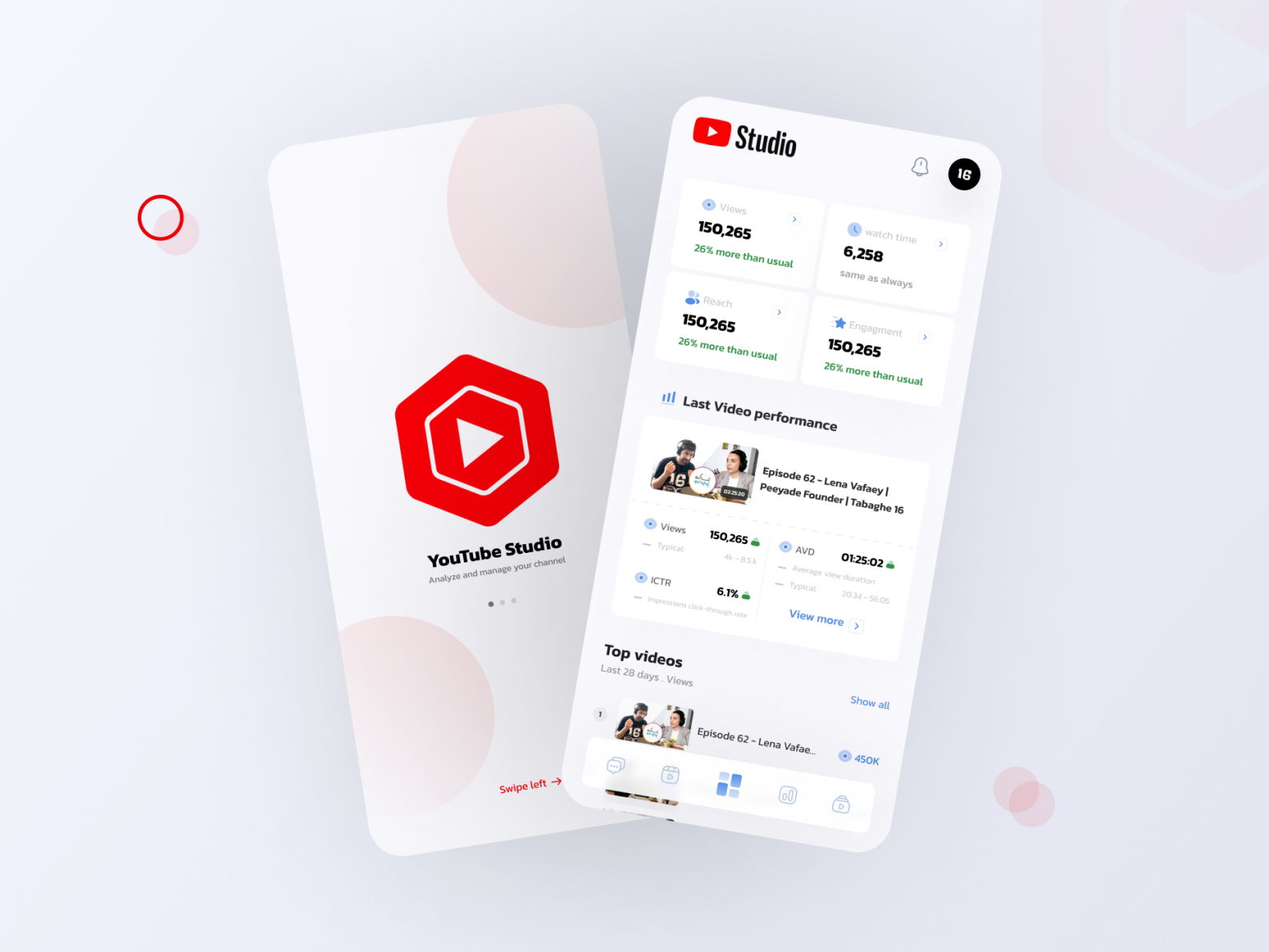
Latest video performance
The latest video performance is displayed on the top screen of YouTube Studio. In the latest video performance, in addition to metrics that can be checked from the public video list such as the number of views and click rate, you can also check the “ranking by number of views”. “Ranking by number of views” shows how many views the latest video has received compared to past videos, so you can check the initial growth rate.

Latest 3 contents
Select “Analytics” from the left menu of YouTube Studio to display a list of channel data. On the right side of the Analytics page, you’ll see the top 3 videos with the most views in the last 48 hours, along with the number of views in real time.
In addition, by clicking “Details”, you can check not only the top 3 videos but also the videos that have been viewed within the past 48 hours in a ranking format, so the strength of this function is that you can understand
the needs
of recent viewers. is. In addition, on the details page, you can check not only the number of views in the past 48 hours but also the number of views in the past 60 minutes.

Latest comments
You can view comments posted to videos on your channel by clicking “Comments” in the left menu of YouTube Studio. The feature is that comments for all videos are aggregated and can be checked at once. You can also narrow down your search using the following items.
- Unhandled comment
- Comments with questions
- By subscriber of the person who posted the comment
Unreacted here refers to comments that have not been liked or responded to. If you don’t filter, you can see the latest comments at the top.

Number of views in the past 28 days, etc.
By selecting “Analytics” from the menu on the left of YouTube Studio, you can check the number of views in the past 28 days as well as the popular videos in the past 48 hours as mentioned above. The data you can check from the Analytics page is as follows.
- Number of views
- Total play time
- channel subscribers
- number of impressions
- click rate
- Average play time
- Viewer detailed information
You can also check the data for individual videos for the above data. These are the steps to check the analytics of a single video.
1. Click “Content” from the left menu of YouTube Studio
2. Select the video you want to check the analytics for
3. Select “Analytics” from the left menu on the video details page
This information is essential for running the PDCA cycle when operating a YouTube channel. It is a good idea to check carefully each time.

Public video list
In the same way as checking the analytics for individual videos mentioned above, you can view the list of public videos from “Content” in YouTube Studio. You can check information about each video from the public video list.
- Public status
- restricted state
- Release date
- Number of views
- Number of comments
- High evaluation rate
Also, by clicking on each video, you will be taken to the video details settings screen. On this settings screen, you can set the summary field, thumbnails, and tags. If you want to change these settings after posting a video, follow the same steps to go to the video details page and reset the settings.

Number of strikes (number of violations)
In YouTube Studio, you can check the number of strikes (number of violations). A strike is a violation of the Community Guidelines. The following are typical examples of videos posted to YouTube that are considered to be in violation.
- sexual content
- Harmful and dangerous content
- offensive content
- Violent and graphic content
If you violate the rules, a warning will be displayed, so please take immediate action such as deleting the video. If there are three violations within 90 days, your YouTube account will be forcibly deleted.
Advantages of using YouTube Studio from a marketing perspective
YouTube Studio allows detailed analysis of entire channels and individual videos. Utilizing YouTube Studio is the key to
on YouTube.
From here, we will explain the benefits of using YouTube Studio from a marketing perspective.

You can improve your videos
By checking the analytics of individual videos in YouTube Studio, you can understand where to improve your posted videos. A typical indicator for understanding areas for improvement in videos is the average playback rate.
The average playback rate column in YouTube Studio tells you at what points in your video viewers left your video. By improving the parts where viewers leave, you can create videos that will be watched for longer.
You can also see which videos are being watched the most across your channel. This makes it easier to understand the needs of your viewers and allows you to create videos that better meet their needs.
available for free
YouTube Studio is a free tool that you can use by opening a YouTube channel. You can analyze your YouTube channel without spending any money.
You can also download and use the smartphone app for free. Both iOS and Android versions are available, and it is very convenient because you can analyze channels from your smartphone.
Account sharing possible
YouTube Studio can grant access to multiple Google accounts. Therefore, multiple people can check your YouTube channel and multiple people can analyze your channel. In this way, you can come up with marketing measures while conducting analysis as a team.
When a company operates a YouTube channel, it is not uncommon for multiple people to be involved. It’s very convenient to be able to have people in various roles log in at once.
How to use YouTube Studio effectively
Because YouTube Studio has so many features, it is true that it is difficult to use it effectively. In reality, there may be many people who are only able to use some of the many functions, or who know that the functions exist but do not know how to use them.
Finally, we’ll show you how to use YouTube Studio effectively.
Utilize your audio library
From YouTube Studio, you can access the “Audio Library” where you can use freely available music as background music for videos. The audio library has over 150 high-quality songs, so you can add music to your videos that matches the mood and concept of your video.
Music such as BGM is very effective in expressing the world of the video and in getting the viewer to watch it for a long time. While many music distribution sites charge a fee, you can use audio libraries for free, so it’s a good idea to actively use them.
Measures for YouTube SEO
SEO
measures are also very important for YouTube videos. Videos that rank high in YouTube searches are very likely to be viewed, and SEO measures are directly linked to an increase in the number of views. You can take YouTube SEO measures by configuring the settings below on YouTube Studio.
- Decide on a title with keywords in mind
- Fill out the summary section thoroughly
- Set tags
- Set subtitles
In particular, titles and tags are very important for YouTube SEO. You can also check your analytics to see if you are getting traffic from YouTube searches.
Videos that receive a lot of traffic from “YouTube search” are proof that YouTube SEO measures are working well, so it’s a good idea to use this as a reference for future video postings.
Identify improvements and issues for the next video
As mentioned above, YouTube Studio allows you to check various numbers for the entire channel and for individual videos. Therefore, by checking the analytics of past videos, you can identify improvements and issues for your next video.
It’s difficult to grow your YouTube channel without analyzing and improving your posted videos. You can grow your YouTube channel by frequently checking your analytics and making improvements from a medium- to long-term perspective. When operating a YouTube channel, be sure to identify improvement plans and issues from analytics and incorporate them into your next videos.

summary
In this article, we explained how to use YouTube Studio, its benefits, and how to use it effectively. YouTube Studio is free to use and is packed with the information you need to run a YouTube channel. In particular, being able to understand viewer needs from the details of viewer demographics and video playback trends is extremely useful when operating YouTube from a business perspective.
Also, if you use it properly, you can post videos that meet your audience’s needs, making it easier to grow your YouTube channel.
Use this article as a reference to make full use of YouTube Studio and effectively operate your YouTube channel.