

The world of the Web (Internet) is developing at a remarkable speed day and night, so anyone involved in business needs to acquire the knowledge to be able to keep up with it. If you think, “It’s okay now because things are working out,” you may end up being left behind by the times.
In this article, we will explain the overview of the web, the services used, the structure of web pages, and future industry trends.
What is Web?
Although the word “web” is used on a daily basis, many people may find it difficult to explain its meaning in detail. First, I will explain the meaning and overview of the Web.
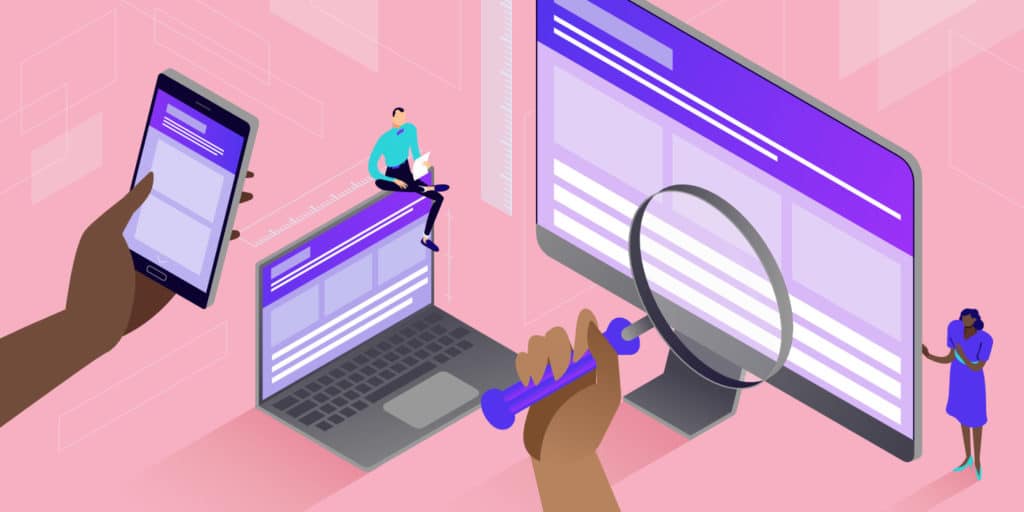
A service that allows you to view text, images, videos, etc.
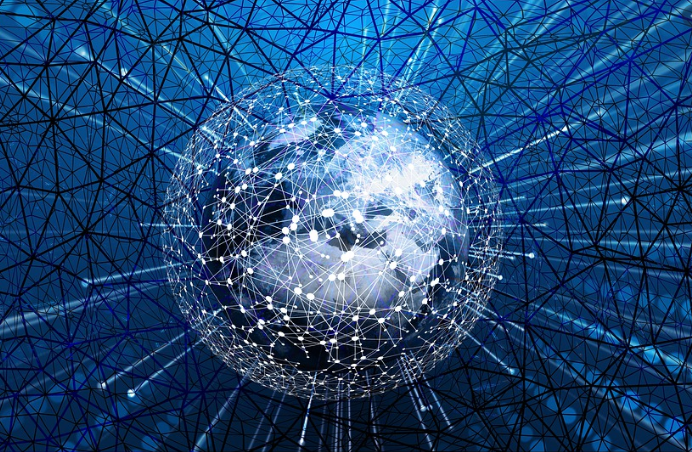
Web is an abbreviation for “World Wide Web” and is a service that allows users to view text, images, videos, etc. on the Internet. Some website URLs include “www”, which stands for “World Wide Web”.
“World Wide Web” literally translates into Japanese as “worldwide spider’s web.” The name comes from the fact that countless pieces of content are spread out over a wide area and are interconnected, resembling a spider’s web.
In recent years, technologies such as the Internet have become extremely popular, and the Web has become more and more familiar. For example, if there is something we don’t understand in our daily lives, we can immediately search for it on our computers or smartphones, or use SNS such as LINE and Instagram to communicate with people all over the world. It has become. In particular, over the past 10 to 20 years, the Web has made great progress, but at the same time, the nature and significance of the Web have also changed significantly.
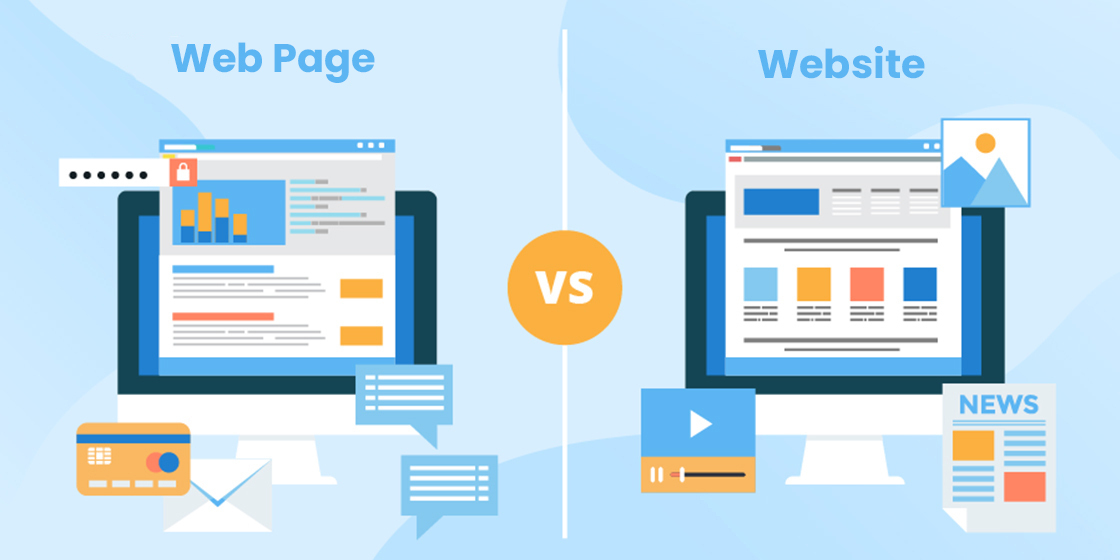
Difference between web and internet
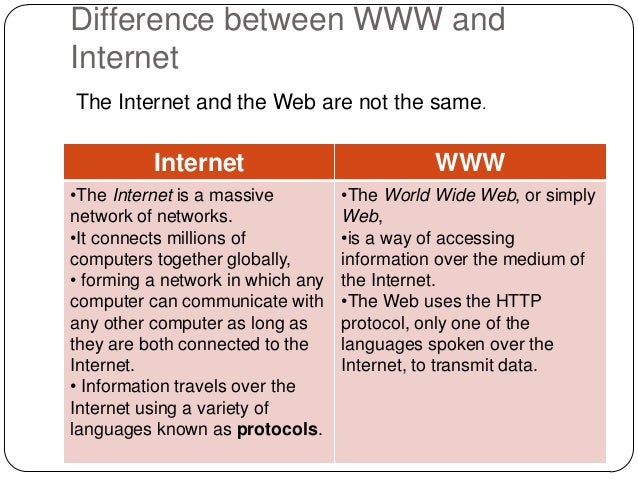
Although “Web” and “Internet” are sometimes used interchangeably, they have different meanings. The difference is the breadth of scope that the words convey.
The Internet is a general term for information and communication technology that allows computers to communicate with each other. This information and communication technology allows you to access various websites, exchange emails, and enjoy online games. In other words, the Internet serves as a “road” that connects computers all over the world.
On the other hand, the Web refers to a system that allows websites to be published and viewed using the Internet. In other words, a mechanism called the Web exists within the large information and communication technology called the Internet. The reason you are reading this article now is because of this web system.

history of the web
The Web was invented and developed by Tim Berners-Lee in England in the late 1980s. He worked as a software technology consultant at a nuclear research institute in Switzerland. The Web was invented when research institutes had thousands of researchers working there, and they were looking for a way to efficiently disseminate information to them. In 1990, the world’s first web server and world’s first web browser, the World Wide Web, were built.
In 1991, Tim Berners-Lee launched the world’s first website, but what attracted attention at this time was a technology called “Hyper Text”. Hypertext is a technology that connects documents. When you click on a document on a website, you can move to another web page where that document is located. It may seem obvious now, but it was a very innovative technology at the time.
What was announced along with this website was a browser. Tim Berners-Lee announced a software called “WWW Client,” which had the same functionality as what we now call “Google Chrome” and “Microsoft Edge.” He released this “WWW client” to the world for free, and also announced its technology. This has made the Web available to the entire world, and has enabled us to achieve the great development we have seen in recent years.

Services that use the Web and things related to the Web
Web services are used in a variety of places and make our lives more comfortable. From here, we will explain services that use the Web and things related to the Web.
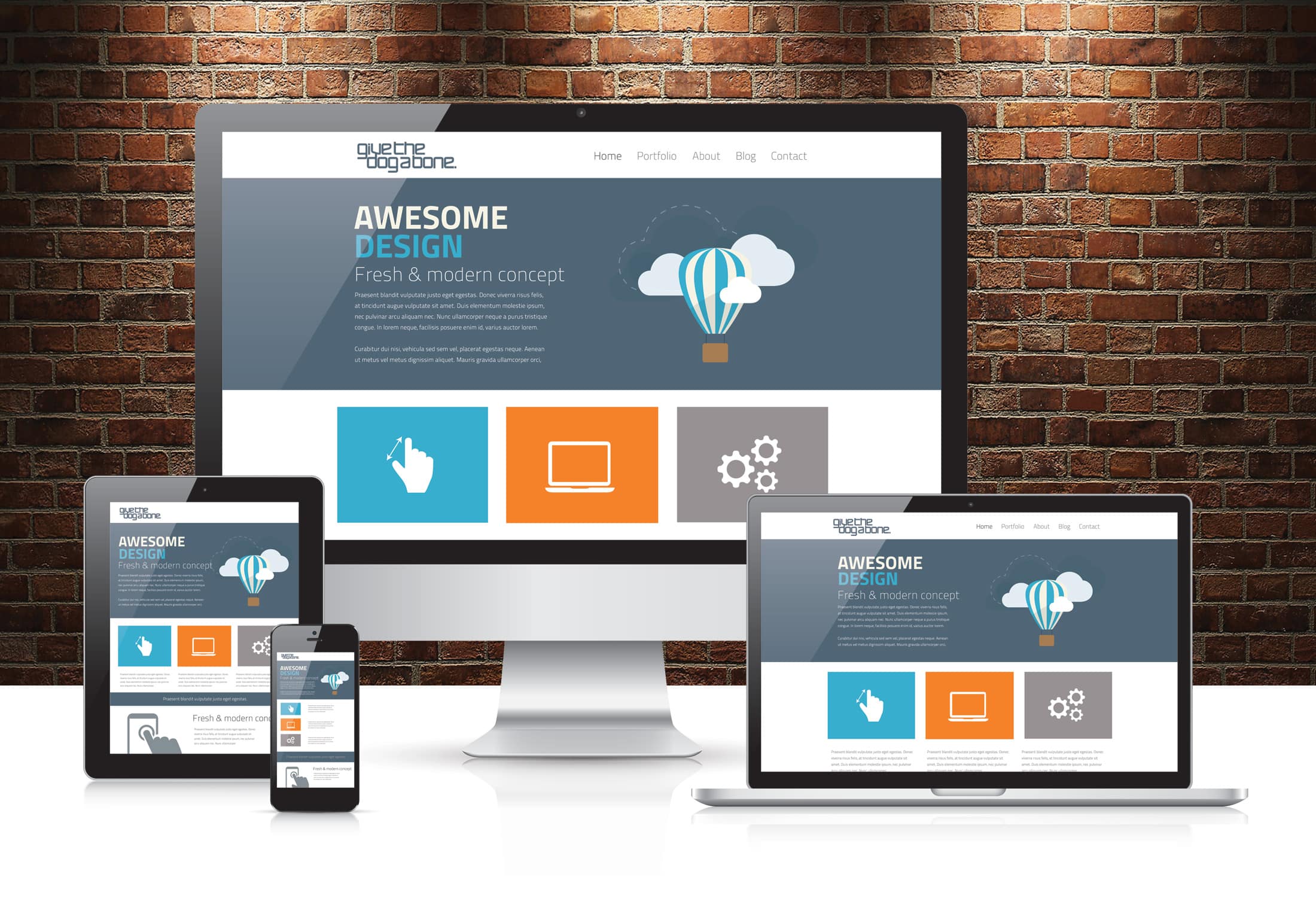
Website
A website is a collection of multiple web pages on the Internet with the same domain. “Site” means “site” or “site” in Japanese.
There are many different types of websites, from shopping sites like Amazon and Rakuten Market to corporate sites for introducing companies, and they have become very familiar to us.
The term “homepage” is a term that can be easily confused, but strictly speaking, there is a difference between the two. A homepage refers to the first page of a website, and if a website is likened to a “book,” the cover would be the “homepage.”
web page
A web page is a piece of content that summarizes the information you want to convey on a single page and makes it publicly available on the Internet. This content includes documents, images, etc., and the article you are reading now is also a web page. This collection of web pages is called the “website” that I explained earlier.
For example, a restaurant website might have pages like the following:
These web pages come together to form a single website.
Web browser
A web browser is the software required to view websites on a computer, smartphone, etc. Browser is written as “browser” in English, but the underlying word is “browse”. “Browse” has meanings such as “browsing” or “browsing.”
Typical web browsers include the following.
If you don’t have a web browser, you won’t be able to view websites even if you have an internet connection. With a web browser, data such as
HTML
files and images can be retrieved and analyzed from
servers
, and web pages are displayed as human-readable pages.
Basically, devices such as computers and smartphones are equipped with a web browser, so we may have taken it for granted, but it is precisely because of this web browser that we are able to use the Internet smoothly. That’s what I’m doing.
Web design
Web design, as the word suggests, refers to the design of websites and web pages. When designing these, we go through various production steps, such as choosing effective fonts and considering the placement of photos and videos.
It’s not enough just to have a “beautiful design”; you need to design a design that fits the purpose of the website or web page. If you are creating a website for the purpose of improving your company’s image, you will need to design a design that is in line with that target image. The design must be designed to increase people’s desire to purchase.
Websites and web pages are made up of various elements such as colors, illustrations, fonts, and animation, and the person who designs these elements is called a “web designer.” If you are having trouble creating a website that meets your goals, one option is to hire a professional web designer.
Web DAV
Web DAV is an extension of hypertext technology, and refers to the technology and functionality that allows file sharing and editing using a web server. Similar to currently popular services such as Google Drive, it allows multiple administrators to easily share and edit files. It does not require any special software and can be used as long as there is a network environment, so you can easily manipulate files on the server.
Many people may not know about WebDAV, but it is actually a technology with a long history that was announced by Microsoft in 1999. Therefore, it has high security and can be used with confidence.
Web marketing
Web marketing
, as the name suggests, is a
marketing
method that focuses on the Web. Use web media such as websites, blogs, and SNS to conduct promotional activities for potential customers, such as attracting more users, increasing their desire to purchase products, and building relationships with users. I’m going.
In the past, people often obtained information about products and services through newspapers, magazines, TV news, etc., but in recent years, they have been using online
search engines
such as Google and gathering information on SNS such as Instagram. Information gathering has become mainstream. The same goes for users’ purchases of products and contracts for services, and we live in an era where most of these transactions are completed online. The explosive spread of smartphones is also a tailwind, and it has become essential for companies and managers to use the Web to attract customers and provide services.
However, just because something is essential doesn’t mean you should blindly take measures. The marketing measures you should choose will vary depending on the industry and the nature of your customers. It is important to take measures while considering which method best conveys the value of your products and services, and what kind of users should be targeted.
Web application
Web applications refer to applications available on the Internet. Web applications do not need to be installed on your device and can be used at any time from your computer or smartphone as long as you are connected to the Internet. Typical examples include Twitter, Facebook, YouTube, and Gmail.
One type of app that is often compared is “native apps,” but in the case of native apps, they need to be installed on a device such as a computer or smartphone. On the other hand, web applications can be used over the network, so there is no need to install them directly on the device.
Web applications run on a web browser, but in addition to HTML, special programs are also used for development.
Mechanisms used to construct web pages
Web pages can be viewed without any special skills, but there are various mechanisms used. From here, we will explain the mechanisms used to construct web pages.
HTML
HTML is an acronym for “Hyper Text Markup Language” and is a markup language for expressing the structure of web pages.
A markup language is a language that marks text posted on a website so that computers can understand its meaning. By writing elements called “tags” in text, you can tell the computer what the meaning of the text is.
By using this HTML, you can not only read the text posted on a web page, but also view images and videos, move to another web page, etc.
HTTP
HTTP is an acronym for “Hypertext Transfer Protocol” and is a communication protocol for sending and receiving web pages. Communication protocols are the rules and procedures by which computers and network devices communicate.
When a user accesses a web page through a web browser, a certain standard for access is required, and the HTTP protocol is now used for this purpose.
URL
URL is an acronym for “Uniform Resource Locator” and indicates the position or location of a web page, etc. It is used to identify not only web pages but also the location of various documents, images, etc. on the Internet. The URL basically has the following structure.
hyperlink
A hyperlink is reference information embedded in document data or image data on a web page, and has the role of linking multiple documents or image data. It is generally called a ”
link
” for short. If you can jump to another web page or information by clicking on text, you can say that the hyperlink system is working.
There are three types of links on websites and web pages: internal links, external links, and backlinks, and each has a different role and effect as described below.
<Internal link>
A hyperlink placed on your own website that allows you to move to other web pages within your own website.
<External link>
A hyperlink placed on your own site that takes you to a web page on an external site.
<Backlinks>
A hyperlink attached to your site from an external site.
Web browser
As mentioned above, a web browser is the software required to view websites and web pages on a computer or smartphone via the Internet. It has a function that acquires and analyzes data such as HTML files and images from the server specified by the URL, and displays it as a web page so that it can be viewed by people.
Basically, devices such as computers and smartphones are equipped with web browsers from the beginning, so you may take them for granted. It is no exaggeration to say so. Typical web browsers include the following.
server
A server is a computer or system that serves information upon request over a network. In English, it is written as “server” and has the meaning of “the side that provides a service.”
On the other hand, the side that sends a request to the server is called a “client,” which means “the side that makes the request.” In other words, the user’s computer or smartphone that is trying to open a web page is a client.
When a user wants to view this web page and clicks on the URL of that web page, the request is sent to the server, and the server responds to the request by providing information about the web page. Masu. For example, when you use Google Search and click on the title of any web page in the search results, a request is sent to the server where the data for that web page is stored. The requested text, image data, etc. are then provided to the client, and we can view it through the aforementioned web browser.
Servers must respond to a large number of requests from clients. As a result, they have extremely large capacity and high performance, and it can be said that we are able to view many web pages thanks to the servers that manage large amounts of data.
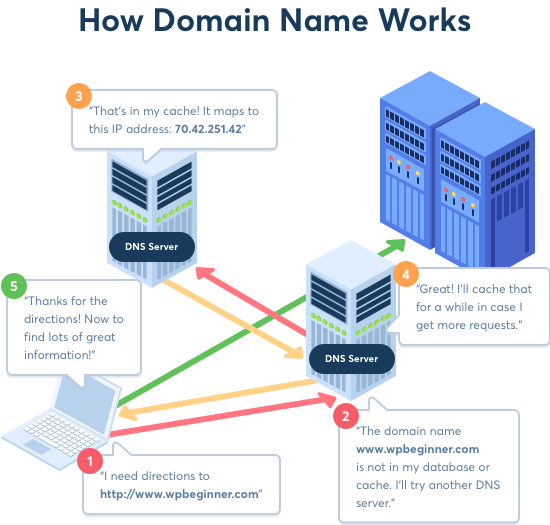
IP address
An IP address is an abbreviation for “Internet Protocol Address” and is a number assigned to a device on a network. For example, it is assigned in the form of a string of numbers separated by periods, such as “123.456.7.8”. It is used to view web pages and identify the source and destination of data, and is like an “address for communication.” Therefore, IP addresses are assigned to all devices connected to the Internet and cannot be duplicated.
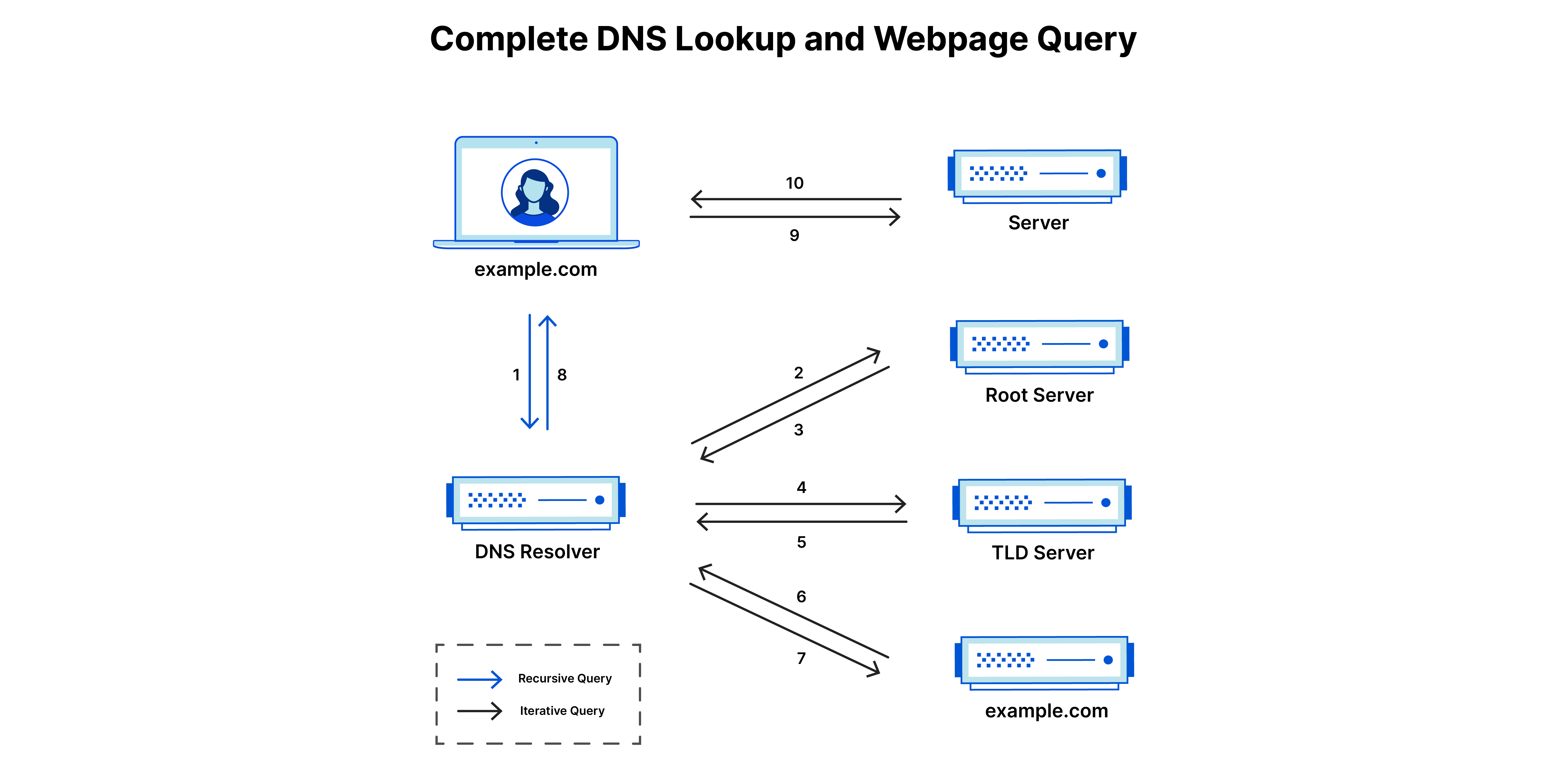
DNS
DNS is an acronym for “Domain Name System” and is a system that links
domains
and IP addresses.
When I explained URLs earlier, I explained that URLs indicate the “location” of a web page, etc., but the domain part of the URL has a particularly strong role in indicating this “location.” A URL actually conveys information to a computer as an “IP address,” and communication is based on this sequence of numbers. However, this long list of numbers is a little difficult for non-computer people to remember. Domains are used to solve this problem.
Having a domain converts an IP address into a string that is easy for humans to understand, such as “○○○○.com.” You can easily search for websites and web pages without having to remember their IP addresses.
However, this means that there are two ways to indicate the location of a website or web page: an IP address for computers, and a domain for humans. This is where DNS comes in handy.
DNS has the role of linking IP addresses and domains. When you enter a domain to search for a website or web page, you can arrive at the website or web page you want to see, but this is because the domain and IP address are linked by DNS. is. The system is such that the IP address is obtained from the domain and the associated server data is called. In other words, thanks to this DNS, we can easily browse specified websites and web pages.
Future development of the Web
The Web is made up of various technologies and mechanisms, and it is expected that it will continue to develop further in the future. From here, we will explain the future development of the Web.
Web3.0 era
It is said that the era of Web 3.0 will arrive in the near future. Web3.0 is the next generation of “decentralized internet”.
The evolution of the web has been classified into three stages: Web 1.0, Web 2.0, and Web 3.0. In the era of Web 2.0, the issue of “centralization,” where large companies such as Google, Amazon, and Facebook monopolize personal information and profits, was seen as a problem. Most of the time when we looked up information or watched content, we used
the platforms
of these large companies, which were collecting personal information and profits. The concentrated collection of personal information also increases the risk of information leakage.
However, with the advent of Web 3.0, this situation is expected to change. In the era of Web 3.0, a “decentralized Internet” where data is stored and managed in a distributed manner is on the verge of becoming a reality. As a result, data will no longer be concentrated in a specific company or platform and will be managed individually, which is expected to significantly eliminate the risk of information leaks. Furthermore, since fraud can be detected immediately and data can be easily checked by the user, further improvements in security can be expected.
Development of blockchain technology
Blockchain technology is essential to realizing Web 3.0. Blockchain technology is a type of database technology that records information. It is a technology that manages data in units called blocks and connects them like a chain to store data.
Blockchain records data transactions on a distributed ledger among network participants. Since information and data can be managed by multiple people, it is possible to avoid concentrating information and data on a specific company. Additionally, since information and data are interconnected, any tampering with the contents will be immediately detected. As a result, it is difficult to commit fraud and has extremely high security. Because of its transparency and reliability, blockchain technology is expected to be used to conduct clean transactions in business settings.
summary
In this article, we have explained the overview of the web, the services used, the structure of web pages, and future industry trends.
With the development of technology, the web has become an essential part of our lives. However, its development has not stopped yet, and it is predicted that a new era will begin in the future. If the era of Web 3.0 becomes a reality, our lives will become even richer.
It is important to acquire knowledge and skills related to the Web and keep an eye on future technologies in order to be able to cope with the coming times.