

Do you know about “Alternate
tag
“? The Alternate tag is an
HTML
tag used to tell Google which web page is suitable for smartphones.
Search engines
such as Google give low marks to pages with the same content in multiple URLs. The same evaluation will apply if a different URL exists for each device such as a PC. Therefore, you can use the Alternate tag to properly communicate to search engines.
In this article, we will explain the overview of the Alternate tag, how to use it, and the necessity of implementing it.
What is the Alternate tag?
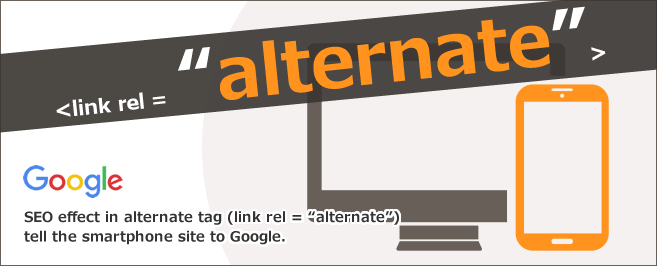
The Alternate tag is an HTML tag used to tell Google which web page is suitable for smartphones. “Alternate” means “substitute”. I will explain the details of the Alternate tag.

Tags that convey web pages for smartphones
The Alternate tag is a type of HTML tag that is used to convey a smartphone web page, such as when a PC web page and a smartphone web page with the same content have different URLs.
This tag is used together with the link element that associates the HTML text on the page with an external file, etc., and can be set by writing it within the <head> tag of the HTML file. It transmits the web page URL for smartphones and feature phones to crawlers such as Google.

Can also be used to localize pages
Alternate tags can also be used to localize a web page if it has multiple versions for each language or region. For example, when using a web page in a language other than Japanese, in addition to the Alternate tag and link element, a tag called “hreflang attribute” is used to indicate which country’s language the created web page was created for. use. It is often used by media outlets that create multiple web pages that support multiple languages in order to expand their sales channels overseas.

Description method
For example, if a web page for computers and a web page for smartphones with the same content have two different URLs, write the Alternate tag in the source code of the computer page as follows.
<link rel=”alternate” media=” only screen and (max-width: 640px)” href=” URL of smartphone site page “>
The following tags must be written in the source code of the smartphone page.
<link rel=”canonical” href=”URL of computer site page”>
By entering these two tags in each source code, even if the two pages have different URLs, the crawler will know that they are elements of the same page, and the pages will not be judged as similar.
A tag called a “canonical tag” is used to enter the source code of a page for smartphones. I will also explain this as well.
canonical tag used in conjunction with Alternate tag
Canonical tags are used for the purpose of “URL canonicalization”. By combining it with the Alternate tag, you can properly communicate the existence of two pages, one for computers and one for smartphones, and further normalize the URL to prevent dispersion of ratings from Google.
Search engines look down on pages with similar content at multiple URLs. In particular, due to an update called the “Panda Update” that makes it difficult for low-quality content to be displayed at the top of search results, we have started to strictly check the issue of pages with similar content existing at multiple URLs. Panda Update is done to lower the rankings of various low-quality content, such as content that is automatically generated by a program, content that has been copied without permission, and redirect pages.
If your site is not displayed at the top, the number of user views will decrease, and there is a high possibility that you will lose a large opportunity, so it is important to use Alternate tags.

The need to implement the Alternate tag
The Alternate tag is necessary for communicating web pages for smartphones, but why should you implement it? The purpose of this is to prevent damage to websites caused by the existence of web pages with the same content but different URLs.
Effect on SEO
As mentioned above, search engines such as Google give a low rating to pages with the same content that exist in multiple URLs. In particular, due to an update called the “Panda Update” that makes it difficult for low-quality content to be displayed at the top of search results, we have started to strictly check the problem of pages with the same content existing in multiple URLs.
Therefore, if web pages for computers and smartphones are created on different domains, if you do not convey the relevance to search engines using tags, etc., it will be judged as “duplicate content” and you may receive a low rating. . Duplicate content is content such as text that makes up pages that are almost the same, and is also known as “copy content.”
Google search sites also state that duplicate content will result in lower ratings.
If a single page can be accessed through multiple URLs, or if the content on different pages is similar (for example, a page has both mobile and desktop URLs), Google will It is considered a duplicate version of the same page. Google selects one of these URLs as the “canonical” version to crawl. All other URLs are considered “duplicate” and crawled less frequently.
Source:
Google Search Central Canonicalizing URLs of duplicate pages and using canonical tags
In addition, Google has announced that it will force most websites to migrate to MFI (Mobile First Indexing) in March 2021. MFI (Mobile First Indexing) refers to Google’s policy of evaluating websites based on smartphone sites rather than PC sites when indexing websites and determining search rankings. Due to this MFI (Mobile First Indexing), websites with poor usability on smartphone pages may have their rankings significantly lowered by search engines.
It is better to implement it early
Using Alternate tags and canonical tags will not improve
your SEO
rating, but it will prevent you from receiving negative reviews or penalties and will help you receive appropriate reviews.
If evaluated properly, improving the quality of media content will increase the possibility of being ranked high in search engines, increasing the number of user inflows and
.
How to use Alternate tag
It is better to implement the Alternate tag as soon as possible to avoid lowering your SEO rating, but here we will show you how to write an Alternate tag to tell Google about the pages of your smartphone site.
The specific method is as follows.
Set Alternate tag
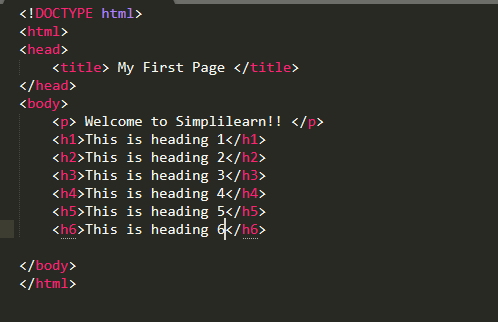
First, set the Alternate tag within the <head> tag of the HTML of the page on your computer site. This will let Google know that there is a separate page for smartphones. Please write in the following format.
<link rel=”alternate” media=”only screen and (max-width: 640px)” href=”URL of smartphone site page“>
Please note that the source code for this tag must contain the URL of the smartphone site page, not the computer site page URL.
Set canonical tag
Next, set the canonical tag within the HTML <head> tag of the page on your computer site. This allows you to communicate that the page was created for users who viewed it on smartphones. Please write in the following format.
<link rel=”canonical” href=”URL of computer site page”>
Contrary to the previous section “3.1 Setting Alternate Tag”, you need to write the URL of the page of the PC site in the tag source code, not the URL of the page of the smartphone site.
Configuring redirection
Once you have completed setting up the two tags, the last thing you need to do is set up a redirect. Redirection is the process of automatically redirecting users who access a specific page URL to another page URL.
If there is a page URL for the computer site and a page URL for the smartphone site, even if the smartphone page is accessed from the computer page, the page will be difficult to view. Usability may decrease due to difficulty in viewing. Websites that are difficult to browse tend to have high user abandonment rates and extremely short viewing times. A website with a high exit rate and short viewing time will have a negative SEO rating.
As a countermeasure, when accessing a smartphone page from a computer, it is necessary to automatically redirect to the page on the computer site. This will help you avoid the risk of lower SEO ratings and lost opportunities.
By the way, if there is no separate page for smartphones, there is no need to set it up. Be careful, even if you set the wrong redirect, it will lead to a negative SEO rating.
Points to note when using Alternate tag
The Alternate tag is effective for media management, but it will not be effective if it is not used correctly. Make use of the Alternate tag by keeping the following points in mind.
Write in the source code of the computer page
As mentioned above, the Alternate tag must be written in the source code of the computer page. By writing tags in the source code of the computer page, you can make Google aware that there is a separate page for smartphones. Please note that the Alternate tag will not have any effect if you accidentally write it in the source code of the smartphone page.
Be sure to write it within the HTML <head> tag
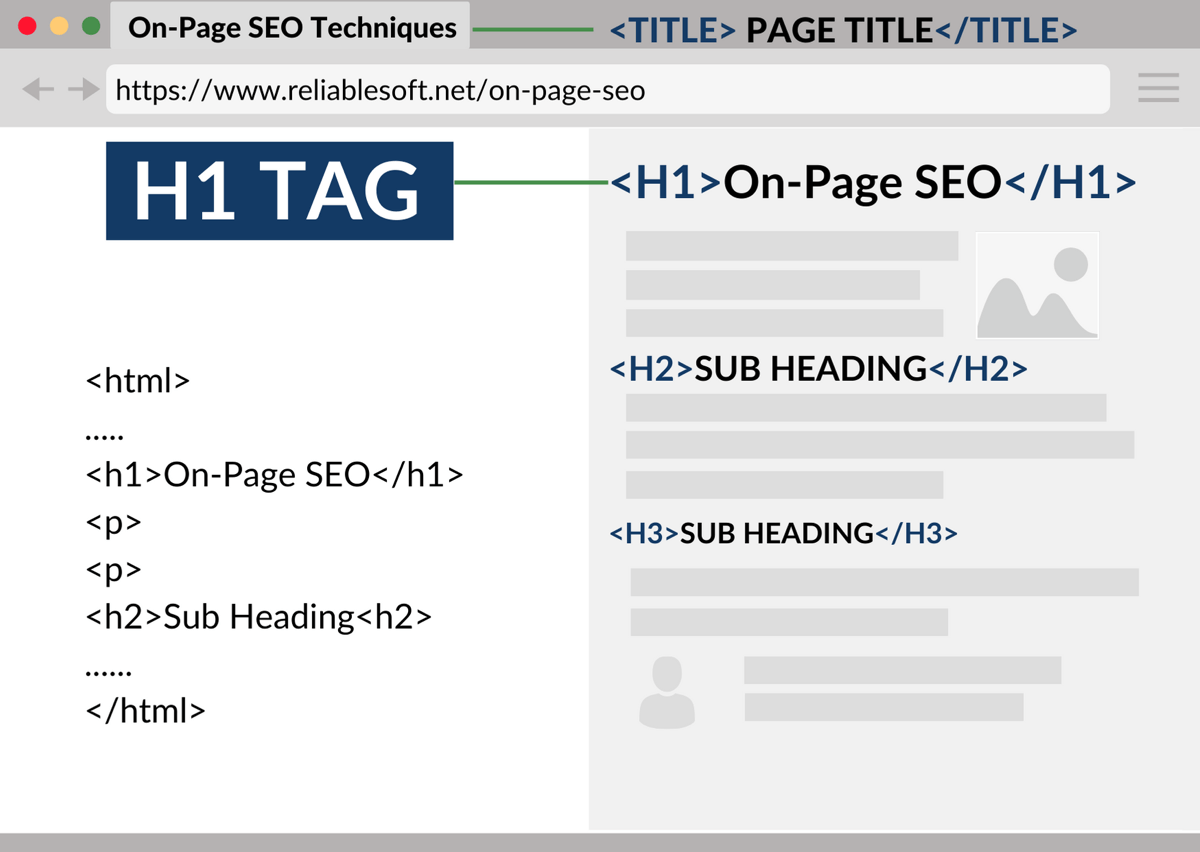
The Alternate tag must be written within the HTML <head> tag. The <head> tag is an element necessary for HTML documents, and is a tag for describing meta information about the HTML document. Write information about the text, such as the page’s author information, page title, and keywords for search engines. The content inside the <head> tag is not displayed even after the page is loaded.
Basically, the tag will not be reflected unless it is written in the <head> tag, but there are cases where it is easy to make a mistake by writing it in the body tag. Even if you write it in the body tag, it will not be reflected and will not have any effect. Therefore, be careful not to write the tag in a different place, as Google will not recognize it.
Specify the target page using an “absolute path”
When specifying the target page, be sure to use an “absolute path”. In HTML, the path to reach specific information is called a “path.” It is like a route that shows which folder the desired file is stored in, and the URL of a website is also a type of this path. There are two paths, an “absolute path” and a “relative path.”
An absolute path is a way to describe the path from the top of the directory hierarchy to the target file without omitting everything. In other words, without omitting the URL, it is like writing from the top of the site’s hierarchical structure to the destination, such as “https://~”.
On the other hand, a relative path is a way to describe the path from the location of the file you are working on to the desired file. In other words, omit the domain part of the URL and write it.
Both absolute and relative paths have their advantages and disadvantages, but Google and others recommend using absolute paths. Many people find it troublesome to write an absolute path and write a relative path, but it is recommended that you write an absolute path as it may lower the SEO rating of the page.

Points to note when using canonical tags
The canonical tag, which must be used in conjunction with the Alternate tag, must also be configured correctly. Please keep the following points in mind when using tags.
Write in the source code of the smartphone page
As mentioned above, the canonical tag must be written in the source code of the smartphone page. By writing tags in the source code of a smartphone page, you can communicate that the page was created for users who viewed it on a smartphone. Be careful, as a common mistake that many people make is to write it in the source code of the computer page.
Exclude non-canonical URLs
When setting the canonical tag, be sure to exclude non-canonical URLs. Leaving non-canonical URLs will lead to wasted crawling resources.
For example, if there are 10,000 page URLs registered in an XML sitemap, the number of page URLs with tags (non-canonical URLs) is 2,000, and the number of regular URLs is 8,000. Assuming you have registered. In that case, the crawler will always visit non-canonical URLs that are not scheduled to be
indexed
, resulting in wasted crawling effort. As a result, the crawlability of important canonical URLs will decrease, and the page information of canonical URLs will be recognized in poor condition, so Google may not give you a high ranking. Pages that you originally want to index will not be read properly and will not be evaluated correctly by Google, making it difficult to rank higher.
To avoid this situation, be sure to exclude non-canonical URLs.
Do not specify noindex page
If you specify a noindex page, regular URLs will not be indexed.
Noindex is a tag used when you do not want a specific page to be indexed by search engines. Depending on how you use it, it can be an effective tag for SEO, but if you write a noindex tag inside a canonical tag, it will be designated as a noindex page and will not be displayed in search results. This means that canonical URLs will not be indexed by search engines. Be very careful when using noindex and canonical together.
Optimize PC and smartphone sites without using Alternate tags
Up to this point, we have explained the overview of tags, how to set them up, and points to be aware of, but if settings and redirects are not set properly, they may not be displayed in search results at all, so there are risks involved.
Setting tags as explained in this article is of course an effective method, but there are also ways to optimize PC sites and smartphone sites without using tags.
Adoption of responsive design
Responsive
design is a technology that makes web pages easy to view and use from any device.
Users who view web pages do so from a variety of devices, including computers, smartphones, and tablets. By introducing responsive design to web pages, even if the information is the same, it will be possible to automatically switch the display depending on the device on which it is viewed.
While there are many devices with different screen sizes, such as computers, smartphones, and tablets, it is composed of a single HTML file, and the display can be changed by preparing
CSS
for each device. Therefore, there is no need to prepare HTML according to the device. It is very convenient for the management side as it does not incur any time cost.
By using these, you will avoid problems such as “I can see it on my computer, but I get an error and it doesn’t appear on my tablet.” Also, when you want to edit a web page, you can do it by adjusting one HTML, so it has the advantage of being easy to edit.
Use of dynamic delivery (dynamic serving)
Dynamic delivery, also known as “dynamic serving,” is a method of delivering different HTML to each accessing device, even if the URL is the same. The web server detects the type of device and dynamically assembles and delivers separate HTML and CSS each time.
With dynamic distribution, you can create a free design for each device, and you can create a layout that takes into account the screen size of a specific device. Additionally, since you can send only the necessary materials, editing can be done easily and the display speed can be increased. If you can increase the display speed of a web page, it may improve usability.
However, by performing production for each device, there will of course be a lot of cost and time cost.
Why responsive design is recommended over tagging
In this article, we talked about tags, but in conclusion, it is recommended to use responsive design rather than setting tags. Google’s official website also recommends the following:
Responsive design: Serve the same HTML code at the same URL regardless of the user’s device (computer, tablet, mobile, non-visual browser, etc.), but change the way the content is displayed depending on the screen size. Google recommends responsive web design as the easiest design pattern to implement and maintain.
There is no direct advantage of tagging, responsive design, or dynamic serving in terms of SEO, but responsive design is more useful both for administrators and for users viewing the site. It would be easy.
Web page management is very easy as there is no need to prepare HTML for each device. While there are many devices such as computers, smartphones, and tablets, responsive design consists of a single piece of HTML, and the display can be changed by preparing CSS.
Additionally, users can view web pages without stress, as the display is automatically switched to match the device they are viewing on. The fact that users can browse without stress means that they are conscious of usability, and web pages that are conscious of usability will have higher SEO ratings.

summary
In this article, we explained the overview of the Alternate tag, how to use it, the necessity of implementing it, and points to note. If a page on a computer site and a page on a smartphone site with the same content have different URLs, it is effective to use the Alternate tag to notify Google of the existence of the smartphone site. If you do not configure the settings properly, Google will not recognize your site correctly and you may receive a negative SEO rating. Additionally, implementing canonical tags for normalization is extremely important to maximize SEO effects.
Nowadays, many users access websites not only on computers but also on many devices such as smartphones and tablets. In order to avoid losing opportunities in your business, let’s operate effectively by setting tags, using responsive design, and using dynamic serving.